
Uncategorized
R (ROracle) and Oracle DATE formats
When you comes to working with R to access and process your data there are a number of little features and behaviours you need to look out for.
One of these is the DATE datatype.
The main issue that you have to look for is the TIMEZONE conversion that happens then you extract the data from the database into your R environment.
There is a datatype conversions from the Oracle DATE into the POSIXct format. The POSIXct datatype also includes the timezone. But the Oracle DATE datatype does not have a Timezone part of it.
When you look into this a bit more you will see that the main issue is what Timezone your R session has. By default your R session will inherit the OS session timezone. For me here in Ireland we have the time timezone as the UK. You would time that the timezone would therefore be GMT. But this is not the case. What we have for timezone is BST (or British Standard Time) and this takes into account the day light savings time. So on the 26th May, BST is one hour ahead of GMT.
This issue is not just between R and Oracle, but there are some inconsistencies in some of Oracle’s other tools list SQL Developer, SQLcl and SQL*Plus.
SQL*Plus

SQLcl & SQL Developer


OK. Let’s get back to the issue with we are using R to analyse our data.
The Problem
As mentioned above, when I select date of type DATE from Oracle into R, using ROracle, I end up getting a different date value than what was in the database. Similarly when I process and store the data.
The following outlines the data setup and some of the R code that was used to generate the issue/problem.
Data Set-up
Create a table that contains a DATE field and insert some records.
CREATE TABLE STAFF
(STAFF_NUMBER VARCHAR2(20),
FIRST_NAME VARCHAR2(20),
SURNAME VARCHAR2(20),
DOB DATE,
PROG_CODE VARCHAR2(6 BYTE),
PRIMARY KEY (STAFF_NUMBER));
insert into staff values (123456789, 'Brendan', 'Tierney', to_date('01/06/1975', 'DD/MM/YYYY'), 'DEPT_1');
insert into staff values (234567890, 'Sean', 'Reilly', to_date('21/10/1980', 'DD/MM/YYYY'), 'DEPT_2');
insert into staff values (345678901, 'John', 'Smith', to_date('12/03/1973', 'DD/MM/YYYY'), 'DEPT_3');
insert into staff values (456789012, 'Barry', 'Connolly', to_date('25/01/1970', 'DD/MM/YYYY'), 'DEPT_4');
You can query this data in SQL without any problems. As you can see there is no timezone element to these dates.
Selecting the data
I now establish my connection to my schema in my 12c database using ROracle. I won’t bore you with the details here of how to do it but check out point 3 on this post for some details.
When I select the data I get the following.
> res<-dbSendQuery(con, “select * from staff”) > data data$DOB
[1] “1975-06-01 01:00:00 BST” “1980-10-21 01:00:00 BST” “1973-03-12 00:00:00 BST”
[4] “1970-01-25 01:00:00 BST”
As you can see two things have happened to my date data when it has been extracted from Oracle. Firstly it has assigned a timezone to the data, even though there was no timezone part of the original data. Secondly it has performed some sort of timezone conversion to from GMT to BST. The difference between GMT and BTS is the day light savings time. Hence the 01:00:00 being added to the time element that was extract. This time should have been 00:00:00. You can see we have a mixture of times!
So there appears to be some difference between the R date or timezone to what is being used in Oracle.
To add to this problem I was playing around with some dates and different records. I kept on getting this scenario but I also got the following, where we have a mixture of GMT and BST times and timezones. I’m not sure why we would get this mixture.
> data$DOB
[1] “1995-01-19 00:00:00 GMT” “1965-06-20 01:00:00 BST” “1973-10-20 01:00:00 BST”
[4] “2000-12-28 00:00:00 GMT”
This is all a bit confusing and annoying. So let us look at how you can now fix this.
The Solution
Fixing the problem : Setting Session variables
What you have to do to fix this and to ensure that there is consistency between that is in Oracle and what is read out and converted into R (POSIXct) format, you need to define two R session variables. These session variables are used to ensure the consistency in the date and time conversions.
These session variables are TZ for the R session timezone setting and Oracle ORA_SDTZ setting for specifying the timezone to be used for your Oracle connections.
The trick there is that these session variables need to be set before you create your ROracle connection. The following is the R code to set these session variables.
> Sys.setenv(TZ = “GMT”)
> Sys.setenv(ORA_SDTZ = “GMT”)
So you really need to have some knowledge of what kind of Dates you are working with in the database and if a timezone if part of it or is important. Alternatively you could set the above variables to UDT.
Selecting the data (correctly this time)
Now when we select our data from our table in our schema we now get the following, after reconnecting or creating a new connection to your Oracle schema.
> data$DOB
[1] “1975-06-01 GMT” “1980-10-21 GMT” “1973-03-12 GMT” “1970-01-25 GMT”
Now you can see we do not have any time element to the dates and this is correct in this example. So all is good.
We can now update the data and do whatever processing we want with the data in our R script.
But what happens when we save the data back to our Oracle schema. In the following R code we will add 2 days to the DOB attribute and then create a new table in our schema to save the updated data.
I’ve used the R package Libridate to do the date and time processing.
> data$DOB
[1] “1975-06-01 GMT” “1980-10-21 GMT” “1973-03-12 GMT” “1970-01-25 GMT”
> data$DOB data$DOB
[1] “1975-06-03 GMT” “1980-10-23 GMT” “1973-03-14 GMT” “1970-01-27 GMT”
> dbWriteTable(con, “STAFF_2”, data, overwrite = TRUE, row.names = FALSE)
[1] TRUE
When we look at this newly created table in our Oracle schema we will see that we don’t have DATA datatype for DOB, but instead it is created using a TIMESTAMP data type.

If you are working with TIMESTAMP etc type of data types (i.e. data types that have a timezone element that is part of it) then that is a slightly different problem. Perhaps one that I’ll look at soonish.
Turning down the always on aspects of Life
There was has been various on going discussions about the every growing “always on” or “always available” aspect of modern life.
Most of us do something like the follow each day:
- check email, twitter, Facebook, etc before getting out of bed
- checking emails and responding to emails and various social media before you before you leave the house
- spending a long day in the office or moving between multiple clients
- spending your lunch time on email and social media
- go home after a long day and open the laptop/tablet etc to answer more emails.
- final check of emails and social media before you go to sleep
Can you remember the last time when you finished work for the day and went home you were actually finish work for the day?
A couple of years ago I did a bit of an experiment that I called ‘Anti Social Wednesdays‘
That experiment was actually very successful but after a few months I did end up going back online. But the amount of work I achieved was huge and during some of that time I started to write my first book.
I’m not going to start out on a new experiment. I’m going to turn off/delete all work related email accounts from my Phone, tablet etc. I’ll leave it on my work laptops (obviously)
What this means is that when I want to look up something on the internet or use an app on my phone, I’m no longer going to be tempted into checking emails and doing one of those quick replies.
So now I won’t be getting any of those “annoying” emails just before you go to sleep, or when you are on a day out with the family, etc.
If something is really really important that you need a response really quickly then you can phone me. Otherwise you are going to have to way until I open my laptop to find your email.
Anyone one else interested in joining in on this little experiment? Let me now.
Oracle Magazine-November/December 2000
The headline articles of Oracle Magazine for November/December 2000 were on how application service providers are changing the way that business operate, everything from project management collaboration, professional services, online marking and how to go about becoming one.

Other articles included:
- Tom Kyte has an article on how working with Java is simpliernow that it is a native part of the Oracle database. He gives some examples of how to get some of the typical DB information and processing the results.
- Oracle backs the development of a Common Warehouse Meta-model. This is and XML based metadata standard that was developed by the OMG. This will allow the exchange of e-business information and hopes to accelerate a company’s ability to move from data to decisions..
- There was a number of articles on the Oracle Internet Platform, how it all works and its various parts. These articles helped to support the article on the application service providers.
- Doug Obeid gives a good introduction article on the Secure Sockets Layer(SSL). He looks at securing transmissions, cryptography, authentication, various protocols and messaging.
- The part 2 of the article on Indexing Oracle 8i interMedia for managing and deploying rich data on the internet.
- Locally Managed Tablespaces looks to explain how the DBA can setup and manage tablespaces, so that the amount of space required can be minimized.
- Steven Feuerstein has an article on using Native Dynamic SQL using DBMS_SQL.
- Following up on previous articles (in previous editions) we have another article on how to go about analysing the Statspack Report. Statspack came with release 8.1.6 of the Oracle Database. The Statspack report is extremely useful for analysing and monitoring your database.
To view the cover page and the table of contents click on the image at the top of this post or click here.
My Oracle Magazine Collection can be found here. You will find links to my blog posts on previous editions and a PDF for the very first Oracle Magazine from June 1987.
ORE Getting Connected: ore.connect and other commands
After you have installed I ORE on your client and server (see my previous blog posts on these), you are not ready to start getting your hand dirty with ORE. During the installation of ORE you setup a test schema in your database to test that you can make a connection. But you will not be using this schema for you ORE work. Typically you will want to use one of your existing schemas that contains the data in the relevant tables and views. Plus you will want to be able to create some tables, creates some ORE temporary objects and stores, and to be able to store some of you ORE scripts in the schema that contains the data. In a previous blog post I gave some steps needed to setup your schema to be able to use ORE and the embedded feature.
In this post I want to show you some of the commands you will need to use to get connected to your Oracle schema and some initial commands you will need to know an use.
ore.connect command
The first command that you need to use is the ore.connect command that allows you to establish a connection to a database schema. You can also use this command to connect to HIVE tables in a Hadoop cluster.
The general syntax of the ore.connect function is
ore.connect(user = “”, sid = “”, host = “localhost”, password = “”,
port = 1521, service_name = NULL, conn_string = NULL,
all = FALSE, type = c(“ORACLE”, “HIVE”))
From this list of available parameters you only need to specify some of them. For a basic connection you do not need to specify the conn_string, type and all. The following is an example of using this connection string to connect to a schema called DMUSER that is located in a database whose service_name is ORCL and the host is the localhost.
> ore.connect(user=”dmuser”, sid=”orcl”, host=”localhost”, password=”dmuser”, port=1521, all=TRUE);
> ore.ls()
[1] “DEMO_R_APPLY_RESULT” “DEMO_R_TABLE” “DEMO_SUBSET_TABLE” “INSUR_CUST_LTV_SAMPLE”
[5] “MINING_DATA_APPLY” “MINING_DATA_APPLY_V” “MINING_DATA_BUILD_V” “MINING_DATA_TEST_V”
[9] “MINING_DATA_TEXT_APPLY_V” “MINING_DATA_TEXT_BUILD_V” “MINING_DATA_TEXT_TEST_V”
I generally explicitly include the all=TRUE. The reason for this might become clear below when I show the alternative.
When you us the all=TRUE, the ore.connect function will also run the ore.sync and a ore.attach functions. This will result in synchronizing and attaching all tables and views in the ORE schema. The amount of time to run ore.sync grows linearly with the number of visible tables and views.
If you already have an ORE connection open and you try to establish a new ORE connection then your already existing ORE connection will be automatically disconnected. So you will need to be careful with the sequencing of your ORE code.
You schema might have lots and lots of object. As you work on building your advanced analytics environment you will end up build many more objects. You can imagine that over time every time you establish a connection it will start to take longer and longer. The following commands creates a connection to the schema, but this time it does not sync or attach the database objects, as shown using the ore.ls function.
> ore.connect(user=”dmuser”, sid=”orcl”, host=”localhost”, password=”dmuser”, port=1521, all=FALSE);
> ore.ls()
character(0)
If you use the all=FALSE like is shown in the above example you will need to issue a ore.sync function to synchronise the meta-data and then the ore.attach function to add the synchronised objects to the search space of the local R environment.
is.ore.connected
You can use this command to check that you are connected to your ORE connection is live or not. As you develop your ORE scripts you might build in various connection and disconnections. This command is very useful to check your current status. If you have an ORE connection then you will get a response of TRUE. If you don’t have an open ORE connection then you will get a response of FALSE.
> ore.is.connected()
[1] FALSE
After we establish our ORE connection the next time we run this command
> ore.is.connected()
[1] TRUE
The following commands can be used to check to see if we have a connection and if not then establish a connection and list the objects in the schema.
> if (!ore.is.connected())
ore.connect(user=”dmuser”, sid=”orcl”, host=”localhost”, password=”dmuser”, port=1521, all=TRUE)
> ore.ls()
[1] “DEMO_R_APPLY_RESULT” “DEMO_R_TABLE” “DEMO_SUBSET_TABLE”
[4] “INSUR_CUST_LTV_SAMPLE” “MINING_DATA_APPLY” “MINING_DATA_APPLY_V”
[7] “MINING_DATA_BUILD_V” “MINING_DATA_TEST_V” “MINING_DATA_TEXT_APPLY_V”
[10] “MINING_DATA_TEXT_BUILD_V” “MINING_DATA_TEXT_TEST_V”
> ore.disconnect()
NOTE: Some of the documentation seems to refer to the command is.ore.connected(). This generates and error and seems to be an error in some of the ORE documentation.
ore.ls()
The ore.ls() command is used to find out what objects you have in your schema. The objects that it will list are all the tables and views that are defined in the schema.
> ore.ls()
[1] “DEMO_R_APPLY_RESULT” “DEMO_R_TABLE” “DEMO_SUBSET_TABLE”
[4] “INSUR_CUST_LTV_SAMPLE” “MINING_DATA_APPLY” “MINING_DATA_APPLY_V”
[7] “MINING_DATA_BUILD_V” “MINING_DATA_TEST_V” “MINING_DATA_TEXT_APPLY_V”
[10] “MINING_DATA_TEXT_BUILD_V” “MINING_DATA_TEXT_TEST_V”
ore.sync
The ore.sync() command is used to synchronise the meta-data about the objects in the oracle schema with the ORE environment. When no parameters are used in the command then all the meta-data for the tables and views are synchronised.
> ore.sync()
There are a a few variants for this command. These can include a specified list of tables and specifying a schema. These become increasingly important as the number of objects (tables and views) increase in your schema. Realistically as your analytical environment grows so will the number of objects. Therefore it the length of time it takes the ore.sync() command to run will start to take longer and long. So instead of synchronising all of the object, you can only synchronising the objects that you need.
The following command synchronises the meta-data for the listed tables.
ore.sync(table = c(“MINING_DATA_BUILD_V”, “MINING_DATA_TEST_V”, “INSUR_CUST_LTV_SAMPLE”))
If you want to synchronise objects from another schema you can specify the schema name. Only the objects that you have privileges on will be synchronised.
ore.sync(“SH”)
ore.attach
After you have run the ore.sync() command then you can add the objects that were synchronised to the search path of what R objects you can access and use. To do this you need to run the ore.attach() command.
> ore.sync()
> ore.attach()
The ORE objects are added at position 2. This means that they are listed after the local R workspace objects and before all previously attached packages and environment. You cannot change the position to be 1, but you can change it to 3
> ore.attach(“DMUSER”, 3)
NOTE: If you use the all=TRUE in your ore.connect command than the connection will automatically execute the ore.sync() and the ore.attach() commands.
ore.rm
The ore.rm() command can be used to remove an object from the R search space. This does not remove or delete the object from your ORE schema.
> ore.rm(“MINING_DATA_BUILD_V”)
Disconnecting & Other things
ore.disconnect
After you have finished all your ORE work you will need to disconnect from your schema. To do this you can use the ore.disconnect function. As part of the ore.disconnect function all temporary objects created during the session will be removed/deleted from the database / your schema. The ore.disconnect function does return a value. If you are unsure if the disconnect has worked then you can use the ore.is.connected command.
> ore.disconnect()
> ore.is.connected()
[1] TRUE
If you exit from your R session or application and implicit ore.disconnect will be issued. But it is always good practice to issue this command yourself.
OREShowDoc()
The OREShowDoc() command will open up a web browser and will display the home page of the ORE documentation. This will be the ORE documentation on you machine. My test machine is a VM with ORE installed on it, so the home page for the will be based on ORE installed directories on the server. My laptop is a Mac and ORE is currently not supported on the Mac, so I was not able to test how this works on the client.
> OREShowDoc

OUG Finland (Harmony) 2014
I’m back a few days now after an eventful OUG Finland Conference. It was a great 2 days of Oracle techie stuff in one of the best conference locations in the world.

The conference kind of started on the Wednesday. It seemed like most of the speakers from across Europe and USA were getting into Helsinki around lunch time. Heli had arranged to be a tour guide for the afternoon and took us to see some of the sights around Helsinki, ending up at dinner at a Viking restaurant. At this we got to meet up with some of the other speakers.
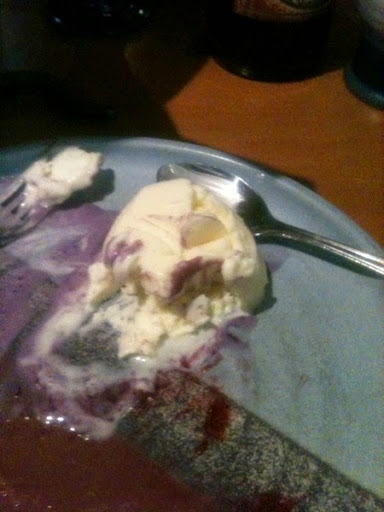
We got to try the local Tar ice-cream. Let’s just say it was an experience 🙂
The conference kicked off on the Thursday morning at a nature reserve (Haltia) about 30 minutes outside of Helsinki. I’m sure you have seem some of the photos that all of us were sharing on twitter. Heli did the opening welcome and got to show off how good her English is and how easily she can switch between Finnish and English (you had to be there). Each day consisted of 6 tracks and we also had some keynotes too. I think the highlight for most people on the first day was the keynote by James Morle. If you were not there, then hopefully he will be invited to give it at other conferences around the world.

I did my usual thing of tweeting throughout the conference along with most of the other presenters, ACEs and ACE Directors.
My first presentation of the conference was my Sentiment Analysis using Oracle Data Mining. I had a decent enough attendance at this considering the glorious sunshine we had and also who was also presenting at the same time.
That evening there was the conference BBQ and we were entertained by the a band consisting of Oracle Finland employees. When all of the entertainment was finished it was time for some people to get the bus back to their hotel in Helsinki. But for 15 of us we headed off for an overnight camping in the local forest. Many thanks to Heli and Ann for arranging this and Ollie for setting up the camp and looking after us. The camp was a bit of fun but the mosquitoes were a bit of a issue for me. Lets just say ‘They love me’


Yes the safety briefing did talk about bears

The next morning we got back in to the conference centre. After the keynote from Graham Wood (who was one of the campers), I had my second presentation on using ORE and how to get started with it. I was very surprised with the attendance, in that there was perhaps twice the number at it that I was hoping to have. This presentation ran on a little longer than hoped and it is more suited to a 1 hour slot than a 45 minute slot.

After that my presenting duties were over and I got to enjoy many of the presentations during the rest of the day. One of these was the Standard Edition Round table organised by Philippe Fierens, Jan Karrmans and Ann Sjokvit. There was lots of great discussion at this round table and I really hope they get to host this at other conferences.
Did I mention I got to meet Chris Date. Did I mention I got to meet Chris Date 🙂

As the conference came to a close the committee made sure that everyone had a small gift before going home. For all of those that were left waiting for the bus back into Helsinki there was one last (or several) jumps to do. Again the photos are on twitter, etc.
This was a great conference that had attendees (not just speakers) from a number of countries across Europe. I enjoyed the conference and getting to meet some old and new friends. Hopefully next year I will be able to fit OUG Finland into my calendar and so should you.
As Heli says “I’m Finnish and this is the end”
Getting Started with ROracle
There are many different ways for you to connect to a database using R. You can setup an RODBC connection, use RJDBC, use Oracle R Enterprise (ORE), etc. But if you are an Oracle user you will want to be able to connect to your Oracle databases and be able to access the data as quickly as possible.
The problem with RODBC and RJDBC connections is that they are really designed to process small amounts of data. As your database and data grows, particularly in the Big Data World then using these type of connections soon become a bottleneck. Another alternative is to use Oracle R Enterprise, but if you do then you have to pay extra licence fees. Again this may not be an option.
An alternative is to use the ROracle package. This R package that is supplied by Oracle, for FREE!!!, allows you to setup connections that utilise the Oracle Client software that you will have installed on your client PCs/laptops etc. Because it utilises the communication technology of Oracle Client you are going to get really good performance and opens up the possibility of processing your Big Data is a reasonable amount of time.
The following steps brings your through the various steps involved in getting ROracle installed, how to connect to the database and how to execute some simple commands. At the end of the post I will point you towards some performance evaluations that have been conducted comparing ROracle to other connection methods.
Installing ROracle (on Client and on the Server)
The first step you need to perform is to install ROracle. If you are installing this on your client machine then you can install it into your R directory. If you are installing ROracle on your server and you have ORE already installed then you can install it in the ORE directory. If you do not have ORE installed on your server but you have R installed then install ROracle in your R directory on the server.
To install ROracle you can run the following command:
install.packages(“ROracle”) Or select the Install Packages menu option from the R Gui menu or from the RStudio menu. You will get prompted for the R home to install the ROracle package in. 
You may get some warning messages about some other packages and if the ROracle package was compiled using a slightly different version of R. These are just warning messages and everything should work OK. If you get an error message then you will need to check out what is causing it.
As part of the process the R process will be restarted.
Connecting to your Oracle Database
Now that you have ROracle installed the next step is to test that you can connect to your database. The following commands loads the ROracle package, defines the Oracle driver, sets-up the connection information and then establishes the connection.
> library(ROracle)
> drv <- dbDriver("Oracle")
> # Create the connection string
> host <- "localhost"
> port <- 1521
> sid <- "orcl"
>connect.string <- paste(
> “(DESCRIPTION=”,
> “(ADDRESS=(PROTOCOL=tcp)(HOST=”, host, “)(PORT=”, port, “))”,
> “(CONNECT_DATA=(SID=”, sid, “)))”, sep = “”)
con <- dbConnect(drv, username = "dmuser", password = "dmuser",dbname=connect.string)
At this point you are now connected to the DMUSER schema in the Oracle database.
Issuing a Query and processing the results
How we can run our queries on objects in our schema (DMUSER). The following commands sends a query to the schema (to bring back all the view names) and returns the results into rs. The contents of rs is then mapped into data. The dim(data) command returns the number of records in the result set (in the example this is 6) and the number of columns (1 in our example).
> rs <- dbSendQuery(con, "select view_name from user_views")
> # fetch records from the resultSet into a data.frame
> data <- fetch(rs)
> # extract all rows
> dim(data)
[1] 6 1
> data
VIEW_NAME
1 MINING_DATA_APPLY_V
2 MINING_DATA_BUILD_V
3 MINING_DATA_TEST_V
4 MINING_DATA_TEXT_APPLY_V
5 MINING_DATA_TEXT_BUILD_V
6 MINING_DATA_TEXT_TEST_V
Checking Query meta-data
ROracle allows us to find out information or meta-data regarding the execution of the query. The following commands list the various meta-data available for the query, then gets the meta-data for the query we ran in the above step (results are in rs) and then displays the meta-data for the rs query results.
> # Get the meta-data about the query
> names(dbGetInfo(rs))
[1] “statement” “isSelect” “rowsAffected” “rowCount” “completed” “prefetch”
[7] “bulk_read” “fields”
> rsInfo <- dbGetInfo(rs)
> rsInfo
$statement
[1] “select view_name from user_views”
$isSelect
[1] TRUE
$rowsAffected
[1] 0
$rowCount
[1] 6
$completed
[1] TRUE
$prefetch
[1] FALSE
$bulk_read
[1] 1000
$fields
name Sclass type len precision scale nullOK
1 VIEW_NAME character VARCHAR2 30 0 0 FALSE
Checking Database meta-data
You can also get some meta-data about your connection to the database. The following commands lists the meta-data available for a connection, gets the meta-data for the connection and then displays the meta-data for the current connection (con).
> # Get the meta-data about the connection ot the database
> names(dbGetInfo(con))
[1] “username” “dbname” “serverVersion” “serverType” “resTotal”
[6] “resOpen” “prefetch” “bulk_read” “stmt_cache” “results”
> dbInfo <- dbGetInfo(con)
> dbInfo
$username
[1] “dmuser”
$dbname
[1] “(DESCRIPTION=(ADDRESS=(PROTOCOL=tcp)(HOST=localhost)(PORT=1521))(CONNECT_DATA=(SID=orcl)))”
$serverVersion
[1] “11.2.0.3.0”
$serverType
[1] “Oracle RDBMS”
$resTotal
[1] 1
$resOpen
[1] 1
$prefetch
[1] FALSE
$bulk_read
[1] 1000
$stmt_cache
[1] 0
$results
$results[[1]]
Statement: select view_name from user_views
Rows affected: 0
Row count: 6
Select statement: TRUE
Statement completed: TRUE
OCI prefetch: FALSE
Bulk read: 1000
Closing the DB Connection
In this section some commands are given that allows you to see some of the details of the Oracle driver, to Commit any changes to the database, to free up the resources being held by result set of the query we ran in a previous step and then to close the connection to the schema.
> # Free up the resources and disconnect from the database
> summary(drv)
Driver name: Oracle (OCI)
Driver version: 1.1-11
Client version: 11.2.0.3.0
Connections processed: 3
Open connections: 2
Interruptible: FALSE
> dbCommit(con)
[1] TRUE
> dbClearResult(rs)
[1] TRUE
> dbDisconnect(con)
[1] TRUE
Performance evaluation
Mark Hornick of Oracle has written a blog post on the performance differences between RODBC, RJDBC and ROracle. He compares the performance of reading from tables with various numbers of attributes and various volumes of records. Check out his blog post here. The following image is taken from this blog post and illustrates the performances.

You can access the R CRAN ROracle Package Documentation here, and the ROracle documentation/webpage here.
Oracle Text and Oracle Data Miner
This blog post is a follow up to comment on a previous blog post and to some emails.
Basically the people are asking about some messages they get when they open the Oracle Data Miner tool, that is part of SQL Developer.
If you are just using the SQL and PL/SQL functions in the database then you do not have to worried about Oracle Text. You will receive no warning message.
But if you use the Oracle Data Miner tool you will get a warning message.
Why do you get this message? Some of the functionality in the Oracle Data Miner tool relies on having Oracle Text enabled/installed in the database. You can locate this functionality under the Text section of the Component Workflow Editor palette of Oracle Data Miner.
So if you are getting these warning messages then Oracle Text was not installed when the database was created.
How can you install Oracle Text? There are 2 scripts that you need to run.
For the first script you will need to log into SYS as SYSDBA and run the following script.
ctx/admin/catctx.sql password SYSAUX TEMP NOLOCK
This script will create a user called CTXSYS with the password of password (give above), with the default tablespace of SYSAUX, the temporary tablespace of TEMP and when the account is created don’t lock it (NOLOCK).
This script will also install a number of CTX packages.
The next step is to log into the CTXSYS schema (using the password above) and run the following script.
/ctx/admin/defaults/dr0defin.sql
This takes a parameter to specify the language you want to use. For example “English”, “AMERICAN”, etc.
The final step is to connect as SYS again and lock the CTXSYS account.
alter user ctxsys account lock password expire;
If you are using Oracle 12c then the above steps will be automatically done for you during the process. If you are using an earlier version of the database or a database that has been upgraded through some version then Oracle Text may not have been installed. In this case you can run the able commands.
My Website
Hi
This WordPress pages is really just a place holder. You can find my blog posts and webpages at
www.oralytics.com
Brendan
Ralph Kimball talks about Hadoop and the Enterprise Data Warehouse
On April 2nd Cloudera is hosting a webinar featuring Ralph Kimball who will “describe how Apache Hadoop complements and integrates effectively with the existing enterprise data warehouse. The Hadoop environment’s revolutionary architectural advantages open the door to more data and more kinds of data than are possible to analyze with conventional RDBMSs, and additionally offer a whole series of new forms of integrated analysis.

SQL Developer 4.0.1 is out
Oracle have released an updated version of SQL Developer and it is available to download from here.
Jeff Smyth has a blog post on some of the bug fixes in SQL Developer.
and Kris Rice also has a blog post on the new updated release.
So what about Oracle Data Miner. There seems to be a couple of minor new features on being able to select statistical outputs for the transform node. Also the model and test results viewers now automatically refresh if they are open. ODM can not be installed on Oracle Personal Edition (I haven’t tried this out yet).
Plus the Graph node can not have line charts based on mulitiple y axis attributes. I’ll have a blog post on this soon.
World Experts discuss Testing for Accuracy of Predictive Models
A week or two ago there was an article on www.softwareadvice.com called Predictive Analytics : Testing for Accuracy. In this article there was 3 very well know data scientist/data miners/predictive modellers. One of these is a Karl Rexter (a friend of mine form the BIWA world) along with Dean Abbott and John Elder.
People keep asking me what is the best way to test their data mining model, with most people expecting that they have to do lots and lots of statistics. They are then confused when I say ‘Oh No you Don’t’, all you need to do is …. All you need to do is to follow the approaches that are detailed in their article. One thing that they all have in common is that they keep in mind the business problem and how/what the results they obtain mean for the business problem.
- Lift charts and decile tables to compare performance against random results
- Target shuffling to determine validity of the results
- Bootstrap sampling to test the consistency of the model
Ok Some statistics are used but not too many!!
View highlights from the report below or read it in its entirety here. Alternatively have a look at the article summary on SlideShare.
OUG Ireland Presenters on Twitter
The agenda for OUG Ireland 2014 is now live. You can view the agenda and to register for the event by clicking on the following link.

Over the past couple of weeks some of the presenters have been using Twitter to share the news that they will be presenting at OUG Ireland. If you are not following them on twitter now is time to follow them. So here is the list (in no particular order) and I’ll start it off with myself 
Brendan Tierney @brendantierney
Debra Lilley @debralilley
Tom Kyte @OracleAskTom
Tim Hall @oraclebase
Jon Paul @jonpauldublin
Roel Hartman @RoelH
Uli Bethke @ubethke
Antony Heljula @aheljula
Stewart Bryson @stewartbryson
Patrick Hurley @phurley
Joel Goodman @JoelJGoodman
Philippe Fierens @pfierens
Simon Haslam @simon_haslam
Martin Nash @mpnsh
Uwe Hesse @UswHesse
Martin Bach @MartinDBA
If I’m missing anyone let me know and I’ll add you to the list
 Ora-lytics
You must be logged in to post a comment.