
image processing
Using Python for OCI Vision – Part 1
I’ve written a few blog posts over the past few weeks/months on how to use OCI Vision, which is part of the Oracle OCI AI Services. My blog posts have shown how to get started with OCI Vision, right up to creating your own customer models using this service.
In this post, the first in a series of blog posts, I’ll give you some examples of how to use these custom AI Vision models using Python. Being able to do this, opens the models you create to a larger audience of developers, who can now easily integrate these custom models into their applications.
In a previous post, I covered how to setup and configure your OCI connection. Have a look at that post as you will need to have completed the steps in it before you can follow the steps below.
To inspect the config file we can spool the contents of that file
!cat ~/.oci/config
I’ve hidden some of the details as these are related to my Oracle Cloud accountThis allows us to quickly inspect that we have everything setup correctly.
The next step is to load this config file, and its settings, into our Python environment.
config = oci.config.from_file()

config
We can now list all the projects I’ve created in my compartment for OCI Vision services.
#My Compartment ID
COMPARTMENT_ID = "<compartment-id>"

#List all the AI Vision Projects available in My compartment
response = ai_service_vision_client.list_projects(compartment_id=COMPARTMENT_ID)

#response.data
for item in response.data.items:
    print('- ', item.display_name)
    print('    ProjectId= ', item.id)
    print('')
Which lists the following OCI Vision projects.

We can also list out all the Models in my various projects. When listing these I print out the OCID of each, as this is needed when we want to use one of these models to process an image. I’ve redacted these as there is a minor cost associated with each time these are called.
#List all the AI Vision Models available in My compartment
list_models = ai_service_vision_client.list_models(
    # this is the compartment containing the model
    compartment_id=COMPARTMENT_ID
)

print("Compartment Id=", COMPARTMENT_ID)
print("")
for item in list_models.data.items:
    print('  ', item.display_name, '--', item.model_type)
    print('     OCID= ',item.id)
    print('     ProjectId= ', item.project_id)
    print('')
I’ll have other posts in this series on using the pre-built and custom model to label different image files on my desktop.
OCI:Vision – AI for image processing – the Basics
Every cloud service provides some form of AI offering. Some of these can range from very basic features right up to a mediocre level. Only a few are delivering advanced AI services in a useful way.
Oracle AI Services have been around for about a year now, and with all new products or cloud services, a little time is needed to let it develop from an MVP (minimum viable produce) to something that’s more mature, feature-rich, stable and reliable. Oracle’s OCI AI Services come with some pre-training models and to create your own custom models based on your own training datasets.
Oracle’s OCI AI Services include:
- Digital Assistant
- Language
- Speech
- Vision
- Document Understand
- Anomaly Detection
- Forecasting
In this post, we’ll explore OCI Vision, and what the capabilities are available with their pre-trained models. To demonstrate this their online/webpage application will be used to demonstrate what it does and what it creates and identifies. You can access the Vision AI Services from the menu as shown in the following image.
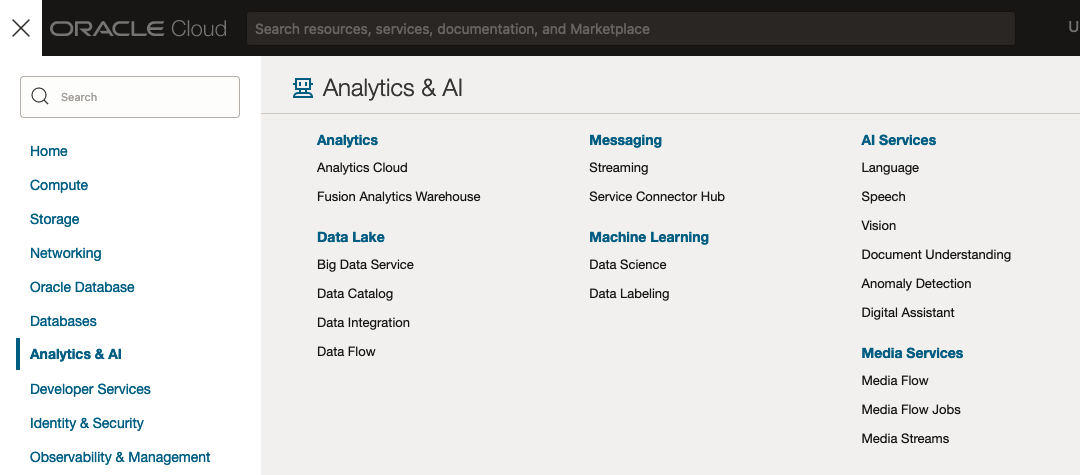
From the main AI Vision webpage, we can see on the menu (on left-hand side of the page), we have three main Vision related options. These are Image Classification, Object Detection and Document AI. These are pre-trained models that perform slightly different tasks.
Let’s start with Image Classification and explore what is possible. Just Click on the link.
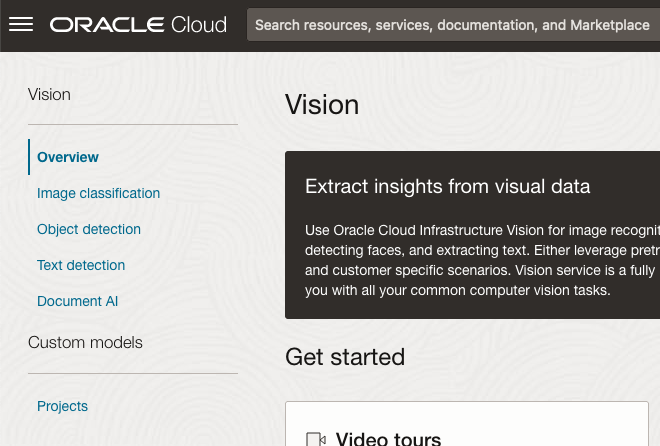
Note: The Document AI feature will be moving to its own cloud Service in 2024, so it will disappear from them many but will appear as a new service on the main Analytics & AI webpage (shown above).
The webpage for each Vision feature comes with a couple of images for you to examine to see how it works. But a better way to explore the capabilities of each feature is to use your own images or images you have downloaded. Here are examples.
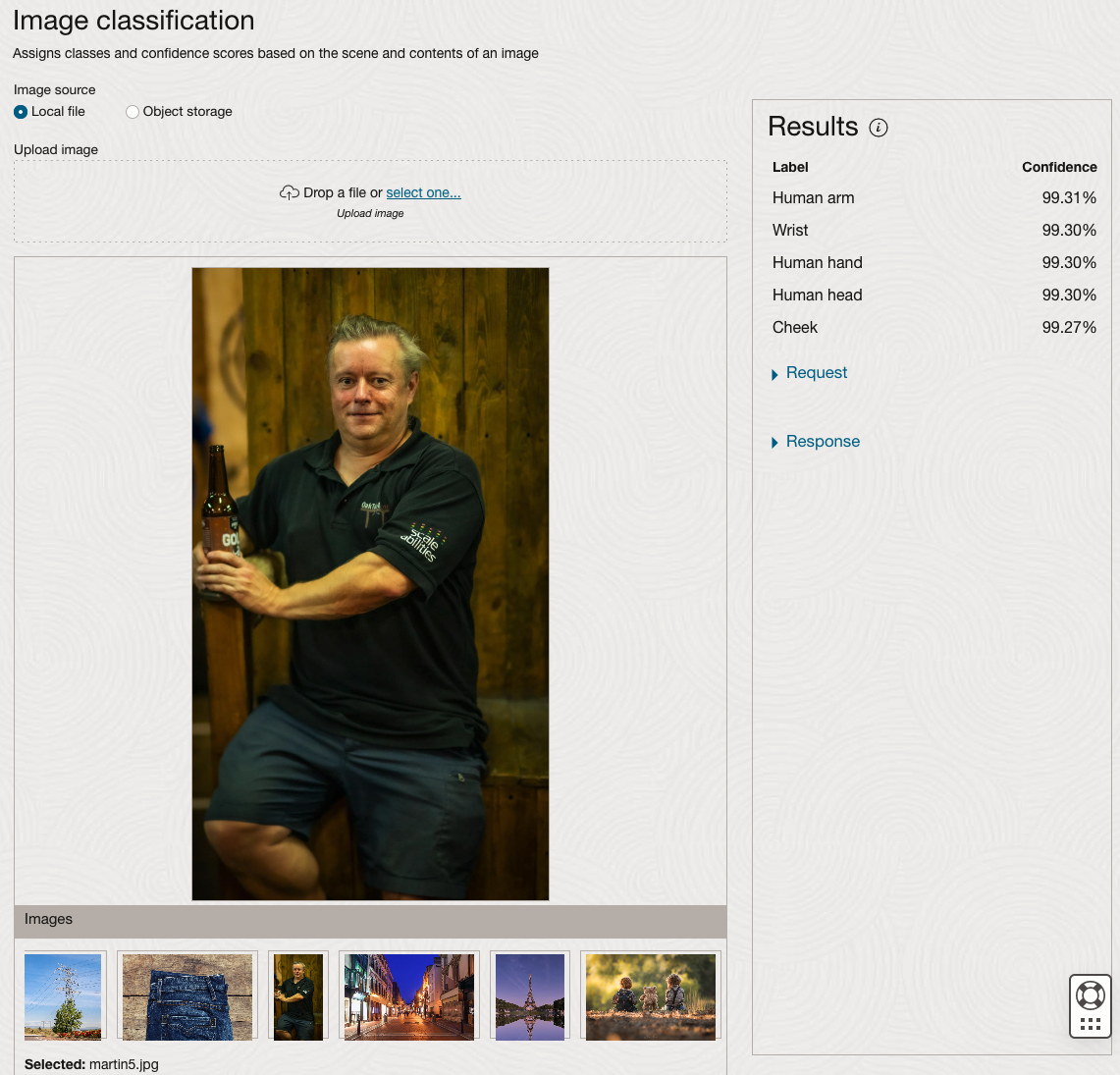
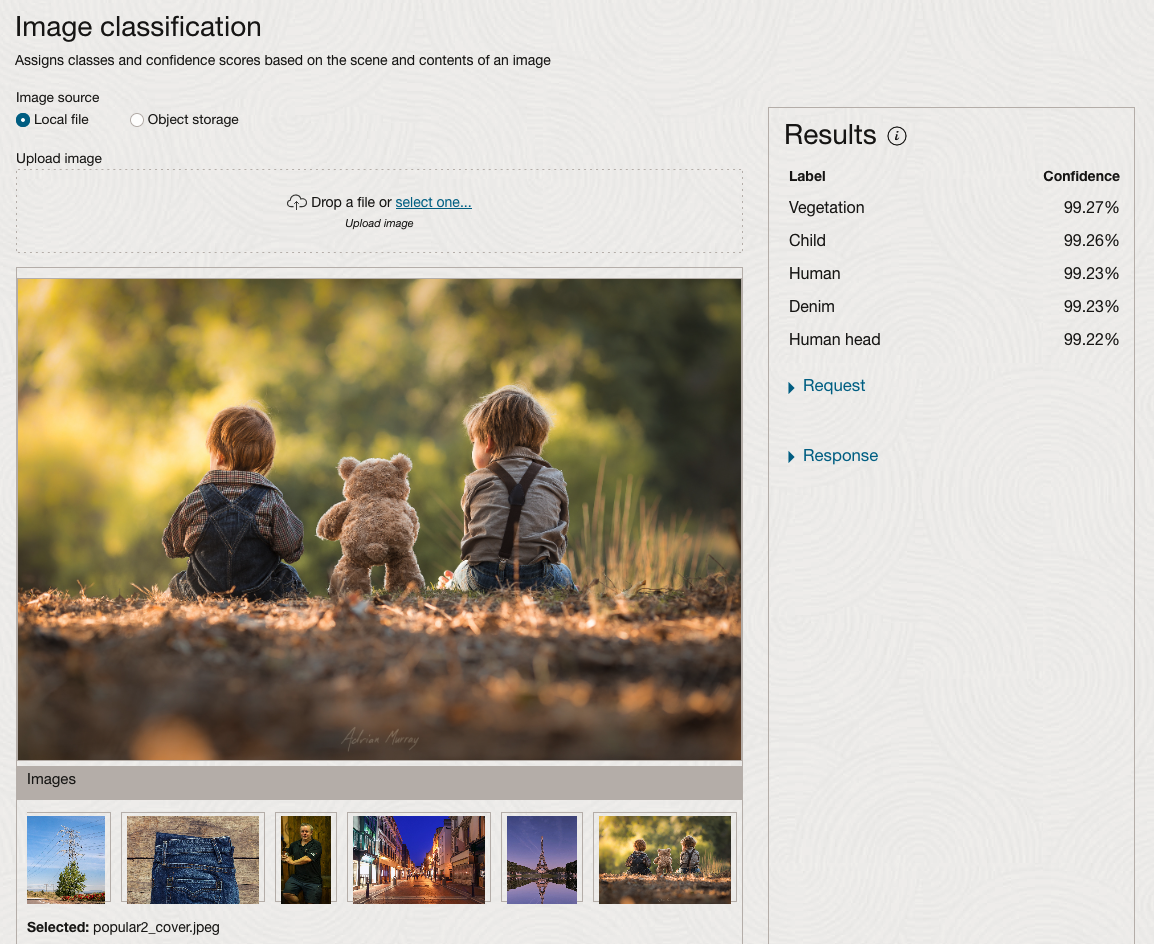
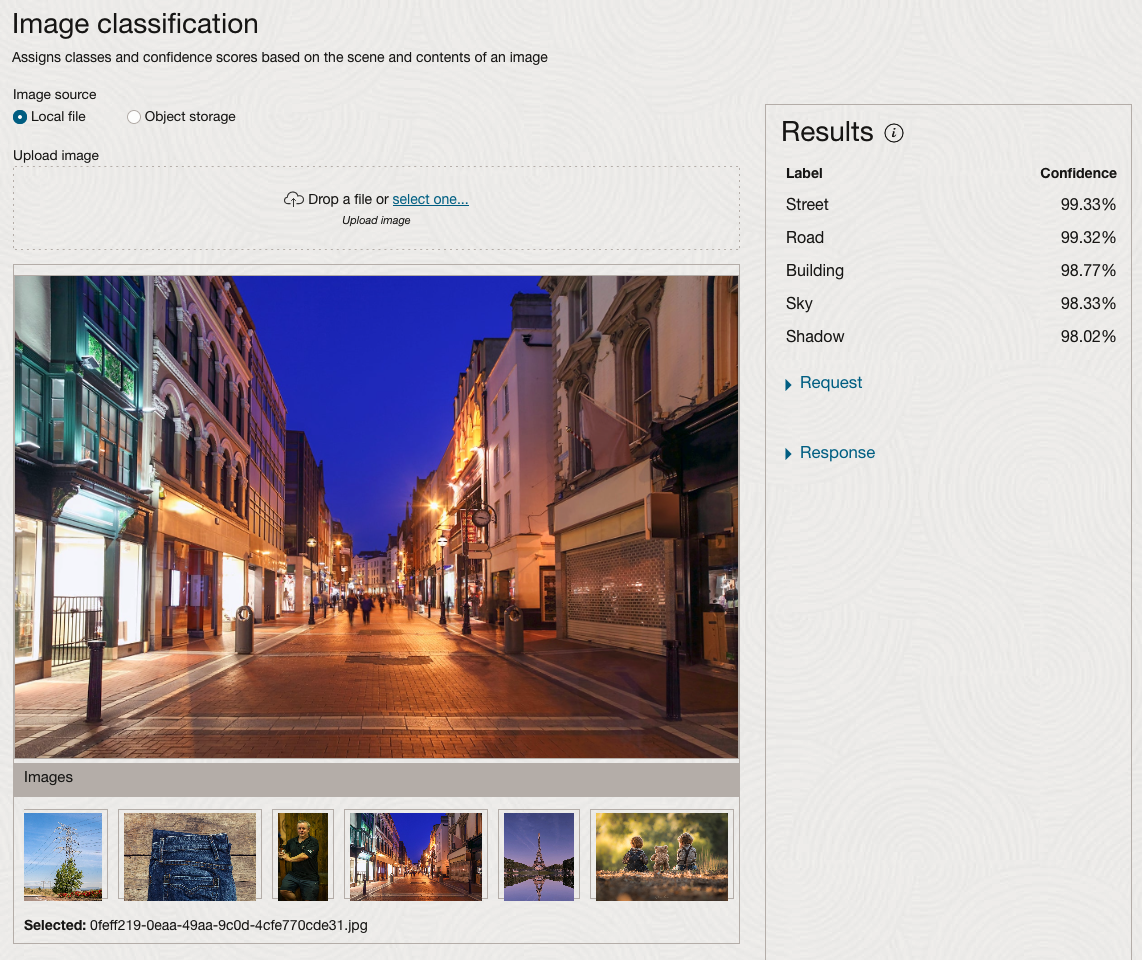
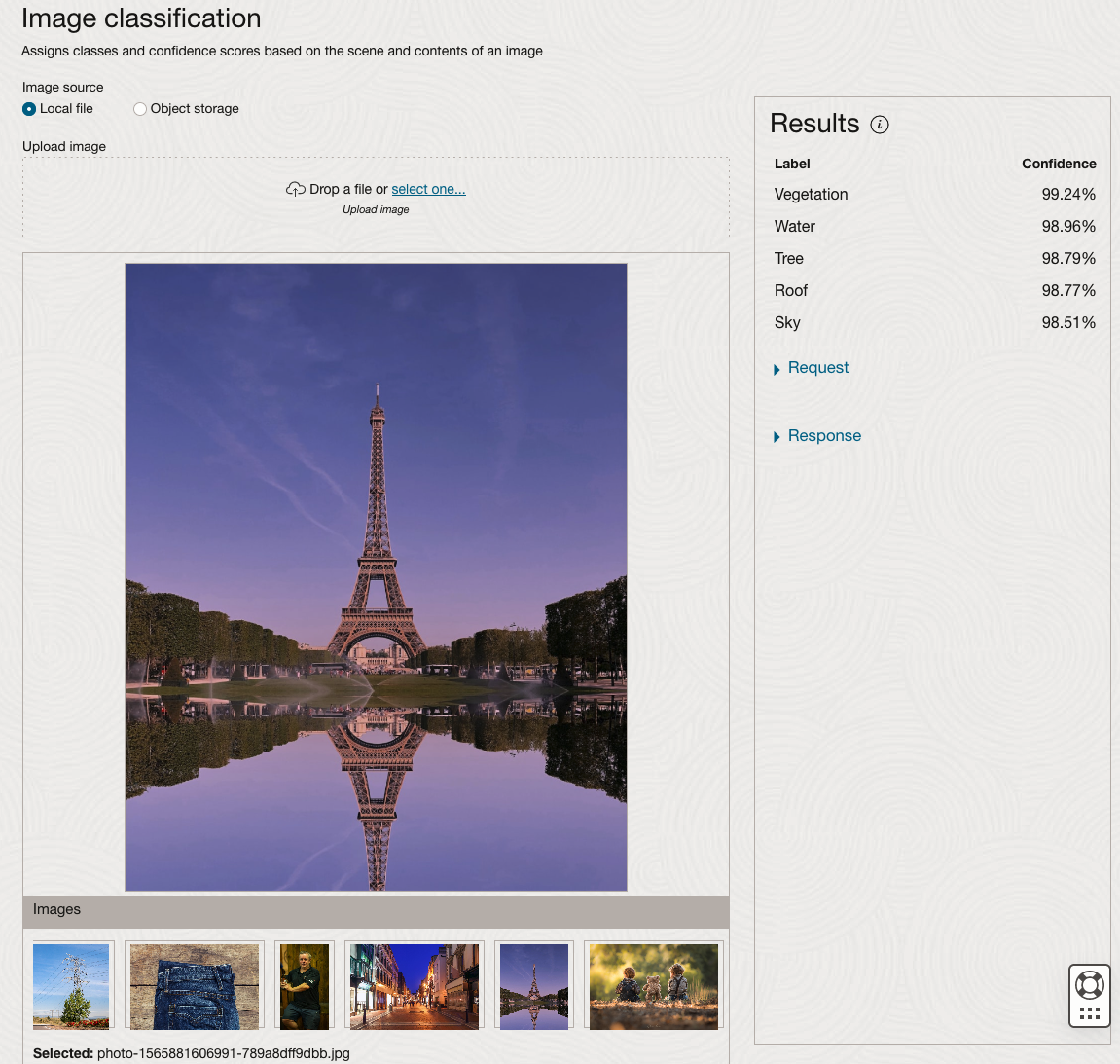
We can see the pre-trained model assigns classes and confidence for each image based on the main components it has identified in the image. For example with the Eiffel Tower image, the model has identified Water, Trees, Sky, Vegetation and Roof (of build). But it didn’t do so well with identifying the main object in the image as being a tower, or building of some form. Where with the streetscape image it was able to identify Street, Road, Building, Sky and Shadow.
Just under the Result section, we see two labels that can be expanded. One of these is the Response which contains JSON structure containing the labels, and confidences it has identified. This is what the pre-trained model returns and if you were to use Python to call this pre-trained model, it is this JSON object that you will get returned. You can then use the information contained in the JSON object to perform additional tasks for the image.
As you can see the webpage for OCI Vision and other AI services gives you a very simple introduction to what is possible, but it over simplifies the task and a lot of work is needed outside of this page to make the use of these pre-trained models useful.
Moving onto the Object Detection feature (left-hand menu) and using the pre-trained model on the same images, we get slightly different results.
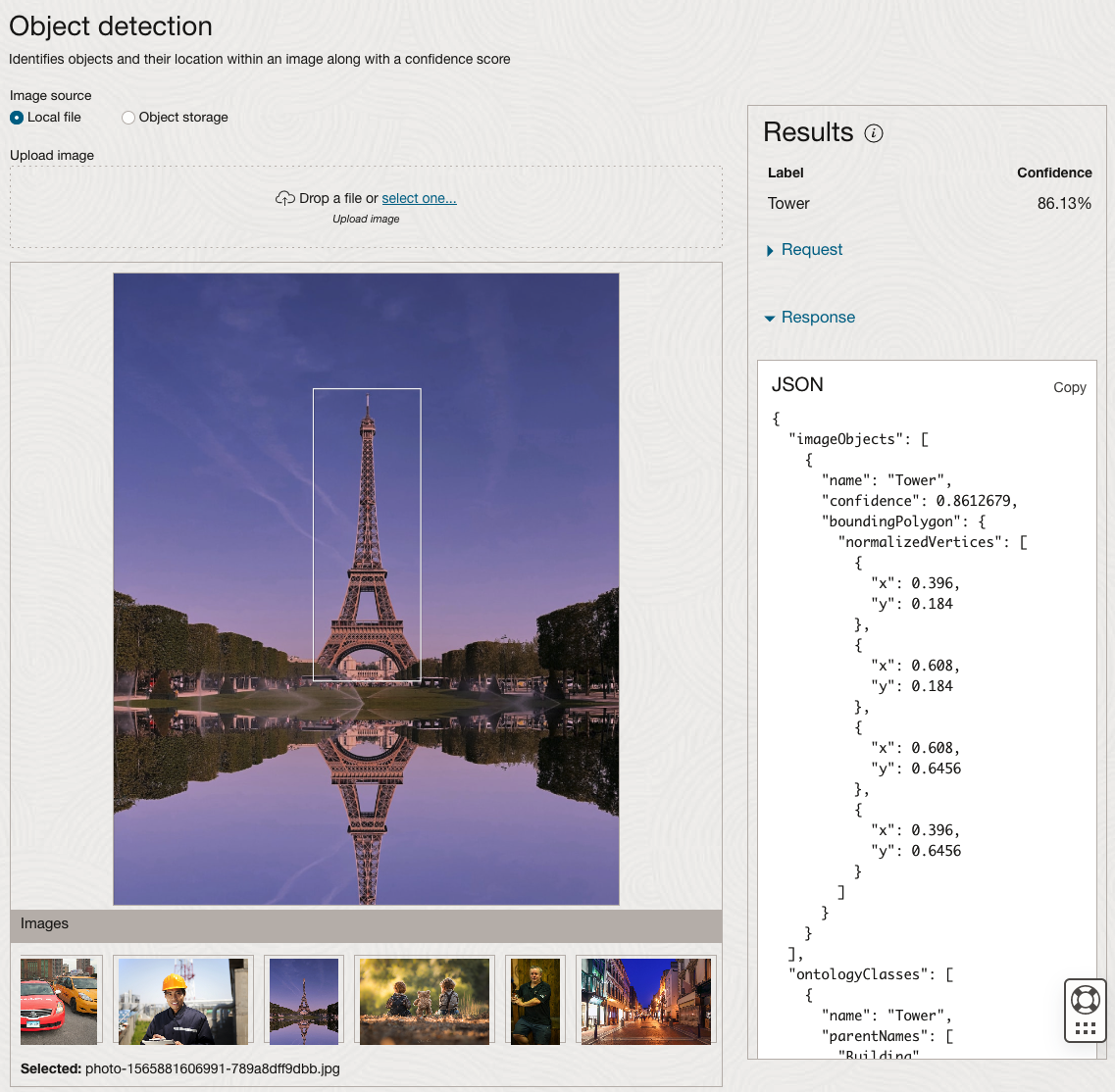
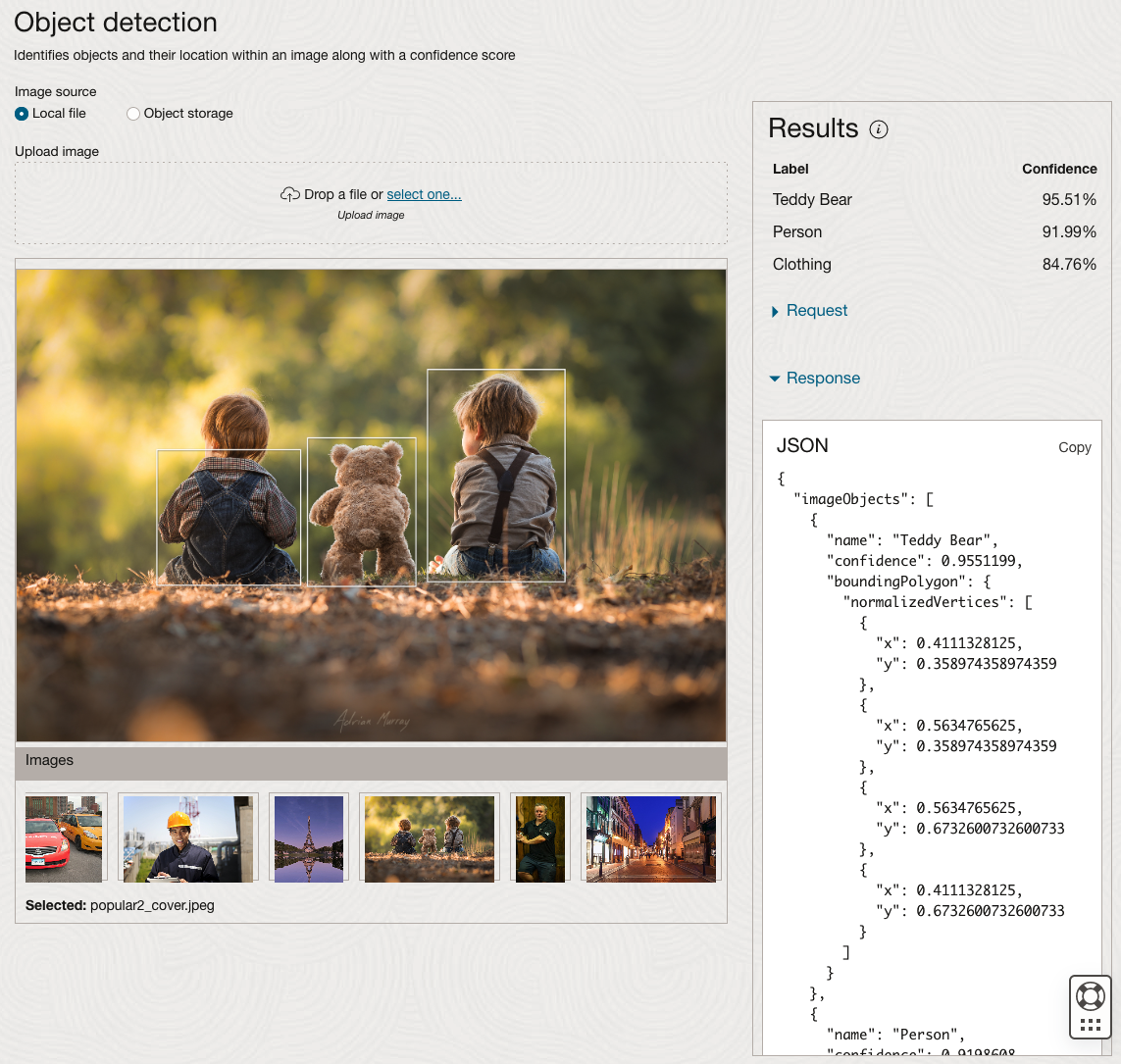
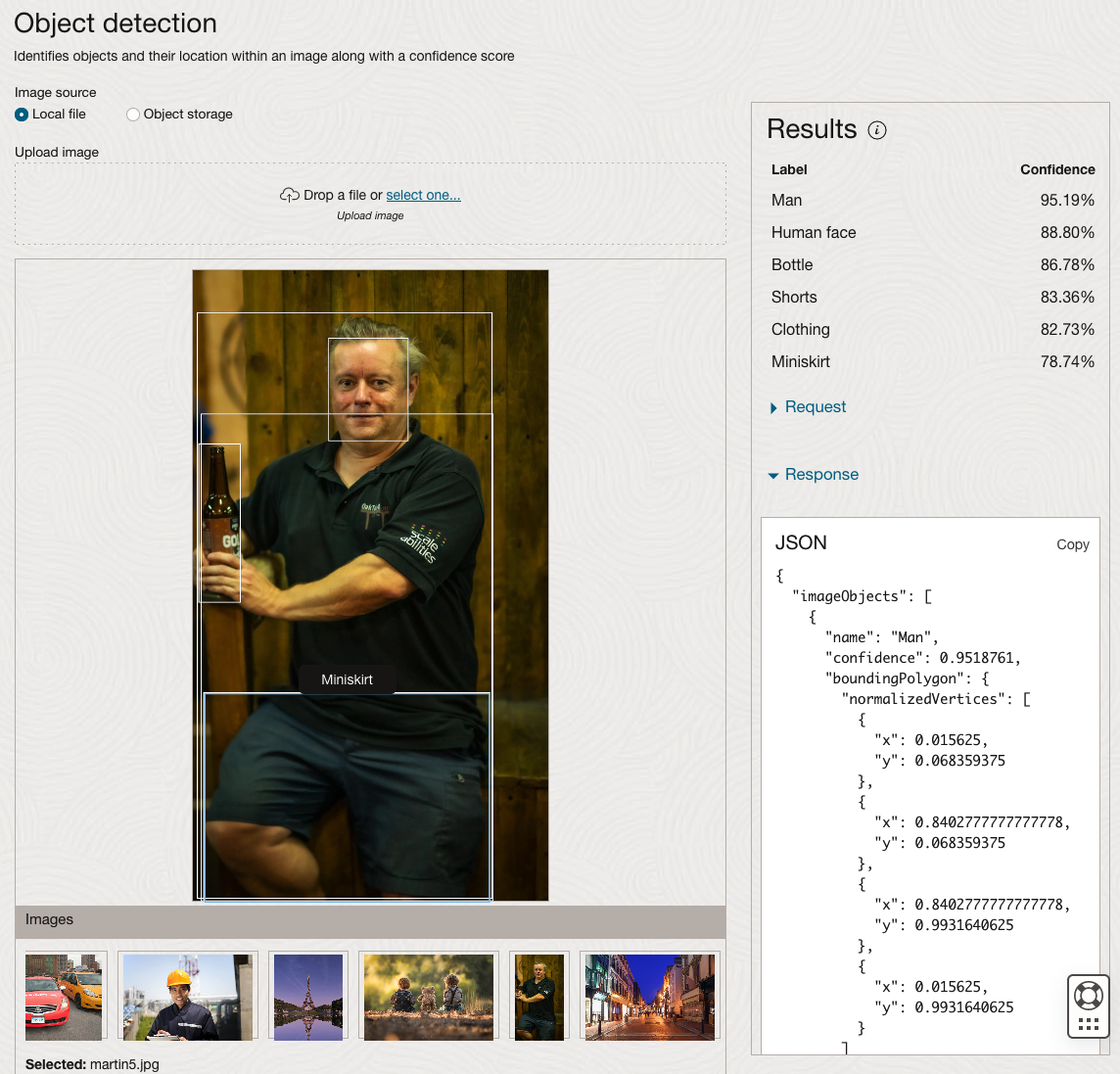
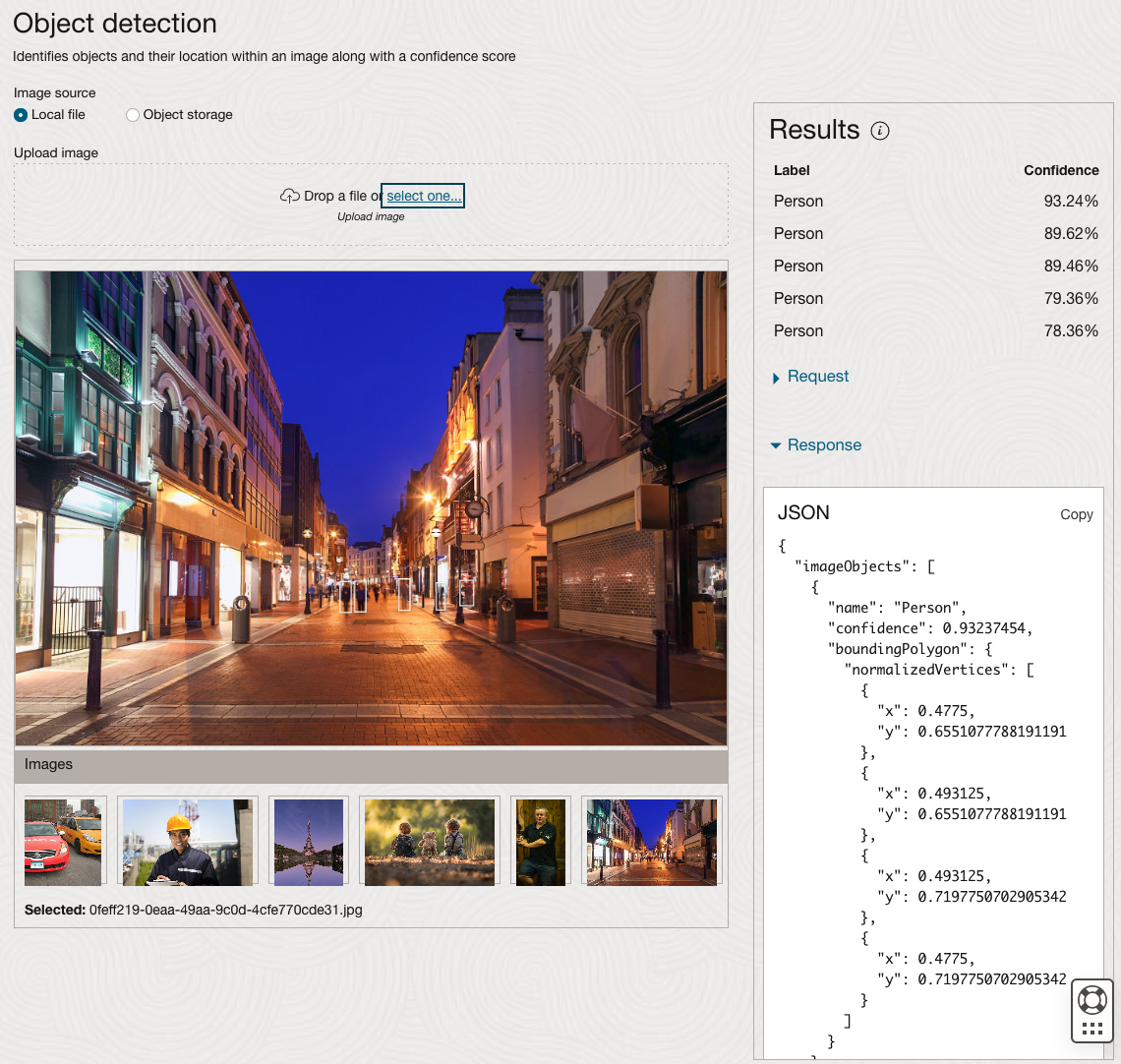
The object detection pre-trained model works differently as it can identify different things in the image. For example, with the Eiffel Tower image, it identifies a Tower in the image. In a similar way to the previous example, the model returns a JSON object with the label and also provides the coordinates for a bounding box for the objects detected. In the street scape image, it has identified five people. You’ll probably identify many more but the model identified five. Have a look at the other images and see what it has identified for each.
As I mentioned above, using these pre-trained models are kind of interesting, but are of limited use and do not really demonstrate the full capabilities of what is possible. Look out of additional post which will demonstrate this and steps needed to create and use your own custom model.
Examples of using Machine Learning on Video and Photo in Public
Over the past 18 months or so most of the examples of using machine learning have been on looking at images and identifying objects in them. There are the typical examples of examining pictures looking for a Cat or a Dog, or some famous person, etc. Most of these examples are very noddy, although they do illustrate important examples.
But what if this same technology was used to monitor people going about their daily lives. What if pictures and/or video was captured of you as you walked down the street or on your way to work or to a meeting. These pictures and videos are being taken of you without you knowing.
And this raises a wide range of Ethical concerns. There are the ethics of deploying such solutions in the public domain, but there are also ethical concerns for the data scientists, machine learner, and other people working on these projects. “Just because we can, doesn’t mean we should”. People need to decide, if they are working on one of these projects, if they should be working on it and if not what they can do.
Ethics are the principals of behavior based on ideas of right and wrong. Ethical principles often focus on ideas such as fairness, respect, responsibility, integrity, quality, transparency and trust. There is a lot in that statement on Ethics, but we all need to consider that is right and what is wrong. But instead of wrong, what is grey-ish, borderline scenarios.
Here are some examples that might fall into the grey-ish space between right and wrong. Why they might fall more towards the wrong is because most people are not aware their image is being captured and used, not just for a particular purpose at capture time, but longer term to allow for better machine learning models to be built.
Can you imagine walking down the street with a digital display in front of you. That display is monitoring you, and others, and then presents personalized adverts on the digital display aim specifically at you. A classify example of this is in the film Minority Report. This is no longer science fiction.
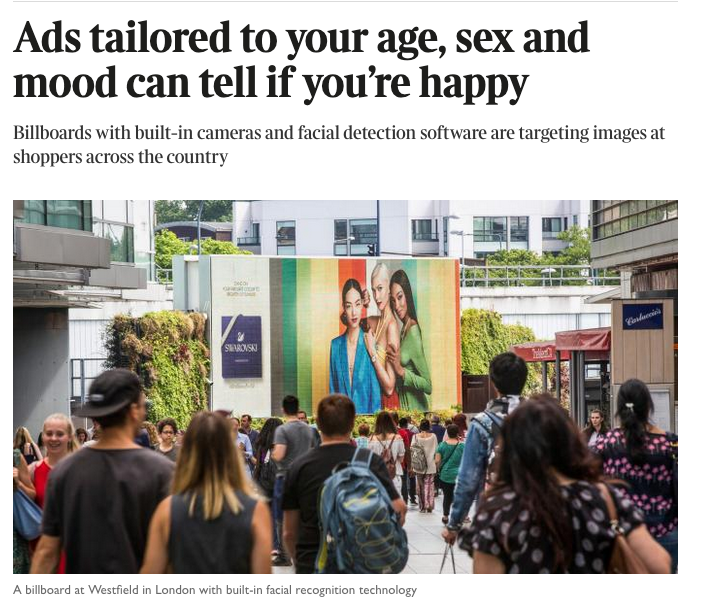
This is happening at the Westfield shopping center in London and in other cities across UK and Europe. These digital advertisement screens are monitoring people, identifying their personal characteristics and then customizing the adverts to match in with the profile of the people walking past. This solutions has been developed and rolled out by Ocean Out Door. They are using machine learning to profile the individual people based on gender, age, facial hair, eye wear, mood, engagement, attention time, group size, etc. They then use this information to:
- Optimisation – delivering the appropriate creative to the right audience at the right time.
- Visualise – Gaze recognition to trigger creative or an interactive experience
- AR Enabled – Using the HD cameras to create an augmented reality mirror or window effect, creating deep consumer engagement via the latest technology
- Analytics – Understanding your brand’s audience, post campaign analysis and creative testing
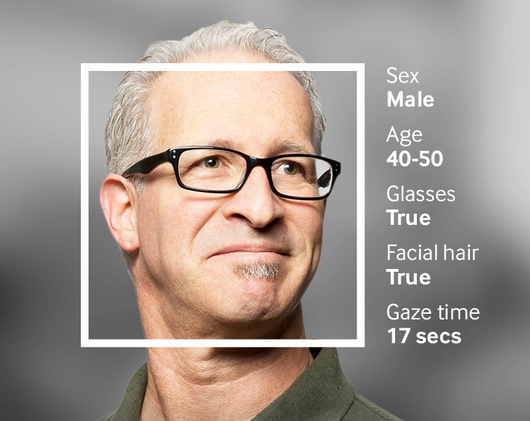
Face Plus Plus can monitor people walking down the street and do similar profiling, and can bring it to another level where by they can identify what clothing you are wearing and what the brand is. Image if you combine this with location based services. An example of this, imagine you are walking down the high street or a major retail district. People approach you trying to entice you into going into a particular store, and they offer certain discounts. But you are with a friend and the store is not interested in them.
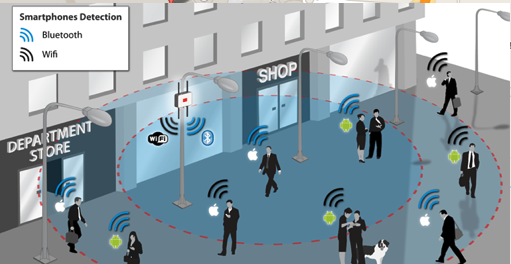
The store is using video monitoring, capturing details of every person walking down the street and are about to pass the store. The video is using machine/deep learning to analyze you profile and what brands you are wearing. The store as a team of people who are deployed to stop and engage with certain individuals, just because they make the brands or interests of the store and depending on what brands you are wearing can offer customized discounts and offers to you.
How comfortable would you be with this? How comfortable would you be about going shopping now?
For me, I would not like this at all, but I can understand why store and retail outlets are interested, as they are all working in a very competitive market trying to maximize every dollar or euro they can get.
Along side the ethical concerns, we also have some legal aspects to consider. Some of these are a bit in the grey-ish area, as some aspects of these kind of scenarios are slightly addresses by EU GDPR and the EU Artificial Intelligence guidelines. But what about other countries around the World. Then it comes to training and deploying these facial models, they are dependent on having a good training data set. This means they needs lots and lots of pictures of people and these pictures need to be labelled with descriptive information about the person. For these public deployments of facial recognition systems, then will need more and more training samples/pictures. This will allow the models to improve and evolve over time. But how will these applications get these new pictures? They claim they don’t keep any of the images of people. They only take the picture, use the model on it, and then perform some action. They claim they do not keep the images! But how can they improve and evolve their solution?
I’ll have another blog post giving more examples of how machine/deep learning, video and image captures are being used to monitor people going about their daily lives.
 Ora-lytics
You must be logged in to post a comment.