
Part 4b – (Article 22: Profiling) Why me? and how Oracle 12c saves the day
This is the fourth part of series of blog posts on ‘How the EU GDPR will affect the use of Machine Learning‘
In this blog post (Part4b) I will examine some of the more technical aspects and how the in-database machine learning functions saves the day!
Probably in most cases where machine learning has been used and/or deployed in your company to analyse, profile and predict customers, it is more than likely that some sort of black box machine learning has been used.

Typical black box machine learning will include using algorithms like Neural Networks, but these can extended to other algorithms, within the context of the EU GDPR requirements, such as SVMs, GLM, etc. Additionally most companies don’t just use one algorithm to make a decision on a customer. Many algorithms and rules based decision make can be used together, using some sort of voting system, to determine if a customer is targeted in a certain way.
Basically all of these do not really support the requirements of the EU GDPRs.

In most cases we need to go back to basics. Back to more simpler approaches of machine learning for customer profiling and prediction. This means no more, for now, ensemble models, unless you can explain why a customer was selected. This means having to use simple algorithms like Decision Trees, at a push Naive Bayes, and using some well defined rules based methods. All of these approaches allows us to see and understand why a customer was selected and based on Article 22 being able to explain why.
But there is some hope. Some of the commercial machine learning vendors already for some prediction insights built into their software. Very few if any open source solutions have this capability.
For example, Oracle introduced a new function called PREDICTION_DETAILS in Oracle 12.1c and this was expanded in Oracle 12.2c to cover all their in-database machine learning algorithms.
The following is an example of using this function for an SVM model. When you examine the boxes in the following image you an see that a slightly different set of attributes and the values of these attributes are listed. Each box corresponds to a different customer. This means we can give an explanation of why a customer was selected. Oracle 12c saves the day.
select cust_id,
       prediction(clas_svm_1_27 using *) pred_value,
       prediction_probability(clas_svm_1_27 using *) pred_prob,
       prediction_details(clas_svm_1_27 using *) pred_details
from mining_data_apply_v;

If you have a look at other commercial machine learning solutions, you will find some give similar functionality or it will be available soon. Can we get the same level of detail from open source solutions. Not really unless you are using Decision Tress and maybe Naive Bayes. This means that companies that have gone done the pure open source for their machine learning may have to look at using alternative software and may have to folk out some hard earned dollars/euros to make sure that they are complainant with Article 22 of the EU GDPRs.
Click back to ‘How the EU GDPR will affect the use of Machine Learning – Part 1‘ for links to all the blog posts in this series.
Part 4a – (Article 22: Profiling) Why me? and how Oracle 12c saves the day
This is the fourth part of series of blog posts on ‘How the EU GDPR will affect the use of Machine Learning‘
In this blog post (Part4a) I will discuss the specific issues relating to the use of machine learning algorithms and models. In the next blog post (Part 4a) I will examine some of the more technical aspects and how the in-database machine learning functions saves the day!
The EU GDPR has some rules that will affect the use of machine learning models for predicting customers.

As with all the other section of the EU GDPR, the use of machine learning and profiling of individuals does not affect organisations based in within Europe but affects all organisations around the globe who will be using these methods and associated data.
Article 22 of the EU GDPR deals with the “Automated individual decision-making, including profiling” and effectively creates a “right to explanation”. This means that an individual is entitled to an explanation of the decisions made by automated decision making models or profiling that has resulted in a decision being made about them. These new regulations present many challenges for organisations and their teams of data scientists.

To be able to give an explanation of the decision made by the machine learning models or by profile, requires the ability of the underlying models and their associated algorithms to be able to gives details of the model processing and how the decision about the individual has been obtained. For most machine learning models and algorithms this is generally not possible. For a limited set of algorithms, for example with decision trees, this is possible, but with other algorithms such as support vector machines, some regression models, and in particular neural networks, the ability to give these explanations is not possible. Some of these can be considered black box modelling (for neural networks) and grey box modelling for the others. But these algorithms are in widespread use in many organisations and are core to their predictive analytics solutions. This presents many challenges for organisations as they will need to look at alternative algorithms that many not have the same degree of predictive accuracy. With the recent rise of deep learning using neural networks, is extremely difficult to explain the multilayer neural net with various learned weights between each of the nodes at each layer.

Ensemble machine learning methods like Random Forests are also a challenge. Although the underlying machine learning algorithm is explainable, the ensemble approach of Random Forest, and other similar methods, result from an aggregation, averaging or voting process. Additionally, scenarios when machine learning models are combine with multiple other models, along with rules based solutions, where the predicted outcome is based on the aggregation or voting of all methods may no longer be useable. The ability to explain a predicted outcome using ensemble methods may not be possible and this will affect their continued use for predictive analytics.

In addition to the requirements of Article 22, Articles 13 and 14 state that the a person has a right to the meaningful information about the logic involved in profiling the person.
Over the past few years many of the commercially available machine learning solutions have been preparing for changes required to meet the EU GDPR. Some vendors have been able to add in greater model explanation features as well as specific explanations for each of the individual predictions. Many other vendors are will working on adding the required level of explanations and some of these many not be available in time for when the EU GDPR goes live in April 2018. This will present many challenges for organisations around the world who will be using data gathered within the EU region.
For machine learning based on open source languages and tools the EU GDPR present a very different challenge. While a small number of these come with some simple explanations for some of the more basic machine learning algorithms, there seems to be little information available on what work is currently being done to update these languages and tools. The limiting factor with making the required updates in the open source community lies with there being no commercial push to so. As a result of these limitation, many organisations may be forced into using commercial machine learning products, but for many other organisation the cost of doing so will be prohibitive.
It is clear that the tasks of building machine learning models have become significantly more complex with the introduction of the new EU GDPR. This complexity applies to the selection of what data can be used, ensuring there is no inherent discrimination in the machine learning models and the ability of these models to give an explanation of how the predicted outcome was determined. Companies around the World need to address these issues and in doing so may limit what software and algorithms that can be used for the customer profiling and predictive analytics. Although some of the commercially available machine learning languages and products can give the required insights, more product enhancements are required. Many challenges are facing machine learning open source community, with many research group only starting in recent months to look at how their languages, packages and tools can be enhanced to facilitate the requirements of the EU GDPR.
Click back to ‘How the EU GDPR will affect the use of Machine Learning – Part 1‘ for links to all the blog posts in this series.
PRECIS R package
If you use R then you are very familiar with the SUMMARY function.
If you use R then you are very familiar with the name Hadley Wickham. He has produced some really cool packages for R.
He has produced a new R package and function that complements the commonly used SUMMARY R function.
The following outlines how you can install this new R package from GitHub (Hadley’s GitHub is https://github.com/hadley/).
Install the R devtools package. This will allow you to download the package code from GitHub.
install.packages("devtools")
Install the package from Hadley’s GitHub repository.
devtools::install_github("hadley/precis")
Load the library.
library(precis)
The following displays information produced by the SUMMARY and the PRECIS function.
> summary(mtcars)
      mpg             cyl             disp             hp             drat             wt
 Min.   :10.40   Min.   :4.000   Min.   : 71.1   Min.   : 52.0   Min.   :2.760   Min.   :1.513
 1st Qu.:15.43   1st Qu.:4.000   1st Qu.:120.8   1st Qu.: 96.5   1st Qu.:3.080   1st Qu.:2.581
 Median :19.20   Median :6.000   Median :196.3   Median :123.0   Median :3.695   Median :3.325
 Mean   :20.09   Mean   :6.188   Mean   :230.7   Mean   :146.7   Mean   :3.597   Mean   :3.217
 3rd Qu.:22.80   3rd Qu.:8.000   3rd Qu.:326.0   3rd Qu.:180.0   3rd Qu.:3.920   3rd Qu.:3.610
 Max.   :33.90   Max.   :8.000   Max.   :472.0   Max.   :335.0   Max.   :4.930   Max.   :5.424
      qsec             vs               am              gear            carb
 Min.   :14.50   Min.   :0.0000   Min.   :0.0000   Min.   :3.000   Min.   :1.000
 1st Qu.:16.89   1st Qu.:0.0000   1st Qu.:0.0000   1st Qu.:3.000   1st Qu.:2.000
 Median :17.71   Median :0.0000   Median :0.0000   Median :4.000   Median :2.000
 Mean   :17.85   Mean   :0.4375   Mean   :0.4062   Mean   :3.688   Mean   :2.812
 3rd Qu.:18.90   3rd Qu.:1.0000   3rd Qu.:1.0000   3rd Qu.:4.000   3rd Qu.:4.000
 Max.   :22.90   Max.   :1.0000   Max.   :1.0000   Max.   :5.000   Max.   :8.000
> precis(mtcars)
# data.frame [32 x 11]
    name  type                            precis

1    mpg   dbl  10.4 [ 15.4 ( 19.2)  22.8]  33.9
2    cyl   dbl               4 (11) 6 (7) 8 (14)
3   disp   dbl  71.1 [121.0 (196.0) 334.0] 472.0
4     hp   dbl    52 [   96 (  123)   180]   335
5   drat   dbl  2.76 [ 3.08 ( 3.70)  3.92]  4.93
6     wt   dbl  1.51 [ 2.54 ( 3.32)  3.65]  5.42
7   qsec   dbl  14.5 [ 16.9 ( 17.7)  18.9]  22.9
8     vs   dbl                     0 (18) 1 (14)
9     am   dbl                     0 (19) 1 (13)
10  gear   dbl               3 (15) 4 (12) 5 (5)
11  carb   dbl     1 [    2 (    2)     4]     8
> precis(mtcars, histogram=TRUE)
# data.frame [32 x 11]
    name  type                            precis

1    mpg   dbl           10.4 ▂▁▇▃▅▅▂▂▁▁▂▂  33.9
2    cyl   dbl      4 ▅▁▁▁▁▁▁▁▁▃▁▁▁▁▁▁▁▁▁▇     8
3   disp   dbl  71.1 ▅▁▁▃▇▂▁▁▁▁▃▁▃▁▅▁▁▁▁▁▁ 472.0
4     hp   dbl          52 ▁▅▅▇▂▂▇▁▂▁▂▁▁▁▁   335
5   drat   dbl           2.76 ▂▂▇▂▁▅▇▃▂▁▁▁  4.93
6     wt   dbl  1.51 ▁▁▂▂▁▁▂▁▂▁▇▂▂▁▁▁▁▁▁▂▁  5.42
7   qsec   dbl      14.5 ▂▂▁▁▃▇▅▁▇▂▂▂▁▁▁▁▁  22.9
8     vs   dbl      0 ▇▁▁▁▁▁▁▁▁▁▁▁▁▁▁▁▁▁▁▅     1
9     am   dbl      0 ▇▁▁▁▁▁▁▁▁▁▁▁▁▁▁▁▁▁▁▅     1
10  gear   dbl      3 ▇▁▁▁▁▁▁▁▁▅▁▁▁▁▁▁▁▁▁▂     5
11  carb   dbl            1 ▅▇▁▂▁▇▁▁▁▁▁▁▁▁     8
Part 3 – Ensuring there is no Discrimination in the Data and machine learning models
This is the third part of series of blog posts on ‘How the EU GDPR will affect the use of Machine Learning‘
The new EU GDPR has some new requirements that will affect what data can be used to ensure there is no discrimination. Additionally, the machine learning models needs to ensure that there is no discrimination with the predictions it will make. There is an underlying assumption that the organisation has the right to use the data about individuals and that this data has been legitimately obtained. The following outlines the areas relating to discrimination:
- Discrimination based on unfair treatment of an individual based on using certain variables that may be inherently discriminatory. For example, race, gender, etc., and any decisions based on machine learning methods or not, that are based on an individual being part of one or more of these variables. This is particularly challenging for data scientists and it can limit some of the data points that can be included in their data sets.
- All data mining models need to tested to ensure that there is no discrimination built into them. Although the data scientist has removed any obvious variables that may cause discrimination, the machine learning models may have been able to discover some bias or discrimination based on the patterns it has discovered in the data.
- In the text preceding the EU GDPR (paragraph 71), details the requirements for data controllers to “implement appropriate technical and organizational measures” that “prevent, inter alia, discriminatory effects” based on sensitive data. Paragraph 71 and Article 22 paragraph 4 addresses discrimination based on profiling (using machine learning and other methods) that uses sensitive data. Care is needed to remove any associated correlated data.
- If one group of people are under represented in a training data set then, depending on the type of prediction being used, may unknowingly discriminate this group when it comes to making a prediction. The training data sets will need to be carefully partitioned and separate machine learning models built on each partition to ensure that such discrimination does not occur.

In the next blog post I will look at addressing the issues relating to Article 22 on the right to an explanation on outcomes automated individual decision-making, including profiling using machine learning and other methods.
Click back to ‘How the EU GDPR will affect the use of Machine Learning – Part 1‘ for links to all the blog posts in this series.
How the EU GDPR will affect the use of Machine Learning – Part 1
On 5 December 2015, the European Parliament, the Council and the Commission reached agreement on the new data protection rules, establishing a modern and harmonised data protection framework across the EU. Then on 14th April 2016 the Regulations and Directives were adopted by the European Parliament.
The EU GDPR comes into effect on the 25th May, 2018.
Are you ready ?
The EU GDPR will affect every country around the World. As long as you capture and use/analyse data captured with the EU or by citizens in the EU then you have to comply with the EU GDPR.
Over the past few months we have seen a increase in the amount of blog posts, articles, presentations, conferences, seminars, etc being produced on how the EU GDPR will affect you. Basically if your company has not been working on implementing processes, procedures and ensuring they comply with the regulations then you a bit behind and a lot of work is ahead of you.
Like I said there was been a lot published and being talked about regarding the EU GDPR. Most of this is about the core aspects of the regulations on protecting and securing your data. But very little if anything is being discussed regarding the use of machine learning and customer profiling.
Do you use machine learning to profile, analyse and predict customers? Then the EU GDPRs affect you.
Article 22 of the EU GDPRs outlines some basic capabilities regarding machine learning, and in additionally Articles 13, 14, 19 and 21.
Over the coming weeks I will have the following blog posts. Each of these address a separate issue, within the EU GDPR, relating to the use of machine learning.
- Part 2 – Do I have permissions to use the data for data profiling?
- Part 3 – Ensuring there is no Discrimination in the Data and machine learning models.
- Part 4 – (Article 22: Profiling) Why me? and how Oracle 12c saves the day

Part 2 – Do I have permissions to use the data for data profiling?
This is the second part of series of blog posts on ‘How the EU GDPR will affect the use of Machine Learning‘
I have the data, so I can use it? Right?
I can do what I want with that data? Right? (sure the customer won’t know!)
NO. The answer is No you cannot use the data unless you have been given the permission to use it for a particular task.
The GDPR applies to all companies worldwide that process personal data of European Union (EU) citizens. This means that any company that works with information relating to EU citizens will have to comply with the requirements of the GDPR, making it the first global data protection law.
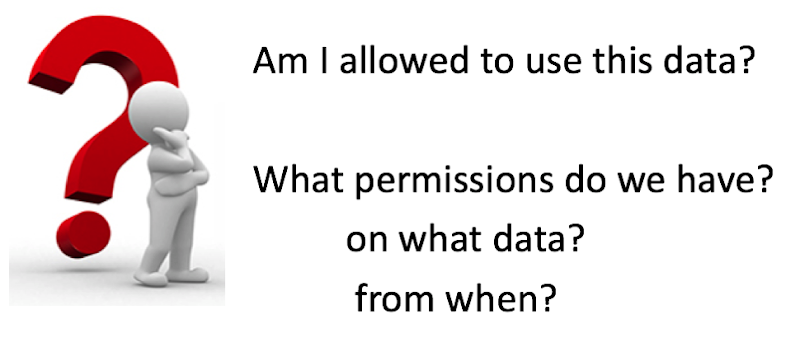
The GDPR tightens the rules for obtaining valid consent to using personal information. Having the ability to prove valid consent for using personal information is likely to be one of the biggest challenges presented by the GDPR. Organisations need to ensure they use simple language when asking for consent to collect personal data, they need to be clear about how they will use the information, and they need to understand that silence or inactivity no longer constitutes consent.

You will need to investigate the small print of all the terms and conditions that your customers have signed. Then you need to examine what data you have, how and where it was collected or generated, and then determine if I have to use this data beyond what the original intention was. If there has been no mention of using the customer data (or any part of it) for analytics, profiling, or anything vaguely related to it then you cannot use the data. This could mean that you cannot use any data for your analytics and/or machine learning. This is a major problem. No data means no analytics and no targeting the customers with special offers, etc.

Data cannot be magically produced out of nowhere and it isn’t the fault of the data science team if they have no data to use.
How can you over come this major stumbling block?
The first place is to review all the T&Cs. Identify what data can be used and what data cannot be used. One approach for data that cannot be used is to update the T&Cs and get the customers to agree to them. Yes they need to explicitly agree (or not) to them. Giving them a time limit to respond is not allowed. It needs to be explicit.
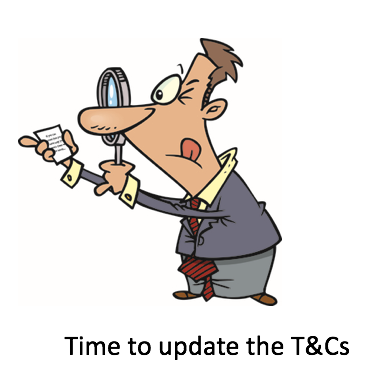
Yes this will be hard work. Yes this will take time. Yes it will affect what machine learning and analytics you can perform for some time. But the sooner you can identify these area, get the T&Cs updated, get the approval of the customers, the sooner the better and ideally all of this should be done way in advance on 25th May, 2018.
In the next blog post I will look at addressing Discrimination in the data and in the machine learning models.
Click back to ‘How the EU GDPR will affect the use of Machine Learning – Part 1‘ for links to all the blog posts in this series.
How the EU GDPR will affect the use of Machine Learning – Part 1
On 5 December 2015, the European Parliament, the Council and the Commission reached agreement on the new data protection rules, establishing a modern and harmonised data protection framework across the EU. Then on 14th April 2016 the Regulations and Directives were adopted by the European Parliament.
The EU GDPR comes into effect on the 25th May, 2018.
Are you ready ?
The EU GDPR will affect every country around the World. As long as you capture and use/analyse data captured with the EU or by citizens in the EU then you have to comply with the EU GDPR.
Over the past few months we have seen a increase in the amount of blog posts, articles, presentations, conferences, seminars, etc being produced on how the EU GDPR will affect you. Basically if your company has not been working on implementing processes, procedures and ensuring they comply with the regulations then you a bit behind and a lot of work is ahead of you.
Like I said there was been a lot published and being talked about regarding the EU GDPR. Most of this is about the core aspects of the regulations on protecting and securing your data. But very little if anything is being discussed regarding the use of machine learning and customer profiling.
Do you use machine learning to profile, analyse and predict customers? Then the EU GDPRs affect you.
Article 22 of the EU GDPRs outlines some basic capabilities regarding machine learning, and in additionally Articles 13, 14, 19 and 21.
Over the coming weeks I will have the following blog posts. Each of these address a separate issue, within the EU GDPR, relating to the use of machine learning.
- Part 2 – Do I have permissions to use the data for data profiling?
- Part 3 – Ensuring there is no Discrimination in the Data and machine learning models.
- Part 4 – (Article 22: Profiling) Why me? and how Oracle 12c saves the day
Installing Scala and Apache Spark on a Mac
The following outlines the steps I’ve followed to get get Scala and Apache Spark installed on my Mac. This allows me to play with Apache Spark on my laptop (single node) before deploying my code to a multi-node cluster.
1. Install Homebrew
Homebrew seems to be the standard for installing anything on a Mac. To install Homebrew run
/usr/bin/ruby -e "$(curl -fsSL https://raw.githubusercontent.com/Homebrew/install/master/install)"
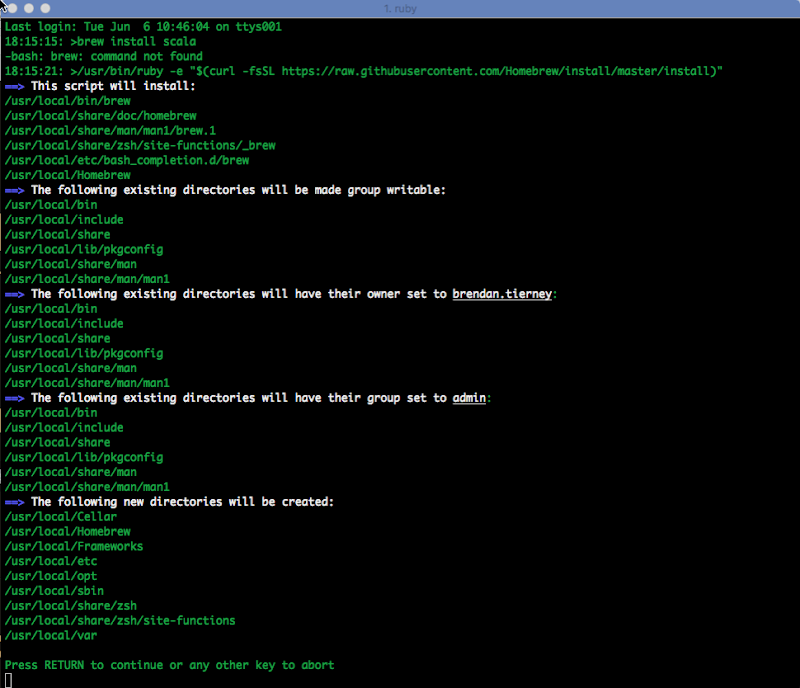
When prompted enter your system/OS password to allow the install to proceed.
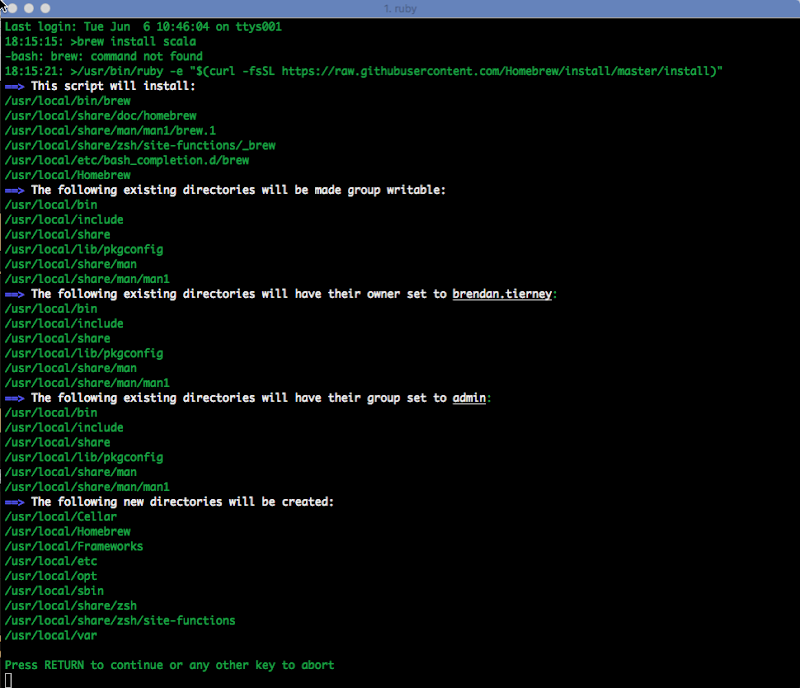
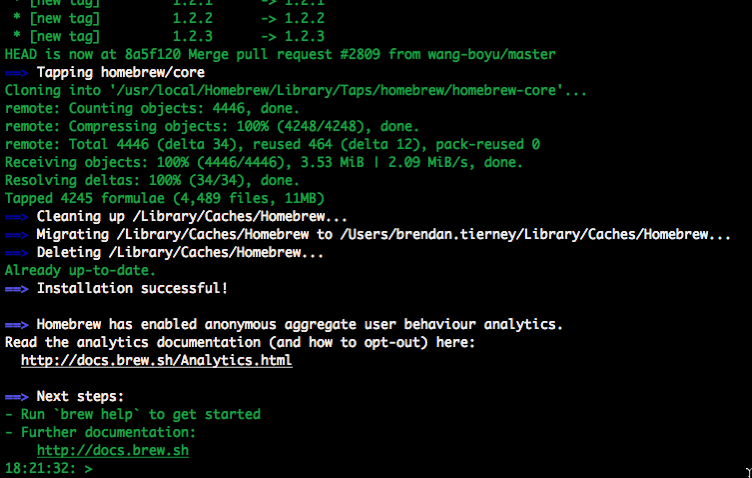
2. Install xcode-select (if needed)
You may have xcode-select already installed. This tool allows you to install the languages using command line.
xcode-select --install
If it already installed then nothing will happen and you will get the following message.
xcode-select: error: command line tools are already installed, use "Software Update" to install updates
3. Install Scala
[If you haven’t installed Java then you need to also do this.]
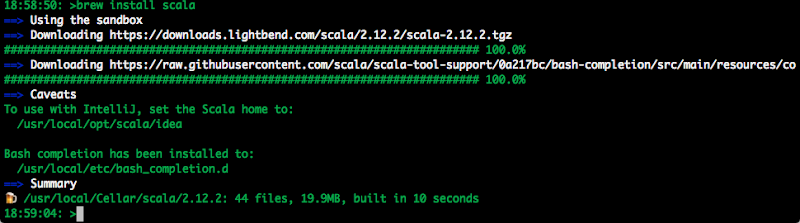
Use Homebrew to install scala.
brew install scala
4. Install Apache Spark
Now to install Apache Spark.
brew install apache-spark

5. Start Spark
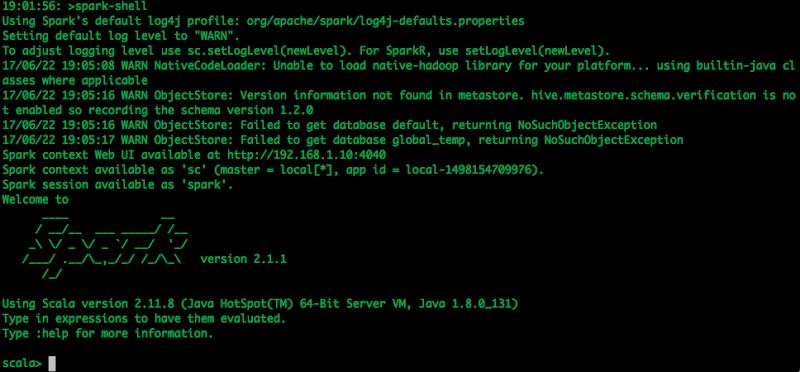
Now you can start the Apache Spark shell.
spark-shell
6. Hello-World and Reading a file
The traditional Hello-World example.
scala> val helloWorld = "Hello-World"
helloWorld: String = Hello-World
or
scala> println("Hello World")
Hello World
What is my current working directory.
scala> val whereami = System.getProperty("user.dir")
whereami: String = /Users/brendan.tierney
Read and process a file.
scala> val lines = sc.textFile("docker_ora_db.txt")
lines: org.apache.spark.rdd.RDD[String] = docker_ora_db.txt MapPartitionsRDD[3] at textFile at :24

scala> lines.count()
res6: Long = 36

scala> lines.foreach(println)
####################################################################
## Specify the basic DB parameters
## Copyright(c) Oracle Corporation 1998,2016. All rights reserved.##
##                                                                ##
##------------------------------------------------------------------
##                   Docker OL7 db12c dat file                    ##

##                                                                ##
## db sid (name)
####################################################################
## default : ORCL

## cannot be longer than 8 characters
##------------------------------------------------------------------

...
There will be a lot more on how to use Spark and how to use Spark with Oracle (all their big data stuff) over the coming months.
[I’ve been busy for the past few months working on this stuff, EU GDPR issues relating to machine learning, and other things. I’ll be sharing some what I’ve been working on and learning in blog posts over the coming weeks]
Slides from the Ireland OUG Meetup May 2017
Here are some of the slides from our meetup on 11th May 2017.
The remaining slides will be added when they are available.
OUG Ireland Meetup 11th May
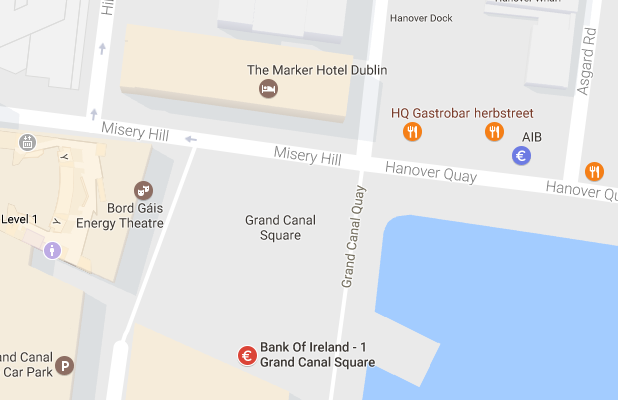
The next OUG Ireland Meetup is happening on 11th May, in the Bank of Ireland Grand Canal Dock. This is a free event and is open to every one. You don’t have to be a member to attend.
Following on from a very successful 2 day OUG Ireland Conference with over 250 attendees, we have organised our next meetup. This was mentioned during the opening session of the conference.

We typically have 2 presentations at each Meetup and on 11th May we have:
1. Oracle Analytics Cloud Service.
Oralce Analytics Cloud Service was only released a few weeks ago and we some local people who have been working with the beta and early adopter releases. They will be giving us some insights on this new product and how it compares with other analytics products like Oracle Data Visualization and OBIEE.
Running Oracle DataGuard on RAC on Oracle 12c
The second presentation will be on using Oracle DataGuard on RAC on Oracle 12c. We have a very experienced DBA talking about his experiences of using these products how to workaround some key bugs and situations to be aware of for administration purposes. Lots of valuable information to be gained.
There will be some food and refreshments available for you to enjoy.
The Meetup will be in Bank of Ireland, Grand Canal Dock. This venue is a very popular locations for Meetups in Dublin.
Setting up Oracle Database on Docker
A couple of days ago it was announced that several Oracle images were available on the Docker Store.
This is by far the easiest Oracle Database install I have every done !
You simply have no excuse now for not installing and using an Oracle Database. Just go and do it now!
The following steps outlines what I did you get an Oracle 12.1c Database.
1. Download and Install Docker
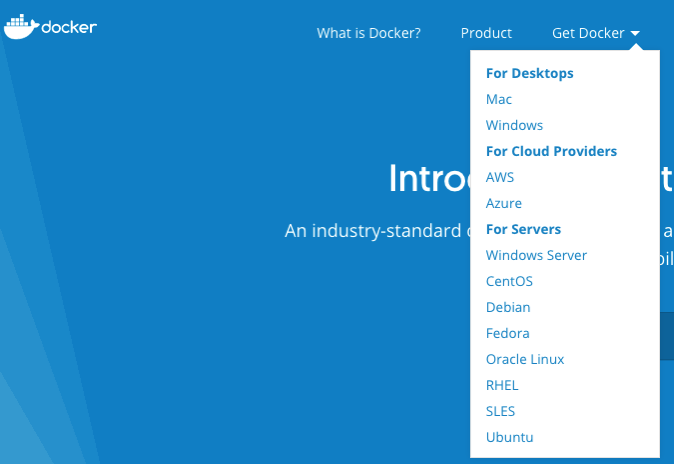
There isn’t much to say here. Just go to the Docker website, select the version docker for your OS, and just install it.
You will probably need to create an account with Docker.
After Docker is installed it will automatically start and and will be placed in your system tray etc so that it will automatically start each time you restart your laptop/PC.
2. Adjust the memory allocation
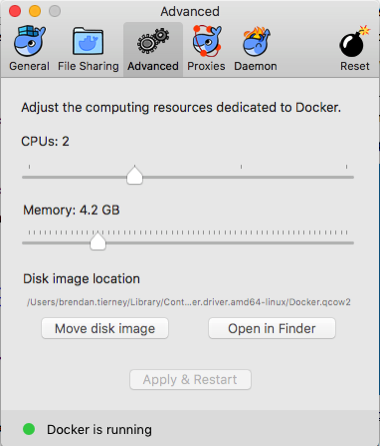
From the system tray open the Docker application. In the Advanced section allocate a bit more memory. This will just make things run a bit smoother. Be a bit careful on how much to allocate.
In the General section check the tick-box for automatically backing up Docker VMs. This is assuming you have back-ups setup, for example with Time Machine or something similar.
3. Download & Edit the Oracle Docker environment File
On the Oracle Database download Docker webpage, click on the the Get Content button.
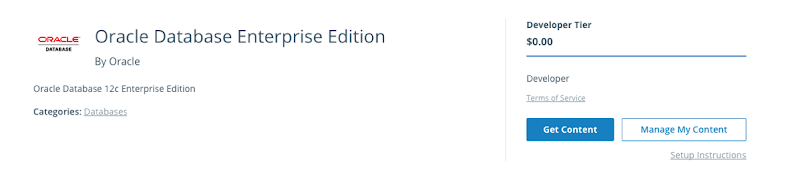
You will have to enter some details like your name, company, job title and phone number, then click on the check-box, before clicking on the Get Content button. All of this is necessary for the Oracle License agreement.
The next screen lists the Docker Services and Partner Services that you have signed up for.
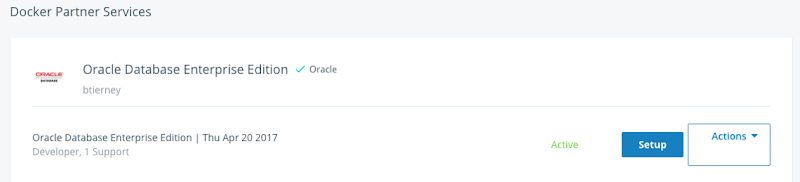
Click on the Setup button to go to the webpage that contains some of the setup instructions.
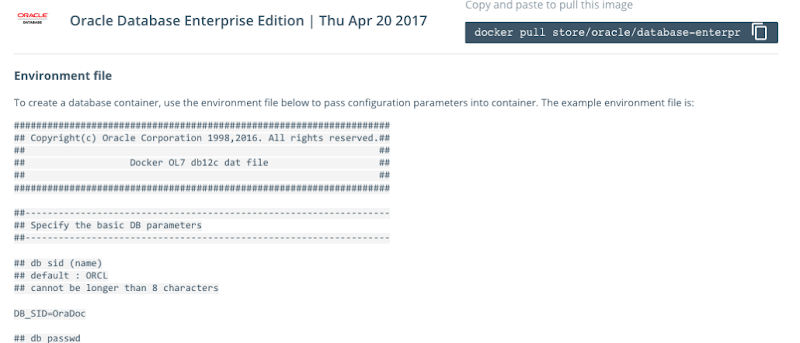
The first thing you need to do is to copy the sample Environment File. Create a new file on your laptop/desktop and paste the environment file contents into the file. There are a few edits you need to make to this file. The following is the edited/modified Environment file that I created and used. The changes are for DB_SID, DB_PASSWD and DB_DOMAIN.
####################################################################
## Copyright(c) Oracle Corporation 1998,2016. All rights reserved.##
##                                                                ##
##                   Docker OL7 db12c dat file                    ##
##                                                                ##
####################################################################

##------------------------------------------------------------------
## Specify the basic DB parameters
##------------------------------------------------------------------

## db sid (name)
## default : ORCL
## cannot be longer than 8 characters

DB_SID=ORCL

## db passwd
## default : Oracle

DB_PASSWD=oracle

## db domain
## default : localdomain

DB_DOMAIN=localdomain

## db bundle
## default : basic
## valid : basic / high / extreme
## (high and extreme are only available for enterprise edition)

DB_BUNDLE=basic

## end
I called this file ‘docker_ora_db.txt‘
4. Download and Configure Oracle Database for Docker
The following command will download and configure the docker image
$ docker run -d --env-file ./docker_ora_db.txt -p 1527:1521 -p 5507:5500 -it --name dockerDB121 --shm-size="8g" store/oracle/database-enterprise:12.1.0.2
This command will create a container called ‘dockerDB121’. The 121 at the end indicate the version number of the Oracle Database. If you end up with a number of containers containing different versions of the Oracle Database then you need some way of distinguishing them.
Take note of the port mapping in the above command, as you will need this information later.
When you run this command, the docker image will be downloaded from the docker website, will be unzipped and the container setup and ready to run.

5. Log-in and Finish the configuration
Although the docker container has been setup, there is still a database configuration to complete. The following images shows that the new containers is there.

To complete the Database setup, you will need to log into the Docker container.
docker exec -it dockerDB121 /bin/bash
Then run the Oracle Database setup and startup script (as the root user).
/bin/bash /home/oracle/setup/dockerInit.sh
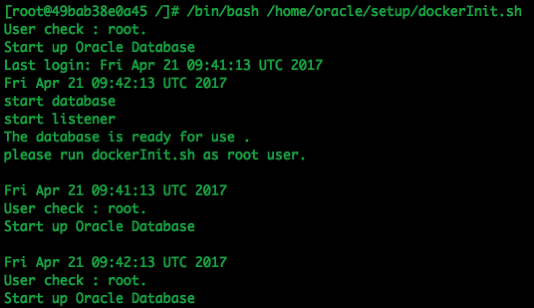
This script can take a few minutes to run. On my laptop it took about 2 minutes.
When this is finished the terminal session will open as this script goes into a look.
To run any other commands in the container you will need to open another terminal session and connect to the Docker container. So go open one now.
6. Log into the Database in Docker
In a new terminal window, connect to the Docker container and then switch to the oracle user.
su - oracle
Check that the Oracle Database processes are running (ps -ef) and then connect as SYSDBA.
sqlplus / as sysdba
Let’s check out the Database.
SQL> select name,DB_UNIQUE_NAME from v$database;

NAME	  DB_UNIQUE_NAME
--------- ------------------------------
ORCL	  ORCL


SQL> SELECT v.name, v.open_mode, NVL(v.restricted, 'n/a') "RESTRICTED", d.status
     FROM v$pdbs v, dba_pdbs d
     WHERE v.guid = d.guid
     ORDER BY v.create_scn;


NAME			       OPEN_MODE  RES STATUS
------------------------------ ---------- --- ---------
PDB$SEED		       READ ONLY  NO  NORMAL
PDB1			       READ WRITE NO  NORMAL
And the tnsnames.ora file contains the following:
ORCL =   (DESCRIPTION =
    (ADDRESS = (PROTOCOL = TCP)(HOST = 0.0.0.0)(PORT = 1521))
     (CONNECT_DATA =
      (SERVER = DEDICATED)
       (SERVICE_NAME = ORCL.localdomain)     )   )

PDB1 =   (DESCRIPTION =
     (ADDRESS = (PROTOCOL = TCP)(HOST = 0.0.0.0)(PORT = 1521))
      (CONNECT_DATA =
       (SERVER = DEDICATED)
       (SERVICE_NAME = PDB1.localdomain)     )   )
You are now up an running with an Docker container running an Oracle 12.1 Databases.
7. Configure SQL Developer (on Client) to
access the Oracle Database on Docker
You can not use your client tools to connect to the Oracle Database in a Docker Container. Here is a connection setup in SQL Developer.
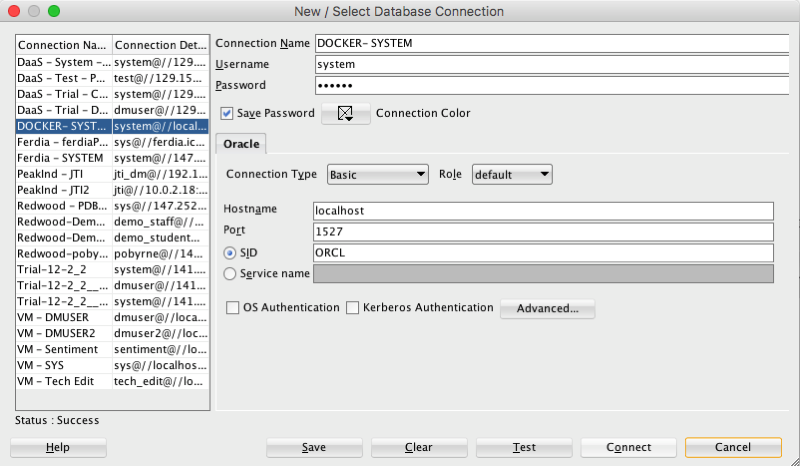
Remember that port number mapping I mentioned in step 4 above. See in this SQL Developer connection that the port number is 1527.
Thats it. How easy is that. You now have a fully configured Oracle 12.1c Enterprise Edition Database to play with, to have fun and to explore all the wonderful features of the Oracle Database.
ODM Model View Details Views in Oracle 12.2
A new feature for Oracle Data Mining in Oracle 12.2 is the new Model Details views.
In Oracle 11.2.0.3 and up to Oracle 12.1 you needed to use a range of PL/SQL functions (in DBMS_DATA_MINING package) to inspect the details of a data mining/machine learning model using SQL.
Check out these previous blog posts for some examples of how to use and extract model details in Oracle 12.1 and earlier versions of the database
Association Rules in ODM-Part 3
Extracting the rules from an ODM Decision Tree model
Instead of these functions there are now a lot of DB views available to inspect the details of a model. The following table summarises these various DB Views. Check out the DB views I’ve listed after the table, as these views might some some of the ones you might end up using most often.
I’ve now chance of remembering all of these and this table is a quick reference for me to find the DB views I need to use. The naming method used is very confusing but I’m sure in time I’ll get the hang of them.
NOTE: For the DB Views I’ve listed in the following table, you will need to append the name of the ODM model to the view prefix that is listed in the table.
table, th, td {
border: 1px solid black;
border-collapse: collapse;
text-align: left;
}
| Data Mining Type | Algorithm & Model Details | 12.2 DB View | Description |
|---|---|---|---|
| Association | Association Rules | DM$VR | generated rules for Association Rules |
| Frequent Itemsets | DM$VI | describes the frequent itemsets | |
| Transaction Itemsets | DM$VT | describes the transactional itemsets view | |
| Transactional Rules | DM$VA | describes the transactional rule view and transactional itemsets | |
| Classification | (General views for Classification models) | DM$VT
DM$VC |
describes the target distribution for Classification models
describes the scoring cost matrix for Classification models |
| Decision Tree | DM$VP
DM$VI DM$VO DM$VM |
describes the DT hierarchy & the split info for each level in DT
describes the statistics associated with individual tree nodes Higher level node description describes the cost matrix used by the Decision Tree build |
|
| Generalized Linear Model | DM$VD
DM$VA |
describes model info for Linear Regres & Logistic Regres
describes row level info for Linear Regres & Logistic Regres |
|
| Naive Bayes | DM$VP
DM$VV |
describes the priors of the targets for Naïve Bayes
describes the conditional probabilities of Naïve Bayes model |
|
| Support Vector Machine | DM$VL | describes the coefficients of a linear SVM algorithm | |
| Regression ??? | Doe | 80 | 50 |
| Clustering | (General views for Clustering models) | DM$VD
DM$VA DM$VH DM$VR |
Cluster model description
Cluster attribute statistics Cluster historgram statistics Cluster Rule statistics |
| k-Means | DM$VD
DM$VA DM$VH DM$VR |
k-Means model description
k-Means attribute statistics k-Means historgram statistics k-Means Rule statistics |
|
| O-Cluster | DM$VD
DM$VA DM$VH DM$VR |
O-Cluster model description
O-Cluster attribute statistics O-Cluster historgram statistics O-Cluster Rule statistics |
|
| Expectation Minimization | DM$VO
DM$VB DM$VI DM$VF DM$VM DM$VP |
describes the EM components
the pairwise Kullback–Leibler divergence attribute ranking similar to that of Attribute Importance parameters of multi-valued Bernoulli distributions mean & variance parameters for attributes by Gaussian distribution the coefficients used by random projections to map nested columns to a lower dimensional space |
|
| Feature Extraction | Non-negative Matrix Factorization | DM$VE
DM$VI |
Encoding (H) of a NNMF model
H inverse matrix for NNMF model |
| Singular Value Decomposition | DM$VE
DM$VV DM$VU |
Associated PCA information for both classes of models
describes the right-singular vectors of SVD model describes the left-singular vectors of a SVD model |
|
| Explicit Semantic Analysis | DM$VA
DM$VF |
ESA attribute statistics
ESA model features |
|
| Feature Section | Minimum Description Length | DM$VA | describes the Attribute Importance as well as the Attribute Importance rank |
Normalizing and Error Handling views created by ODM Automatic Data Processing (ADP)
- DM$VN : Normalization and Missing Value Handling
- DM$VB : Binning
Global Model Views
- DM$VG : Model global statistics
- DM$VS : Computed model settings
- DM$VW :Alerts issued during model creation
Each one of these new DB views needs their own blog post to explain what informations is being explained in each. I’m sure over time I will get round to most of these.


You must be logged in to post a comment.