
deep learning
OCI Data Labeling using Bounding Box
In a previous post, I gave examples of how to label data using OCI Data Labeling. It was a simple approach to data labeling images for input to AI Vision. In that post, we just gave a label for the image to indicate if the image contained a Cat or a Dog. Yes, that’s a very simple approach, and we can build image classification models, and use the resulting model to predict a label for new images. These would be labeled as a Cat or a Dog with a degree of certainty. Although this simple approach can give OK-ish results, we typically want a more detailed model and predictions. For a more detailed approach, we can use Object Detection. For this, we need to prepare our data set in a slightly different way and Yes it does take a bit more time to prepare. Or perhaps it takes a lot more time to prepare the data. But this extra time in preparing the data should (in theory) give us a more accurate model.
This post will focus on creating a new labeled dataset using bounding boxes, and in a later post, we’ll examine the resulting model to see if it gives better or more accurate results.
I’ve mentioned the phrase ‘bounding box’ a few times and this approach does exactly as the phrase indicates. Draw a box around the object and assign a label to it. In our example, we have used a Cats and Dogs dataset. We’ll use that same dataset (50 images of each animal). This approach to labelling the images takes much longer to complete, as we have to draw a box around each animal. But it is worth the effort, as the models can focus on what is inside the box and ignore anything outside the box.
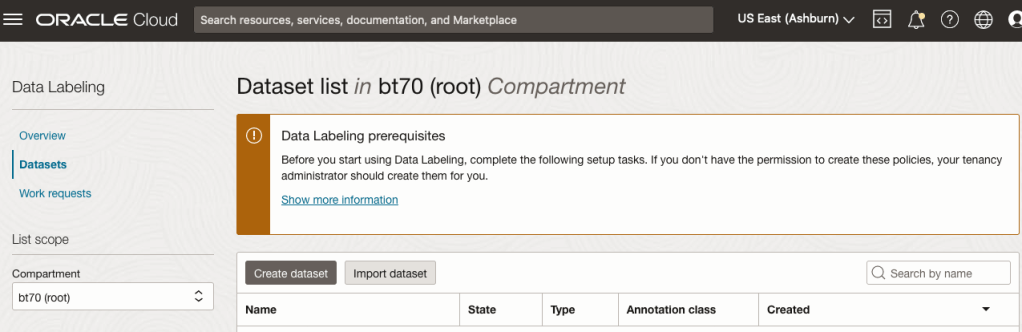
The first task is to define the dataset that will contain our newly labelled data based on the bound box method.
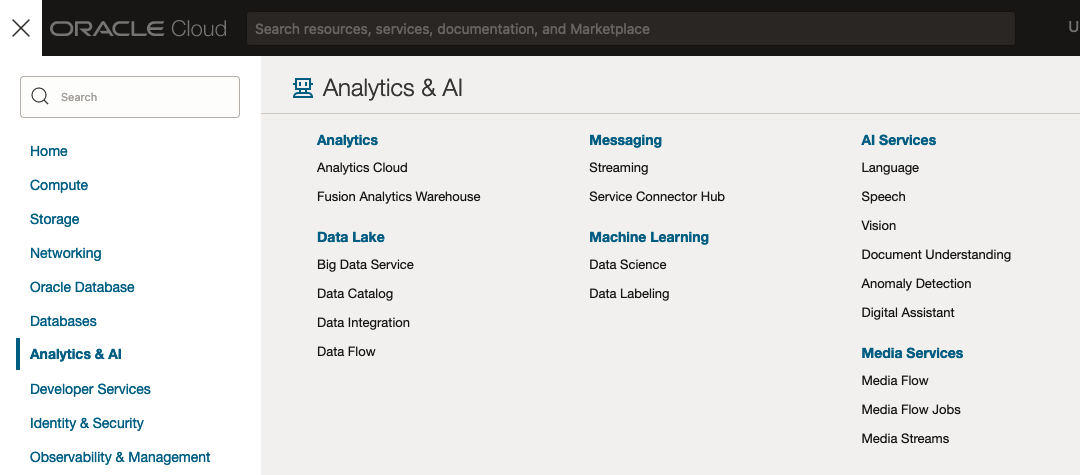
From the OCI menu, go to the Analytics & AI section and select Data Labeling.
Select the Dataset menu items(on the left hand side of the screen, and then click on the Create dataset button.
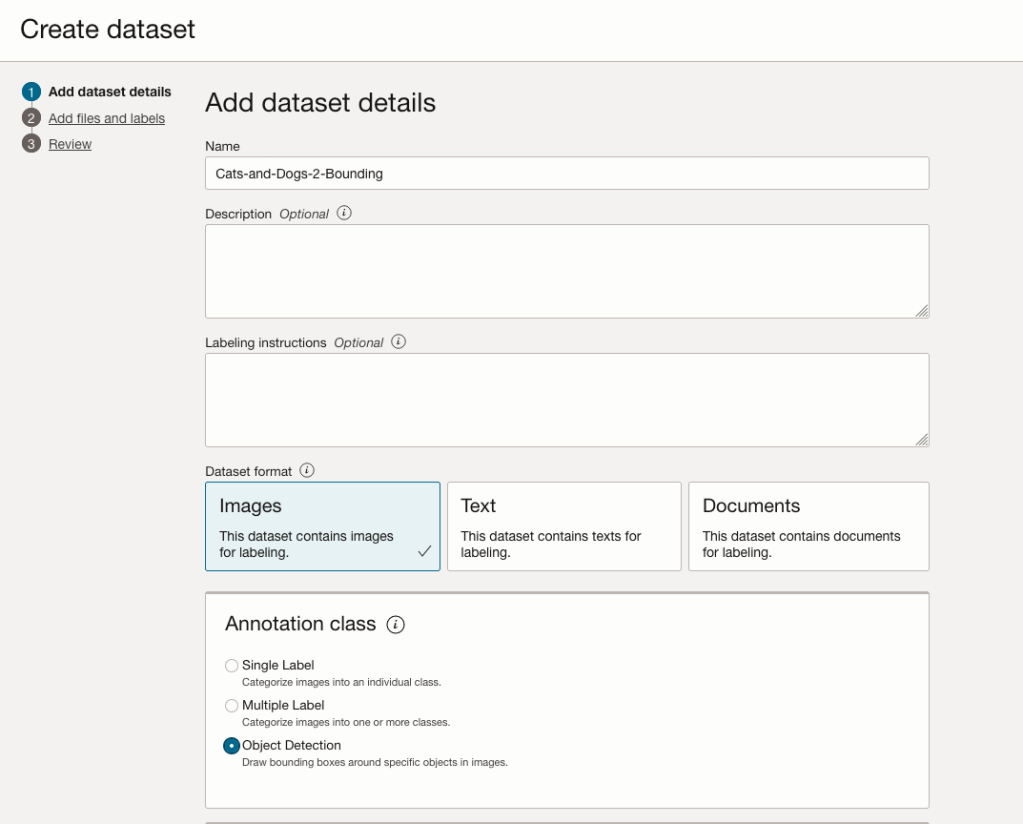
The Add Dataset screen allows us to enter the details of the dataset we want to use.
Our dataset is based on a dataset in Object storage, and we can define it as the basis of creating a newly labelled dataset. This does not affect the underlying original dataset.
In this case, we want to select Object Detection in the section called Annotation Class.
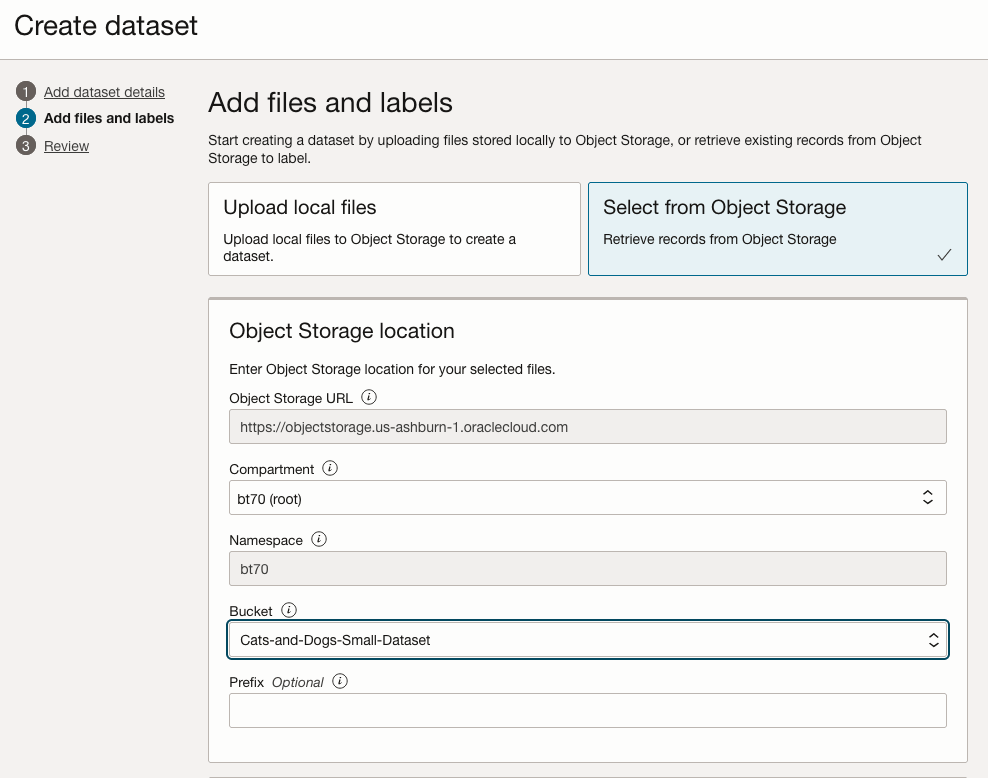
On the next screen, you can define the Bucket containing the images we want to label.
In our case, we will be using the Cats and Dogs dataset previously loaded into Object Storage.
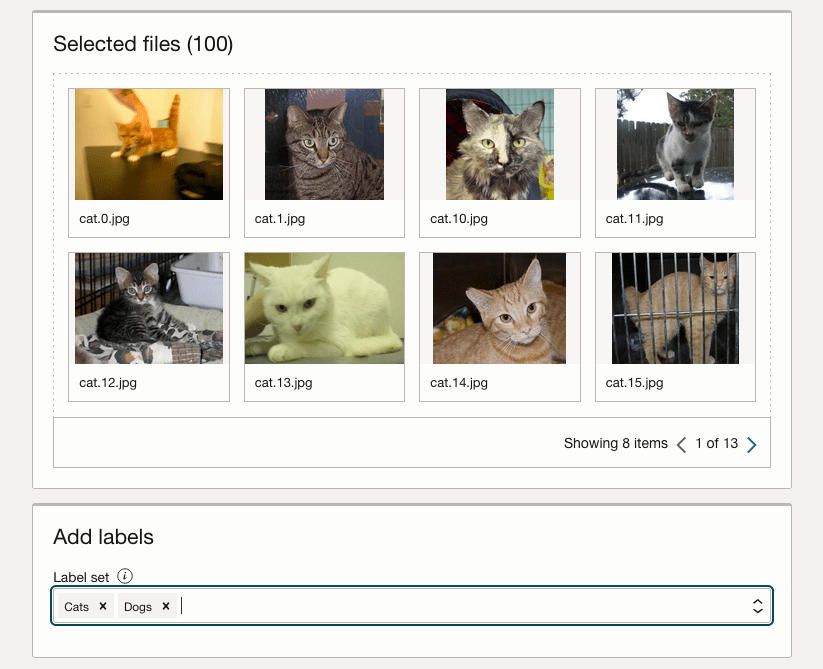
In the next section, it will tell you how many files are part of the underlying dataset. By default, it will use all of them.
Add the labels you want to use, although you can add more during the labelling process.
Click Next to move to the next screen and then Click Finish to complete this setup.
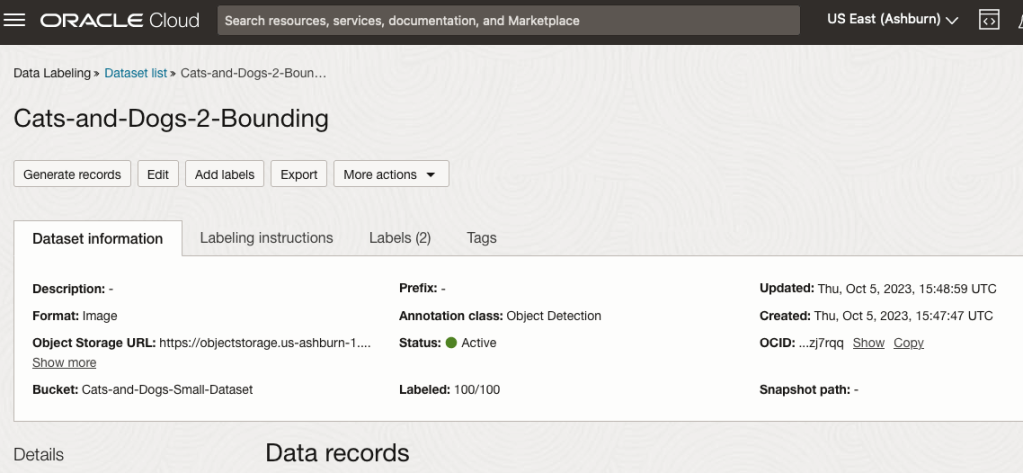
After a moments, depending on the number of images in the underlying dataset, the version of the dataset for labelling can now be processed.
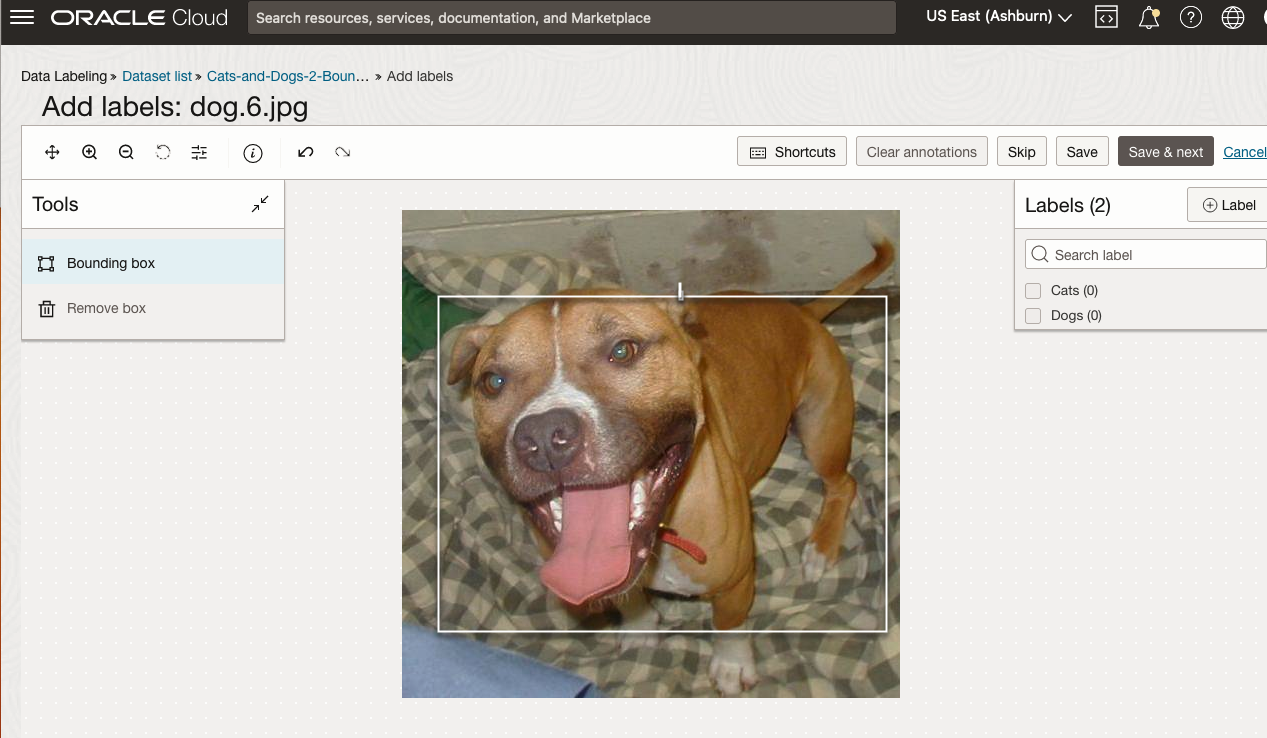
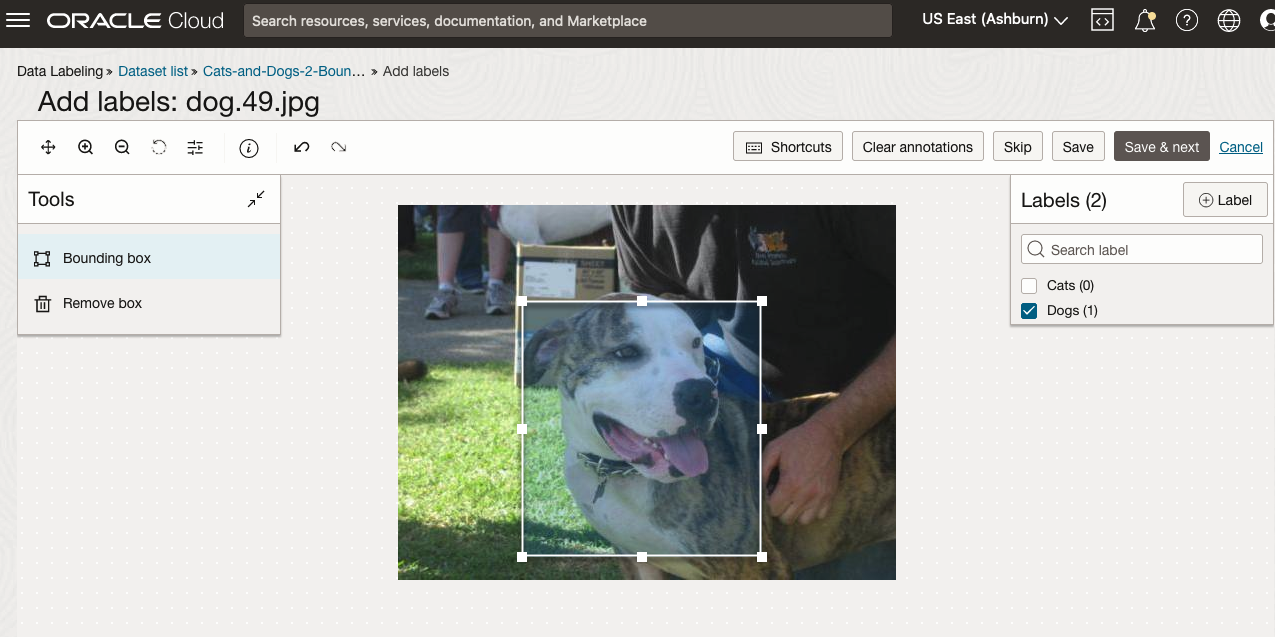
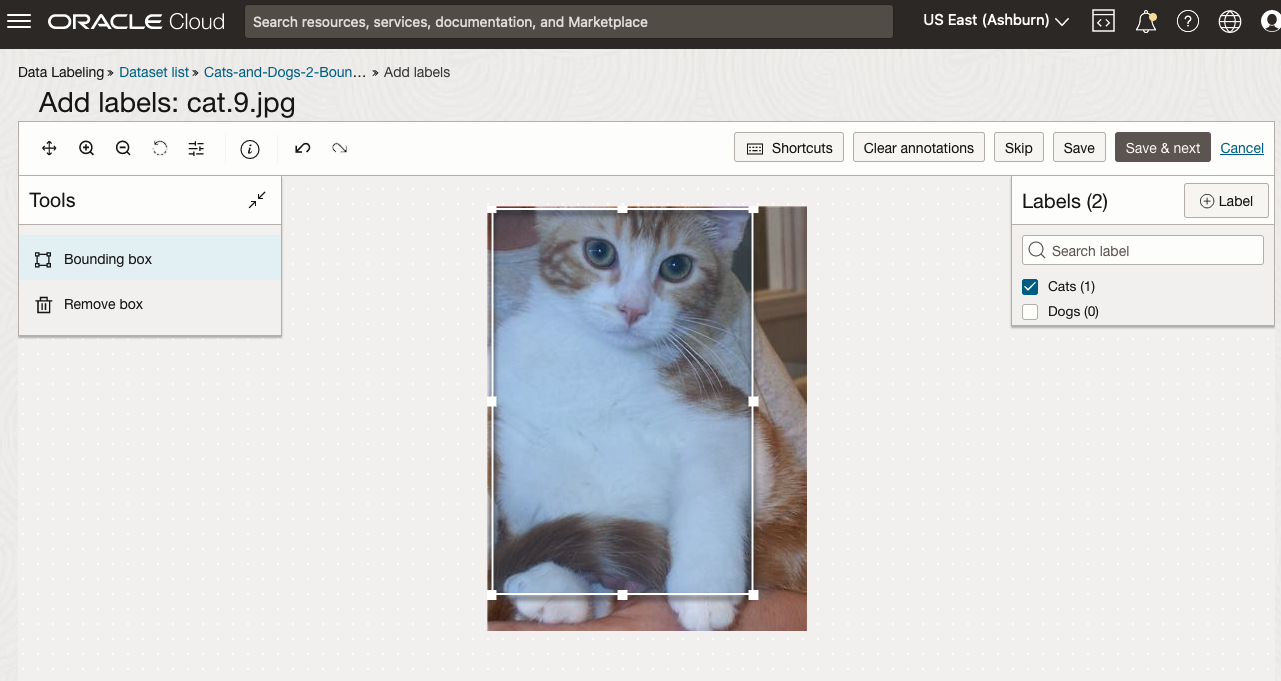
To stat the labelling process, click on the first on the first image. Using your mouse drag a box over the main item you want to label. In my example, I’m drawing a box around the animals while trying to exclude as much of the surrounding and background parts of the image. After drawing the box, you can then select the label, from the list on the right-hand side of the screen and then click the Save & Next button. Continue doing this until you complete all images. Yes this can take some time, but it should help OCI Vision create a better-informed model for these animals

OCI Vision – Creating a Custom Model for Cats and Dogs
In this post, I’ll build on the previous work on preparing data, to using this dataset as input to building a Custom AI Vision model. In the previous post, the dataset was labelled into images containing Cats and Dogs. The following steps takes you through creating the Customer AI Vision model and to test this model using some different images of Cats.
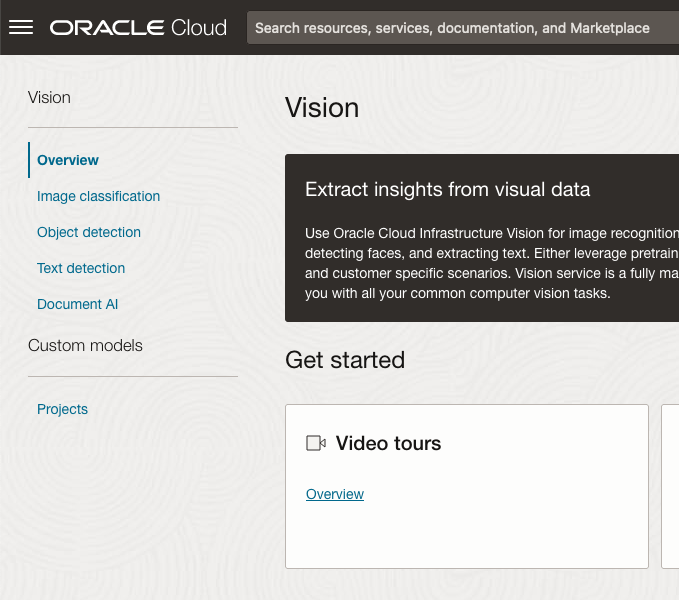
Open the OCI Vision page. On the bottom left-hand side of the menu you will see Projects. Click on this to open the Projects page for creating a Custom AI Vision model.
On the Create Projects page, click on the Create Project button. A pop-up window will appear. Enter the name for the model and click on the Create Project bottom at the bottom of the pop-up.
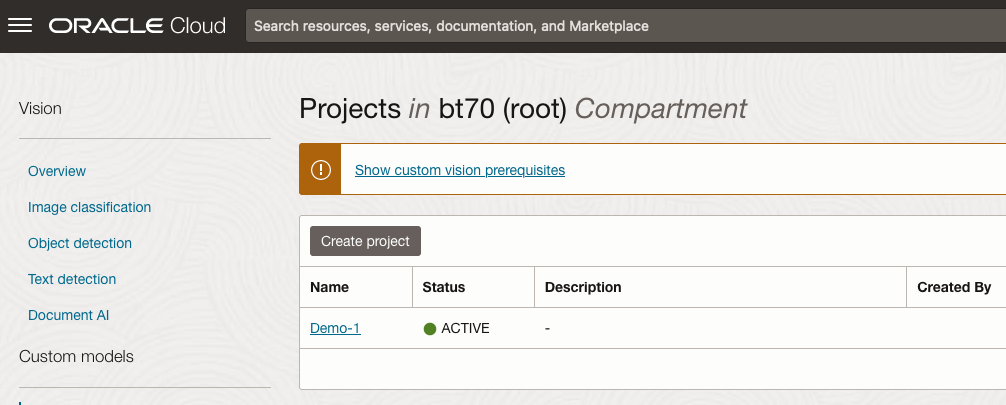
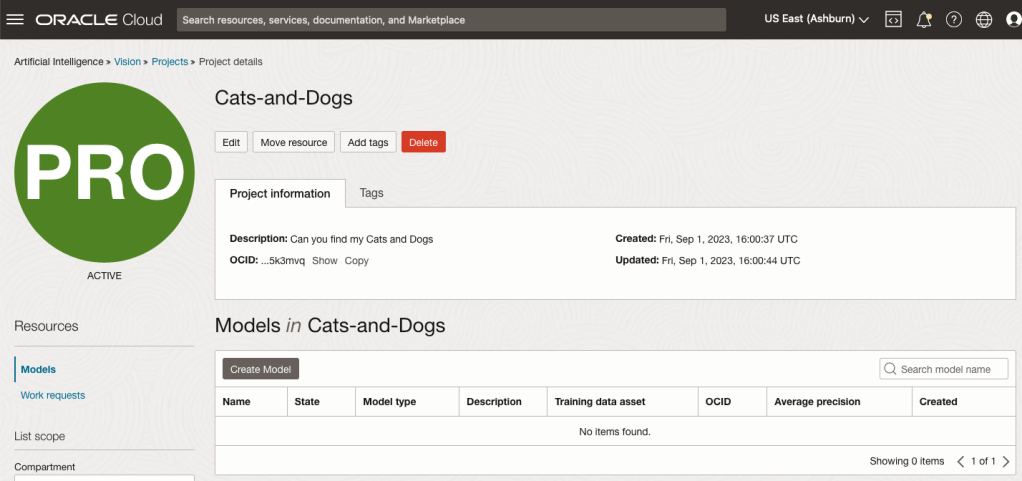
After the Project has been created, click on the project name from the list. This will open the Project specific page. A project can contain multiple models and they will be listed here. For the Cats-and-Dogs project we and to create our model. Click on the Create Model button.
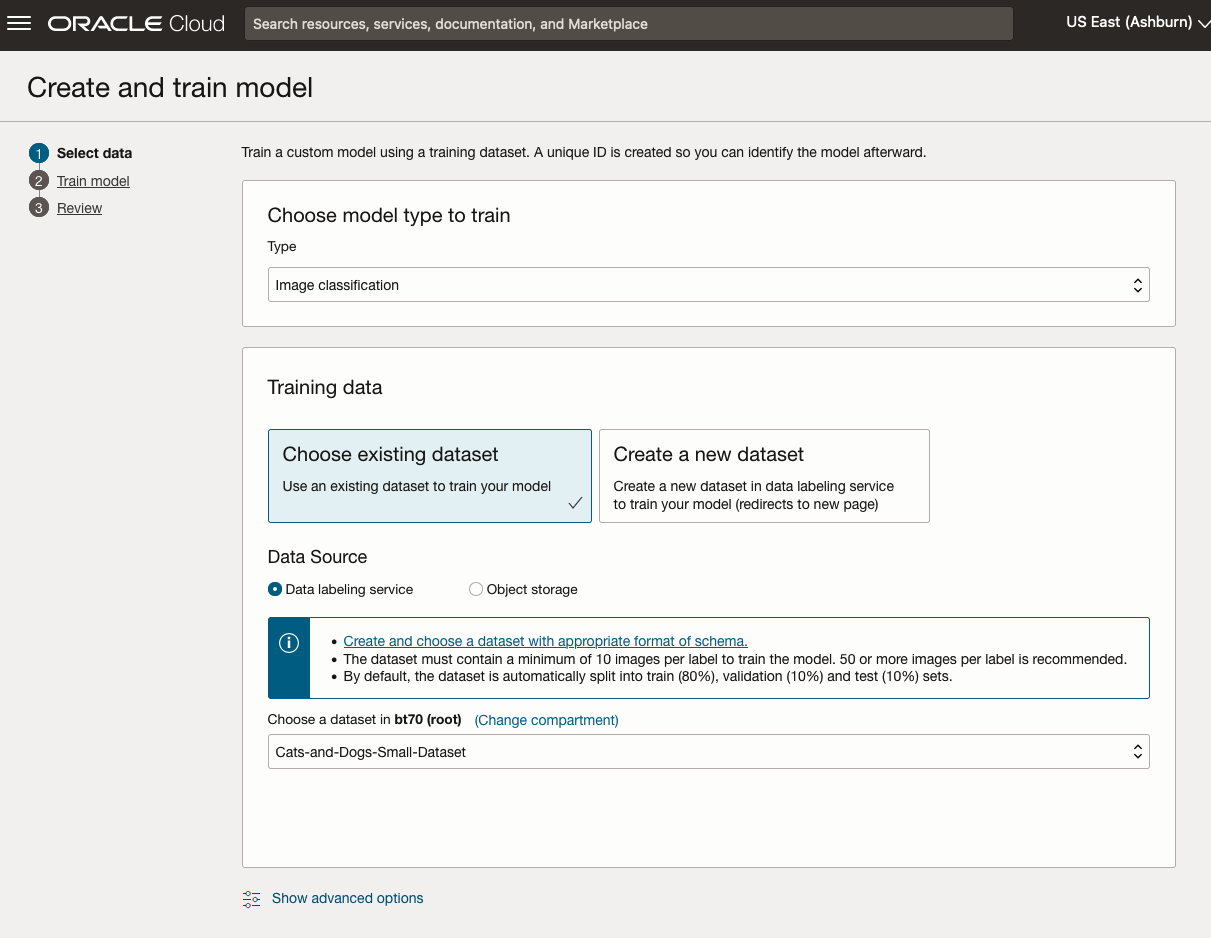
Next, you can define some of the settings for the Model. These include what dataset to use, or upload a new one, define what data labelling to use and the training duration. For this later setting, you can decide how much time you’d like to allocate to creating the custom model. Maybe consider selecting Quick mode, as that will give you a model within a few minutes (or up to an hour), whereas the other options can allow the model process to run for longer and hopefully those will create a more accurate model. As with all machine learning type models, you need to take some time to test which configuration works best for your scenario. In the following, the Quick mode option is selected. When read, click Create Model.

It can take a little bit of time to create the model. We selected the Quick mode, which has a maximum of one hour. In my scenario, the model build process was completed after four minutes. The Precentage Complete is updated during the build allowing you to monitor it’s progress.

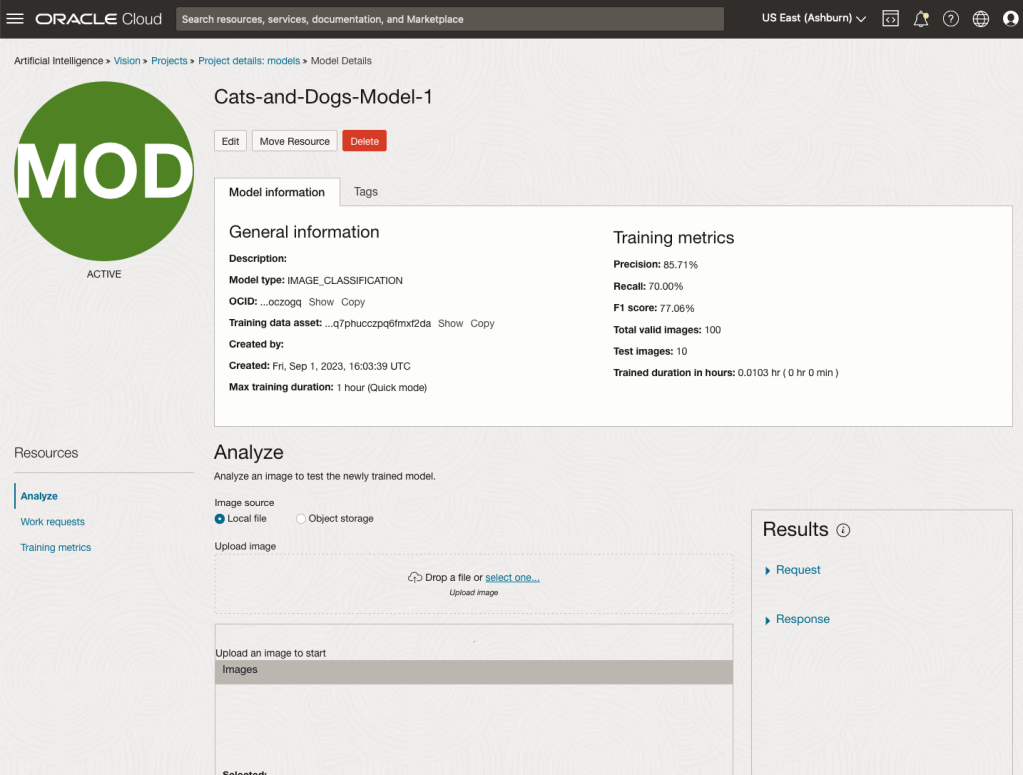
When the model is completed, you can test it using the Model page. Just click on the link for the model and you’ll get a page like the one to the right.
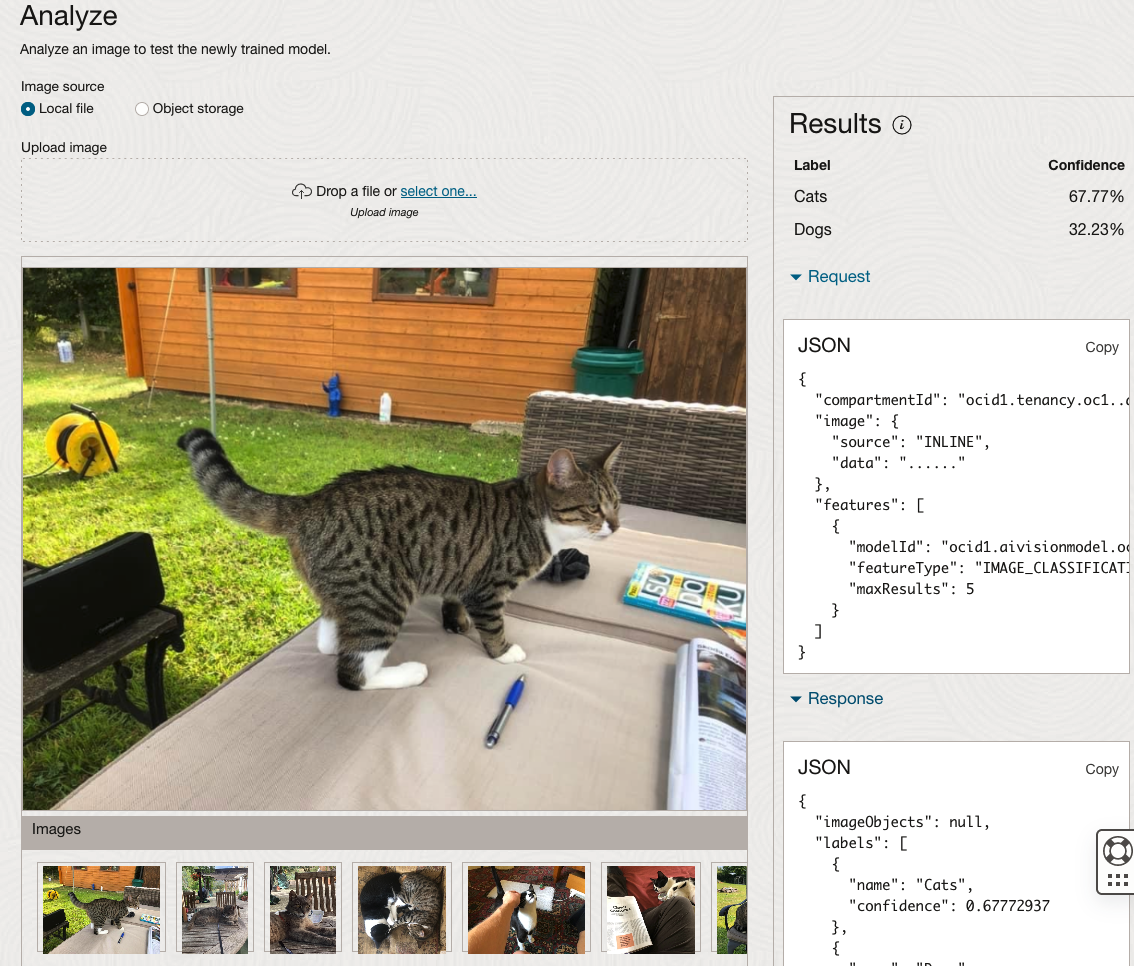
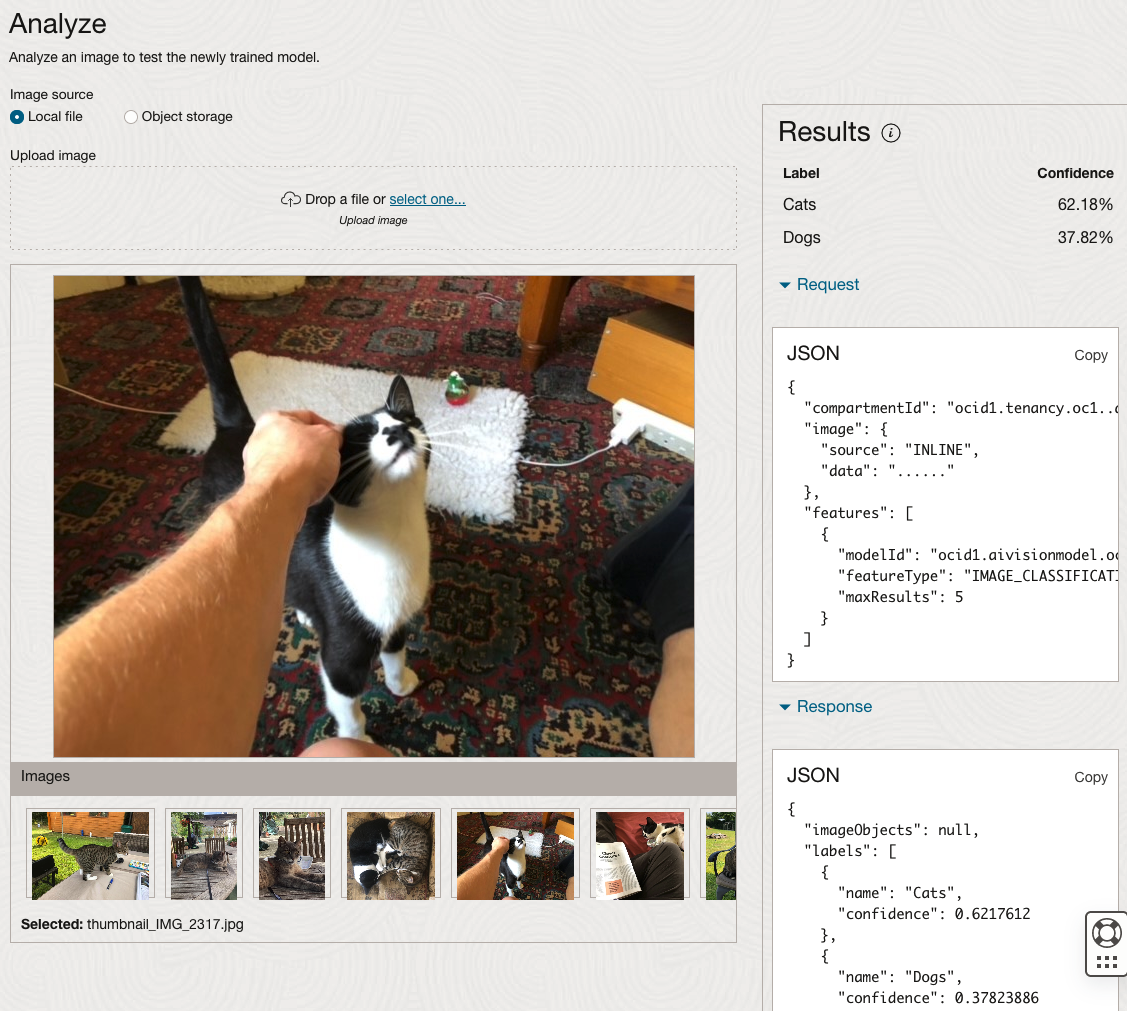
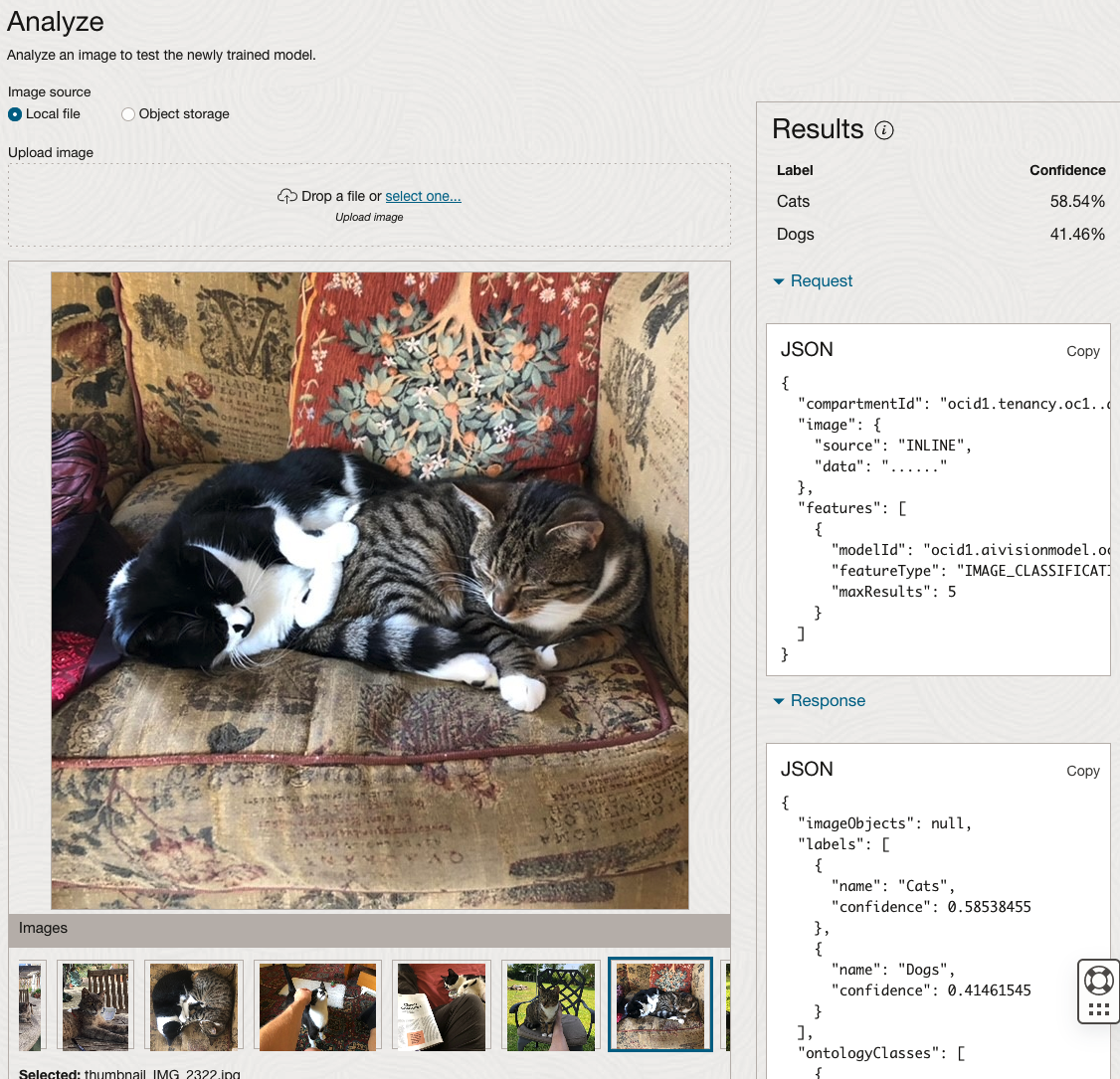
The bottom half of this page allows you to upload and evaluate images. The following images are example images of cats (do you know the owner) and the predictions and information about these are displayed on the screen. Have a look at the following to see which images scored better than others for identifying a Cat.
OCI:Vision – AI for image processing – the Basics
Every cloud service provides some form of AI offering. Some of these can range from very basic features right up to a mediocre level. Only a few are delivering advanced AI services in a useful way.
Oracle AI Services have been around for about a year now, and with all new products or cloud services, a little time is needed to let it develop from an MVP (minimum viable produce) to something that’s more mature, feature-rich, stable and reliable. Oracle’s OCI AI Services come with some pre-training models and to create your own custom models based on your own training datasets.
Oracle’s OCI AI Services include:
- Digital Assistant
- Language
- Speech
- Vision
- Document Understand
- Anomaly Detection
- Forecasting
In this post, we’ll explore OCI Vision, and what the capabilities are available with their pre-trained models. To demonstrate this their online/webpage application will be used to demonstrate what it does and what it creates and identifies. You can access the Vision AI Services from the menu as shown in the following image.
From the main AI Vision webpage, we can see on the menu (on left-hand side of the page), we have three main Vision related options. These are Image Classification, Object Detection and Document AI. These are pre-trained models that perform slightly different tasks.
Let’s start with Image Classification and explore what is possible. Just Click on the link.
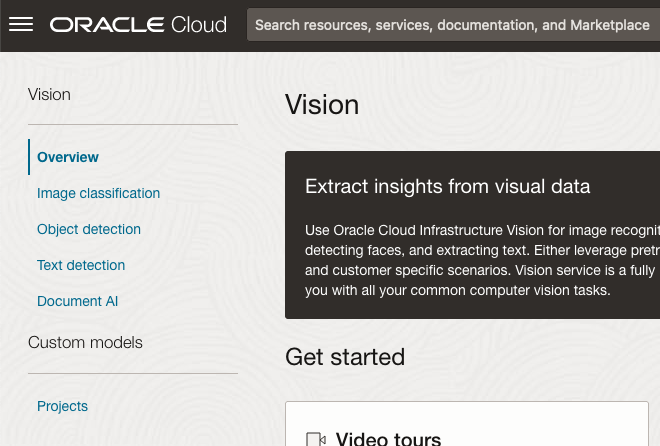
Note: The Document AI feature will be moving to its own cloud Service in 2024, so it will disappear from them many but will appear as a new service on the main Analytics & AI webpage (shown above).
The webpage for each Vision feature comes with a couple of images for you to examine to see how it works. But a better way to explore the capabilities of each feature is to use your own images or images you have downloaded. Here are examples.
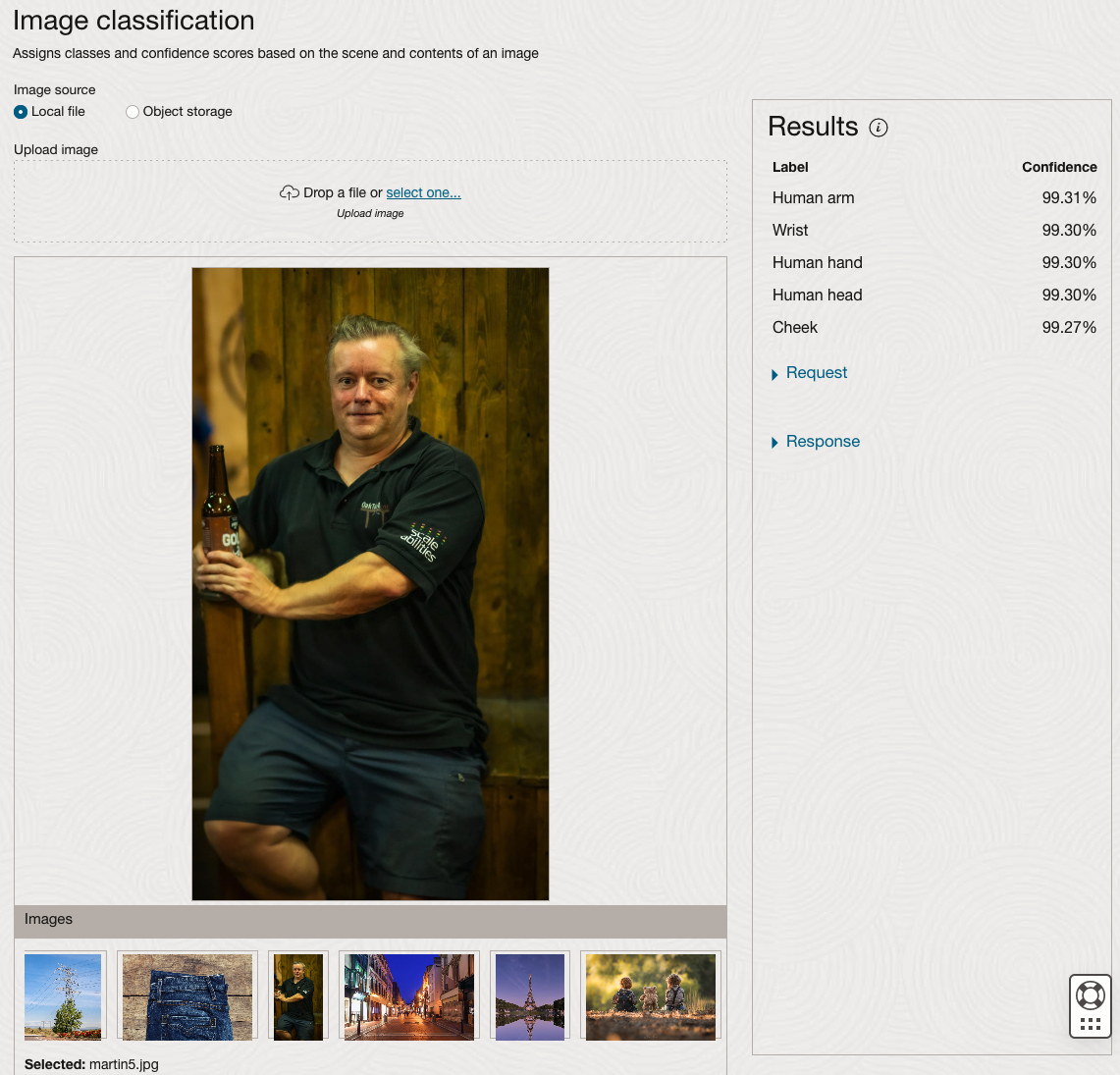
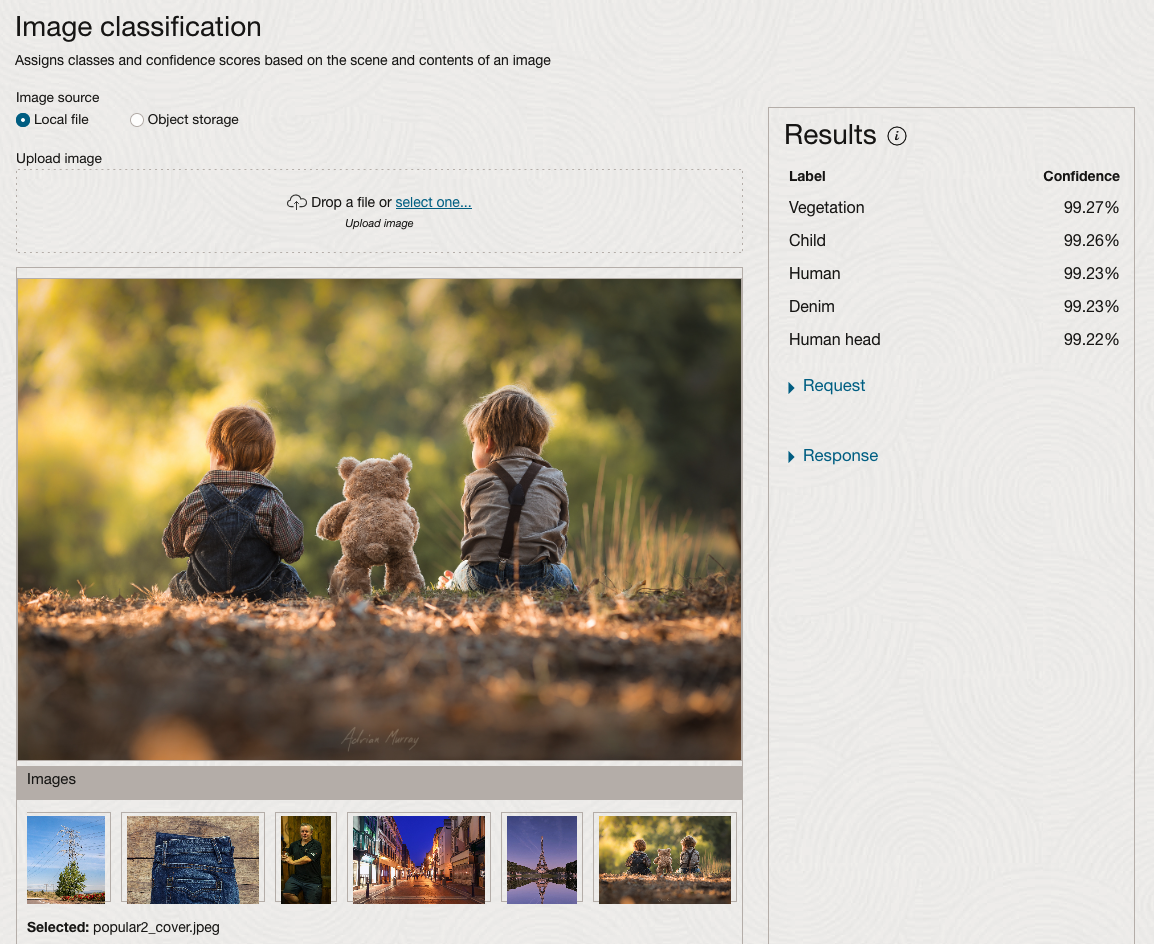
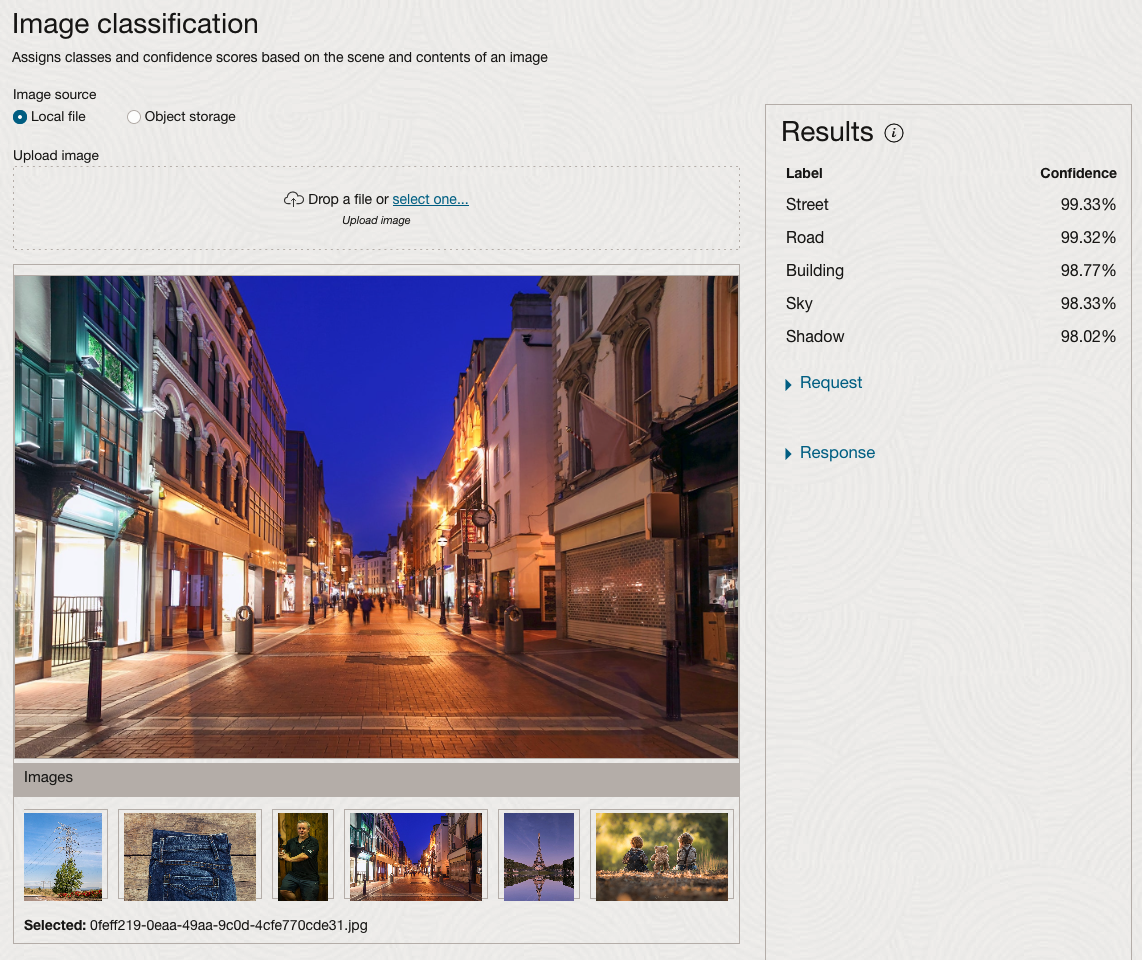
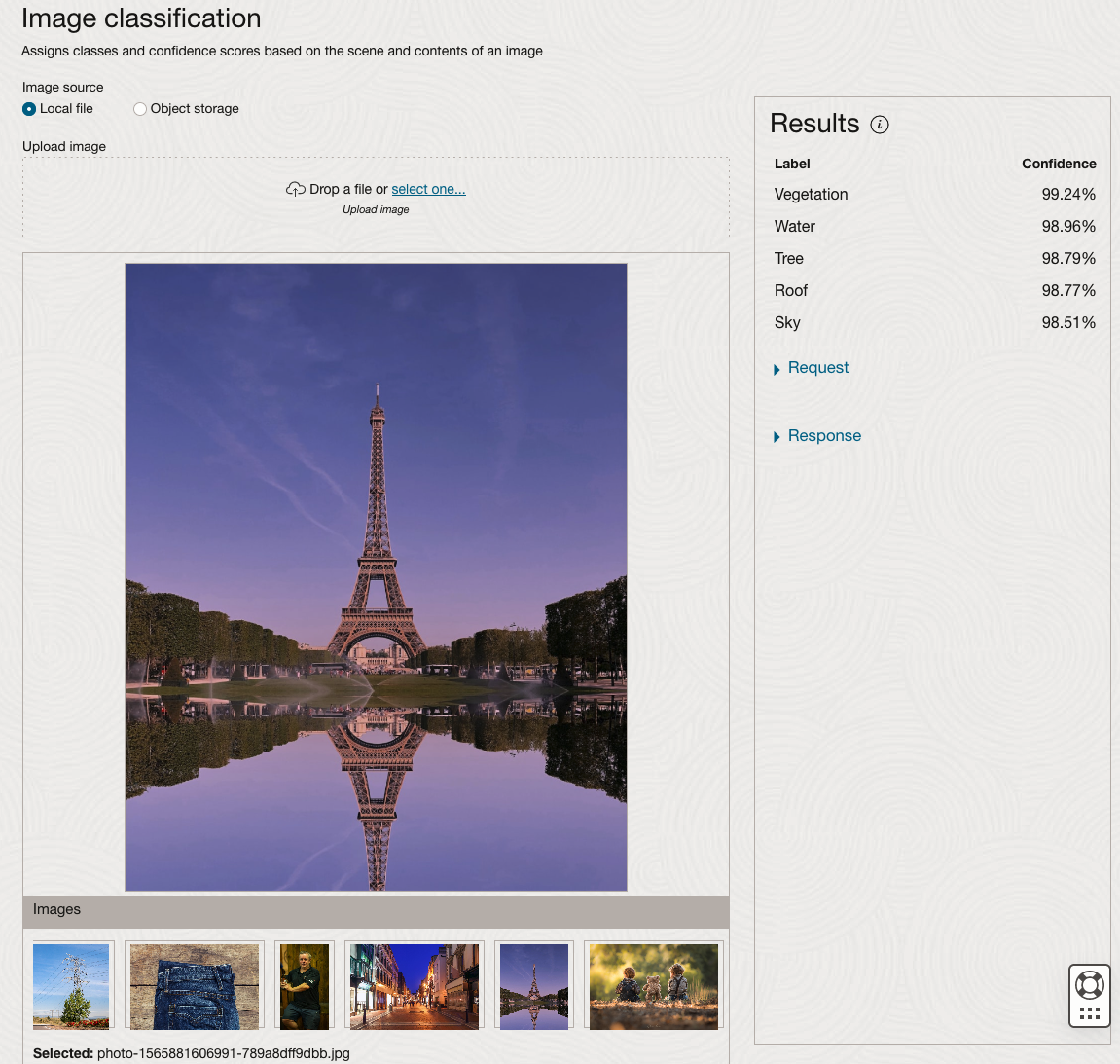
We can see the pre-trained model assigns classes and confidence for each image based on the main components it has identified in the image. For example with the Eiffel Tower image, the model has identified Water, Trees, Sky, Vegetation and Roof (of build). But it didn’t do so well with identifying the main object in the image as being a tower, or building of some form. Where with the streetscape image it was able to identify Street, Road, Building, Sky and Shadow.
Just under the Result section, we see two labels that can be expanded. One of these is the Response which contains JSON structure containing the labels, and confidences it has identified. This is what the pre-trained model returns and if you were to use Python to call this pre-trained model, it is this JSON object that you will get returned. You can then use the information contained in the JSON object to perform additional tasks for the image.
As you can see the webpage for OCI Vision and other AI services gives you a very simple introduction to what is possible, but it over simplifies the task and a lot of work is needed outside of this page to make the use of these pre-trained models useful.
Moving onto the Object Detection feature (left-hand menu) and using the pre-trained model on the same images, we get slightly different results.
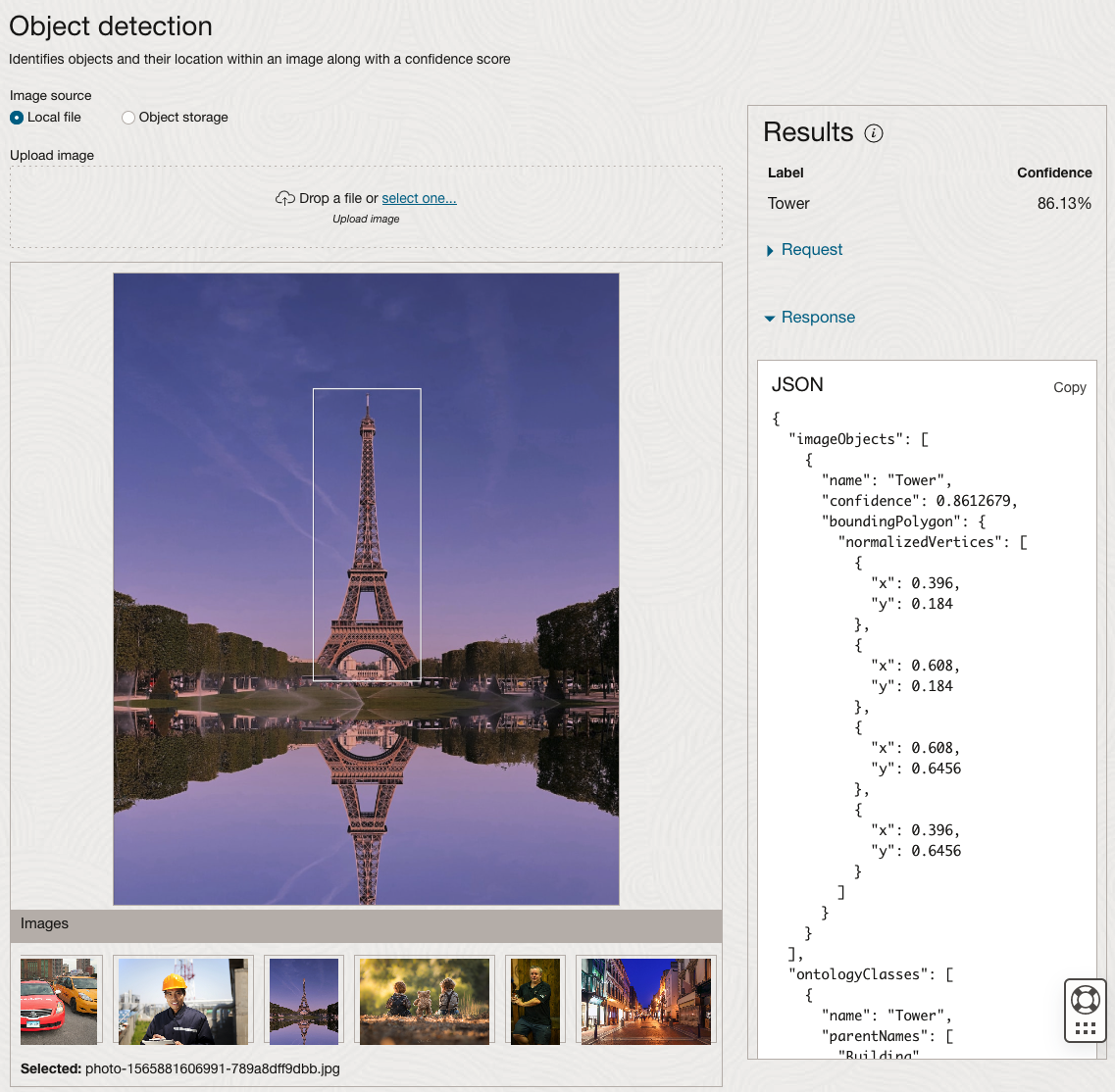
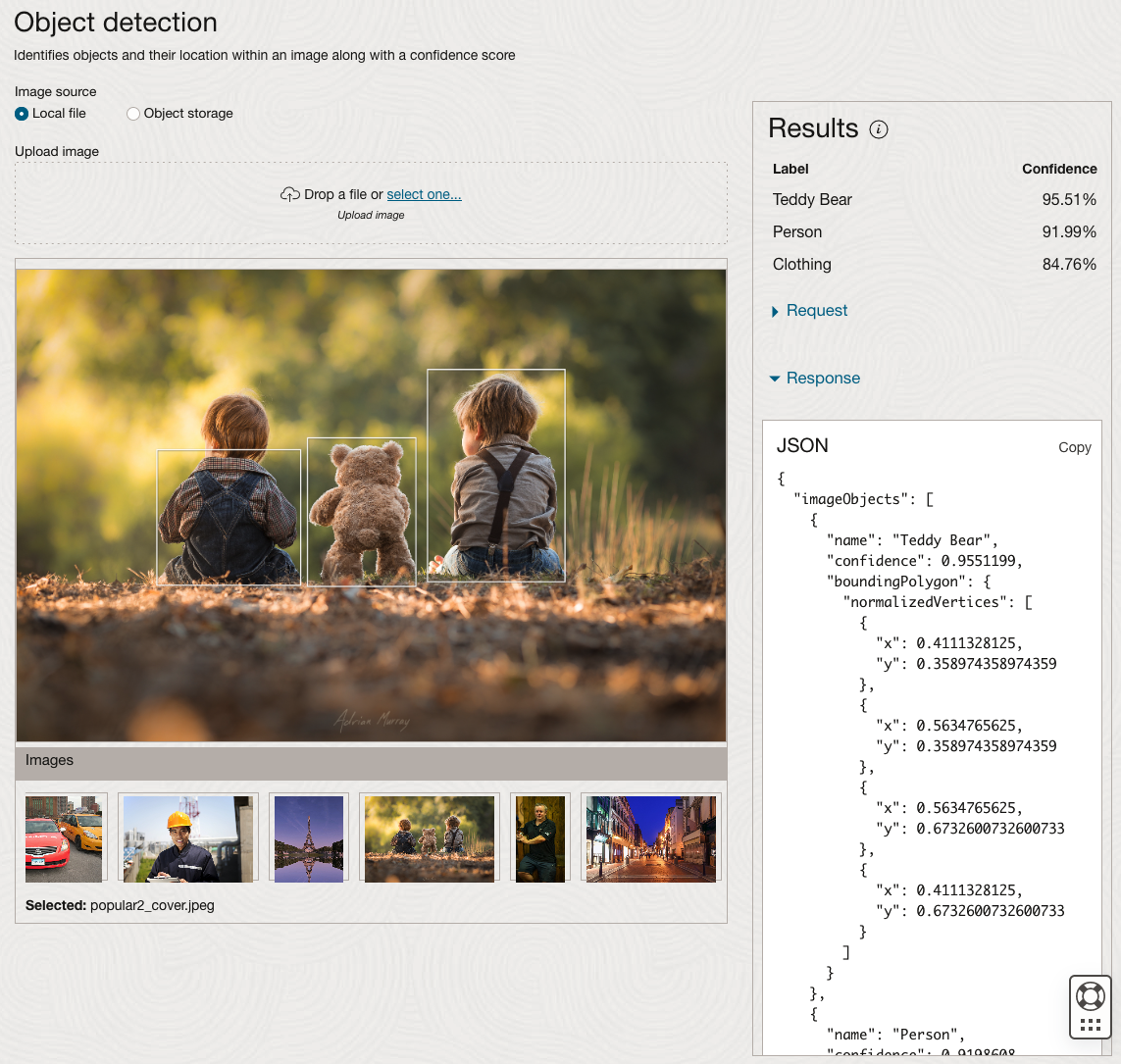
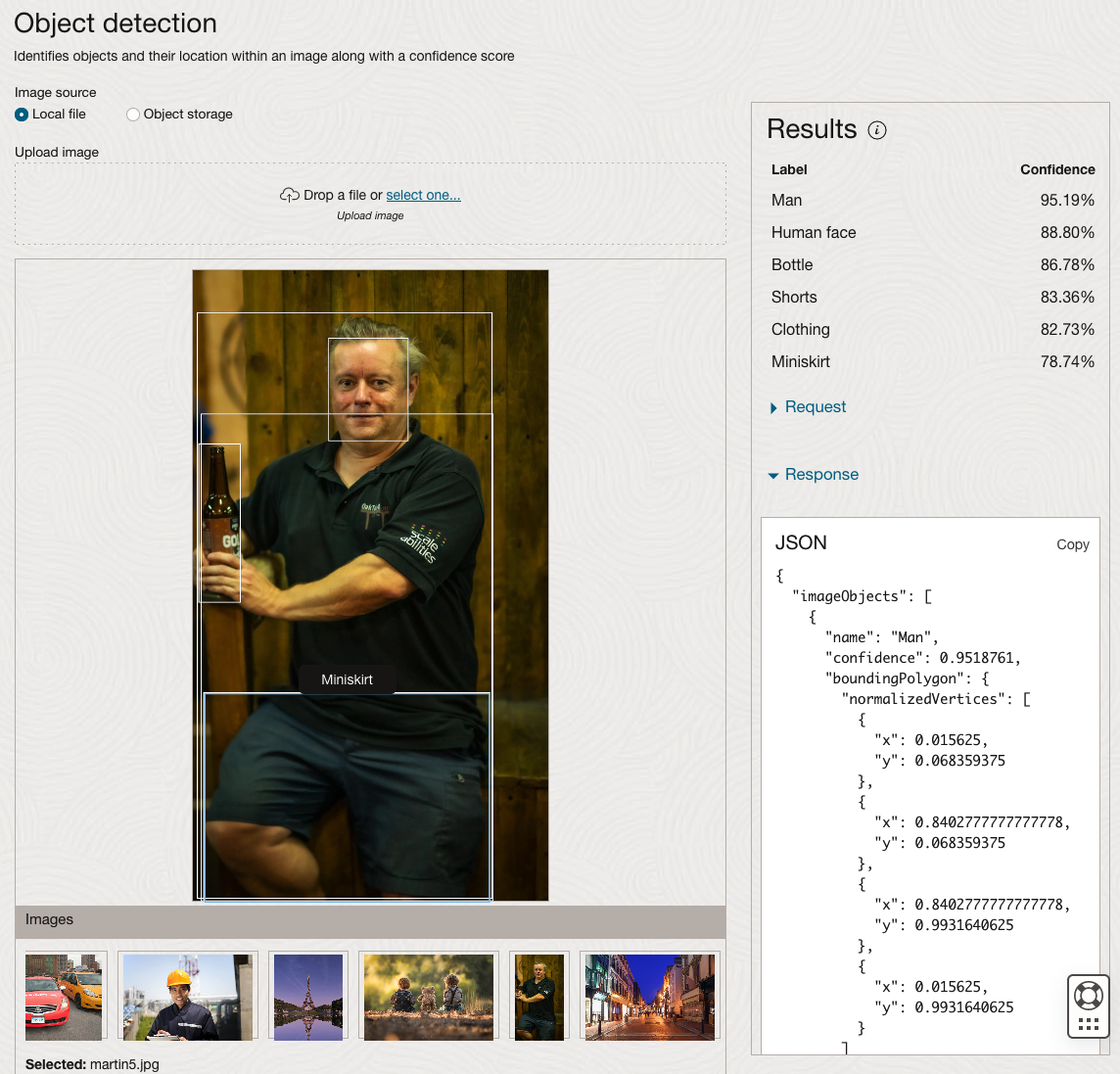
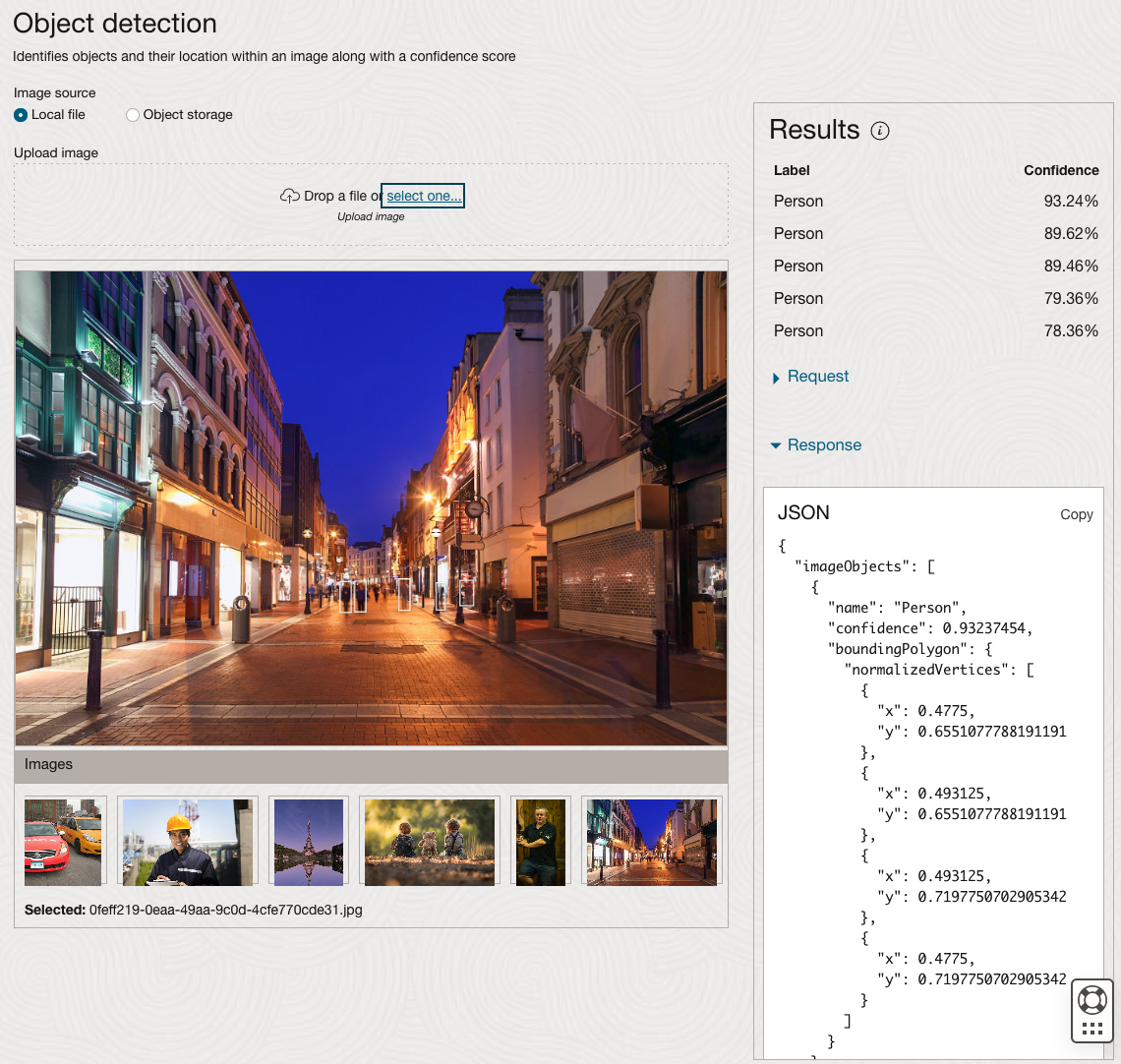
The object detection pre-trained model works differently as it can identify different things in the image. For example, with the Eiffel Tower image, it identifies a Tower in the image. In a similar way to the previous example, the model returns a JSON object with the label and also provides the coordinates for a bounding box for the objects detected. In the street scape image, it has identified five people. You’ll probably identify many more but the model identified five. Have a look at the other images and see what it has identified for each.
As I mentioned above, using these pre-trained models are kind of interesting, but are of limited use and do not really demonstrate the full capabilities of what is possible. Look out of additional post which will demonstrate this and steps needed to create and use your own custom model.
Preparing images for #DeepLearning by removing background
There are a number of methods available for preparing images for input to a variety of purposes. For example, for input to deep learning, other image processing models/applications/systems, etc. But sometimes you just need a quick tool to perform a certain task. An example of this is I regularly have to edit images to extract just a certain part of it, or to filter out all the background colors and/or objects etc. There are a a variety of tools available to help you with this kind of task. For me, I’m a Mac user, so I use the instant alpha feature available in some of the Mac products. But what if you are not a Mac user, what can you use.
I’ve recently come across a very useful Python library that takes all or most of the hard work out of doing such tasks, and has proved to be extremely useful for some demos and projects I’ve been working on. The Python library I’m using is remgb (Remove Background). It isn’t perfect, but it does a pretty good job and only in a small number of modified images, did I need to do some additional processing.
Let’s get started with setting things up to use remgb. I did encounter some minor issues installing it, and I’ve give the workarounds below, just in case you encounter the same.
pip3 install remgbThis will install lots of required libraries and will check for compatibility with what you have installed. The first time I ran the install it generated some errors. It also suggested I update my version of pip, which I did, then uninstalled the remgb library and installed again. No errors this time.
When I ran the code below, I got some errors about accessing a document on google drive or it had reached the maximum number of views/downloads. The file it is trying to access is an onix model. If you click on the link, you can download the file. Create a directory called .u2net (in your home directory) and put the onix file into it. Make sure the directory is readable. After doing that everything runs smoothly for me.
The code I’ve given below is typical of what I’ve been doing on some projects. I have a folder with lots of images where I want to remove the background and only keep the key foreground object. Then save the modified images to another directory. It is these image that can be used in products like Amazon Rekognition, Oracle AI Services, and lots of other similar offerings.
from rembg import remove
from PIL import Image
import os
from colorama import Fore, Back, Style

sourceDir = '/Users/brendan.tierney/Dropbox/4-Datasets/F1-Drivers/'
destDir = '/Users/brendan.tierney/Dropbox/4-Datasets/F1-Drivers-NewImages/'

print('Searching = ', sourceDir)

files = os.listdir(sourceDir)
for file in files:
    try:
        inputFile = sourceDir + file
        outputFile = destDir + file

        with open(inputFile, 'rb') as i:
            print(Fore.BLACK + '..reading file : ', file)
            input = i.read()
            print(Fore.CYAN + '...removing background...')
            output = remove(input)

        try:
            with open(outputFile, 'wb') as o:
                print(Fore.BLUE + '.....writing file : ', outputFile)
                o.write(output)
        except:
            print(Fore.RED + 'Error writing file :', outputFile)

except:
    print(Fore.RED + 'Error processing file :', file)

print(Fore.BLACK + '---')
print(Fore.BLACK + 'Finished processing all files')
print(Fore.BLACK + '---')
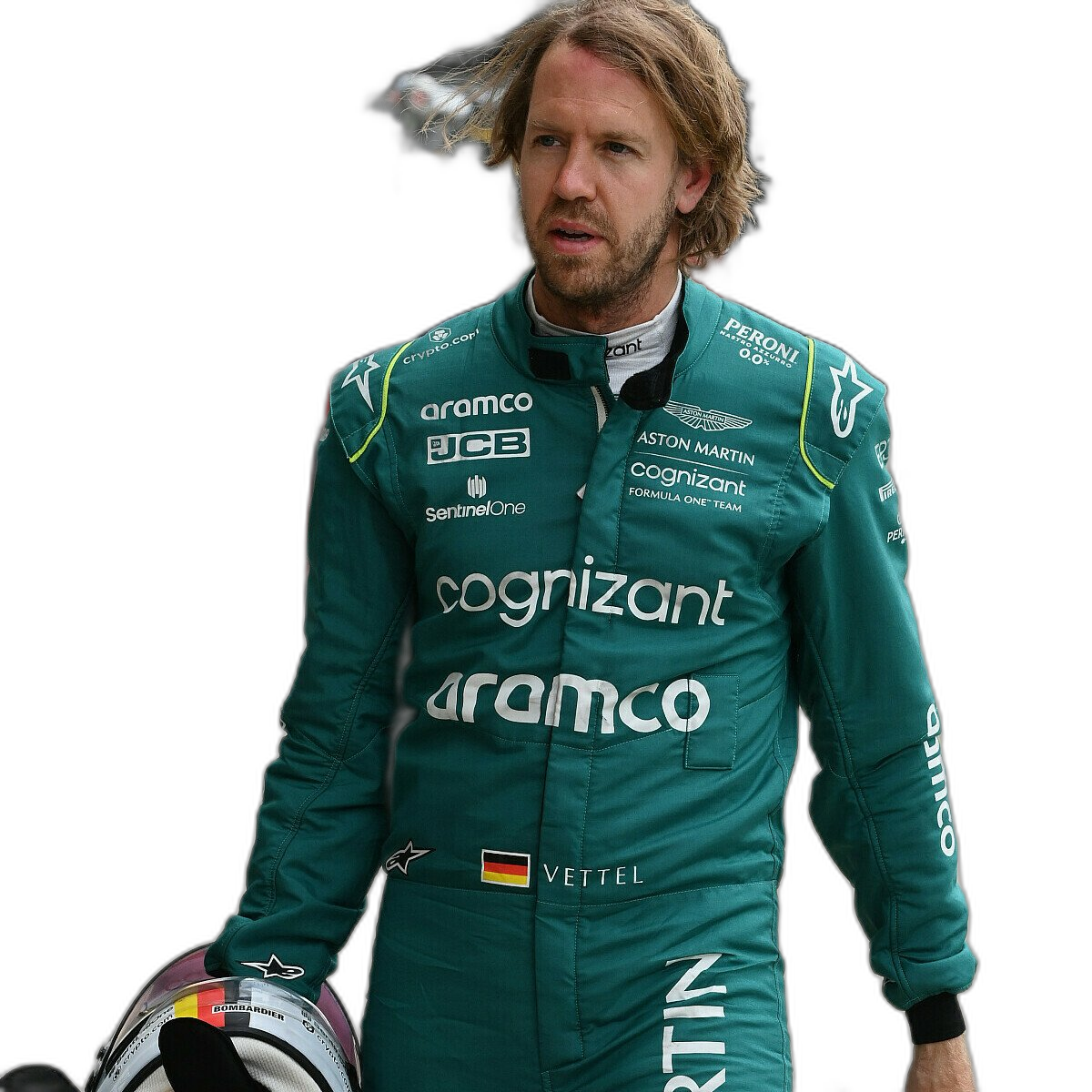
For this demonstration I’ve used images of the F1 drivers for 2022. I had collected five images of each driver with different backgrounds including, crowds, pit-lane, giving media interviews, indoor and outdoor images.
Generally the results were very good. Here are some results with the before and after.
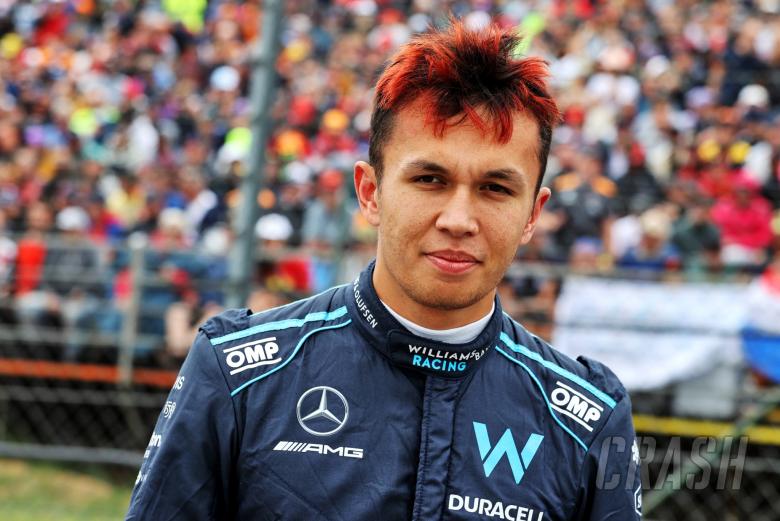
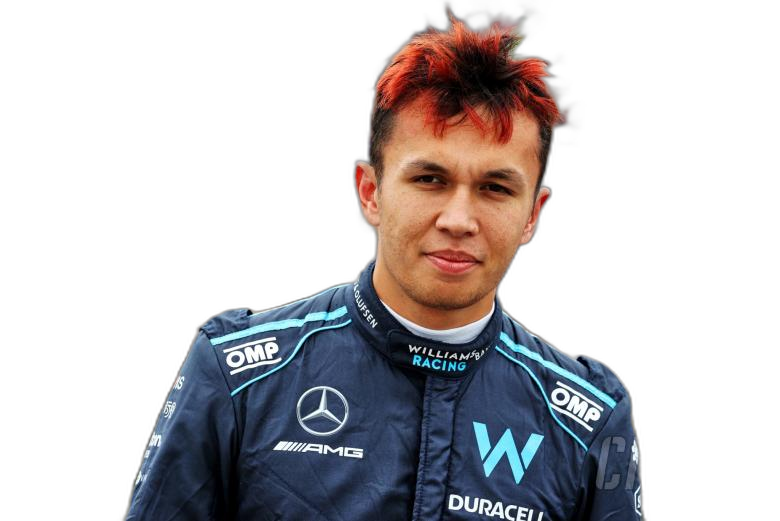




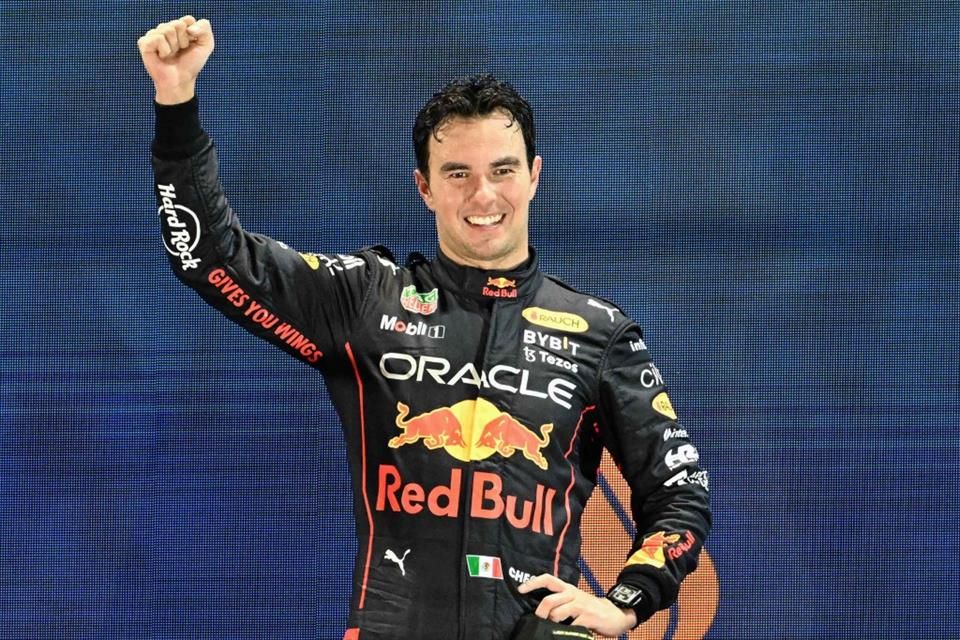


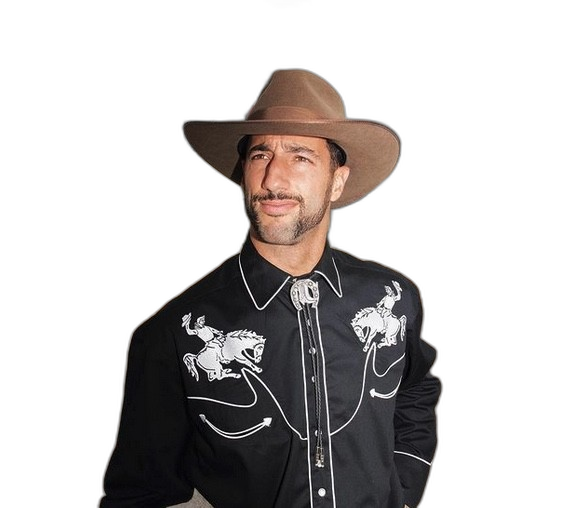

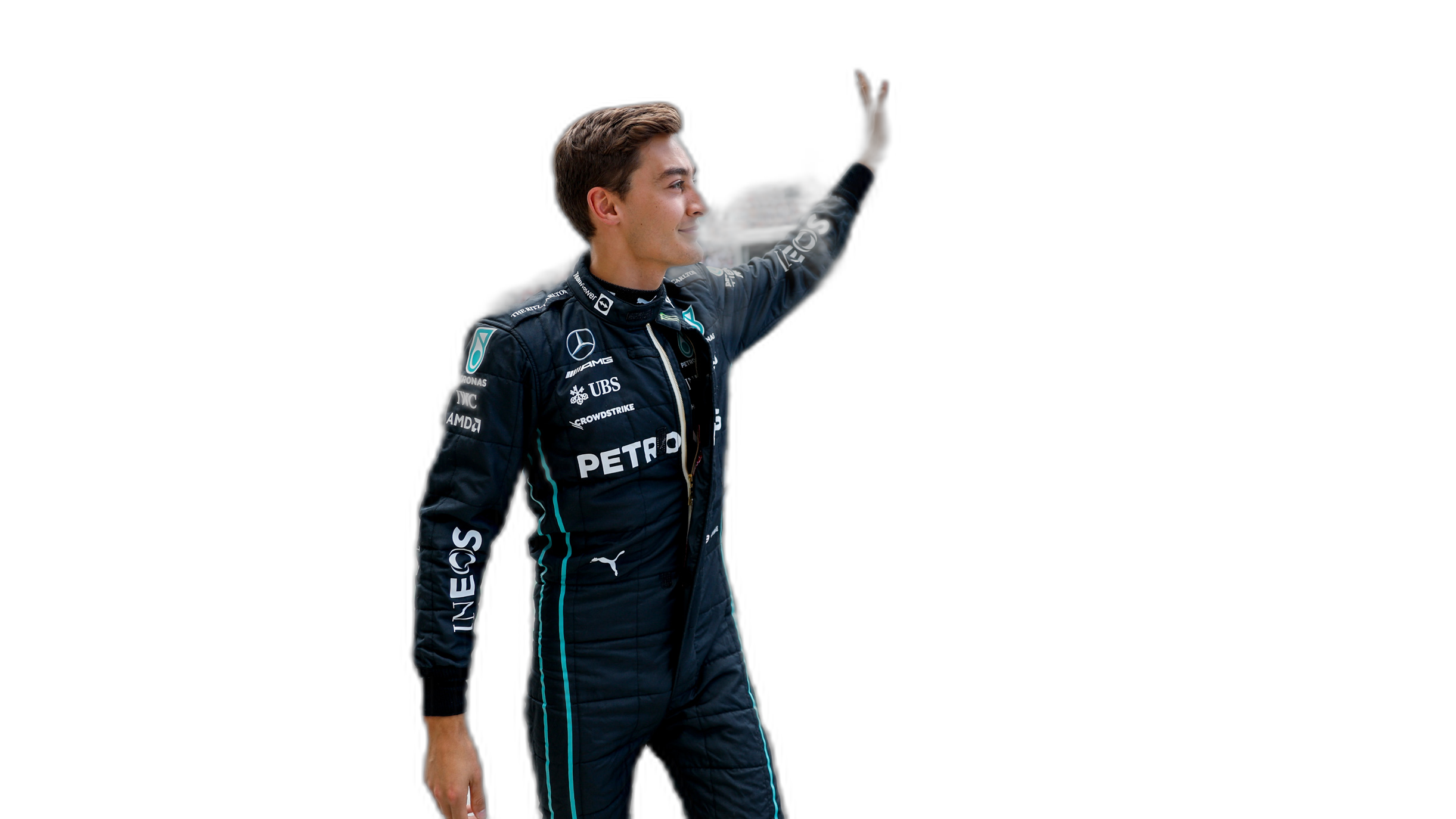
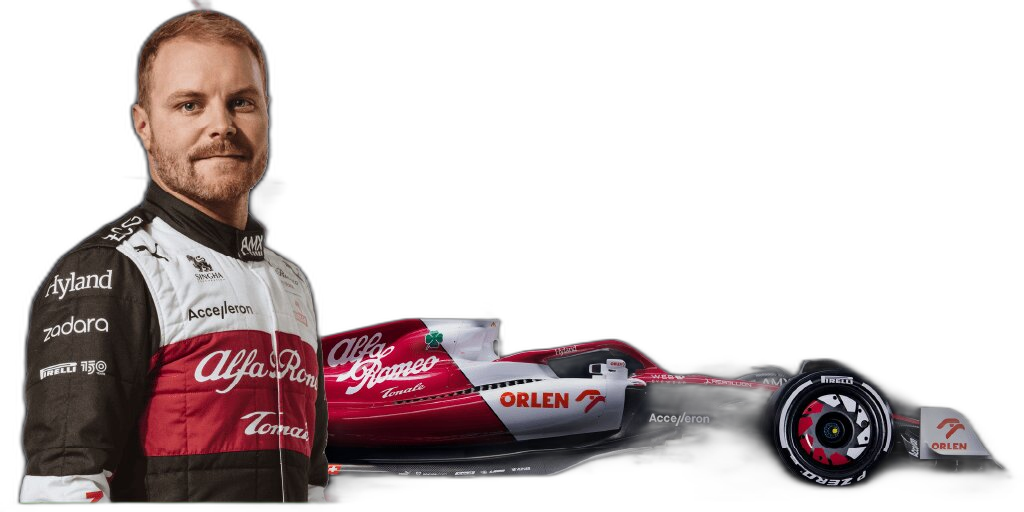
As you can see from these image there are some where a shadow remains and the library wasn’t able to remove it. The following images gives some additional examples of this. The first is with Bottas and his car, where the car wasn’t removed. The second driver is Vettel where the library captures his long hair and keeps it in the filtered image.


Machine Learning on Mobile Devices
You: What? You can’t be serious? Machine Learning on Mobile Devices?
Me: The simple answer is ‘Yes you can!”
You: But, what about all the complex data processing, CPU or GPU, and everything else that is needed for machine learning?
Me: Yes you are correct, those things might not be needed. What’s the answer to everything in IT?
You: It Depends ?
Me: Exactly. Yes It Depends on what you are doing. In most cases you don’t need large amounts of machine processing power to do machine learning. Except if you are doing image processing. Then you do need a bit of power to support that work.
You: But how can a mobile device be used for machine learning?
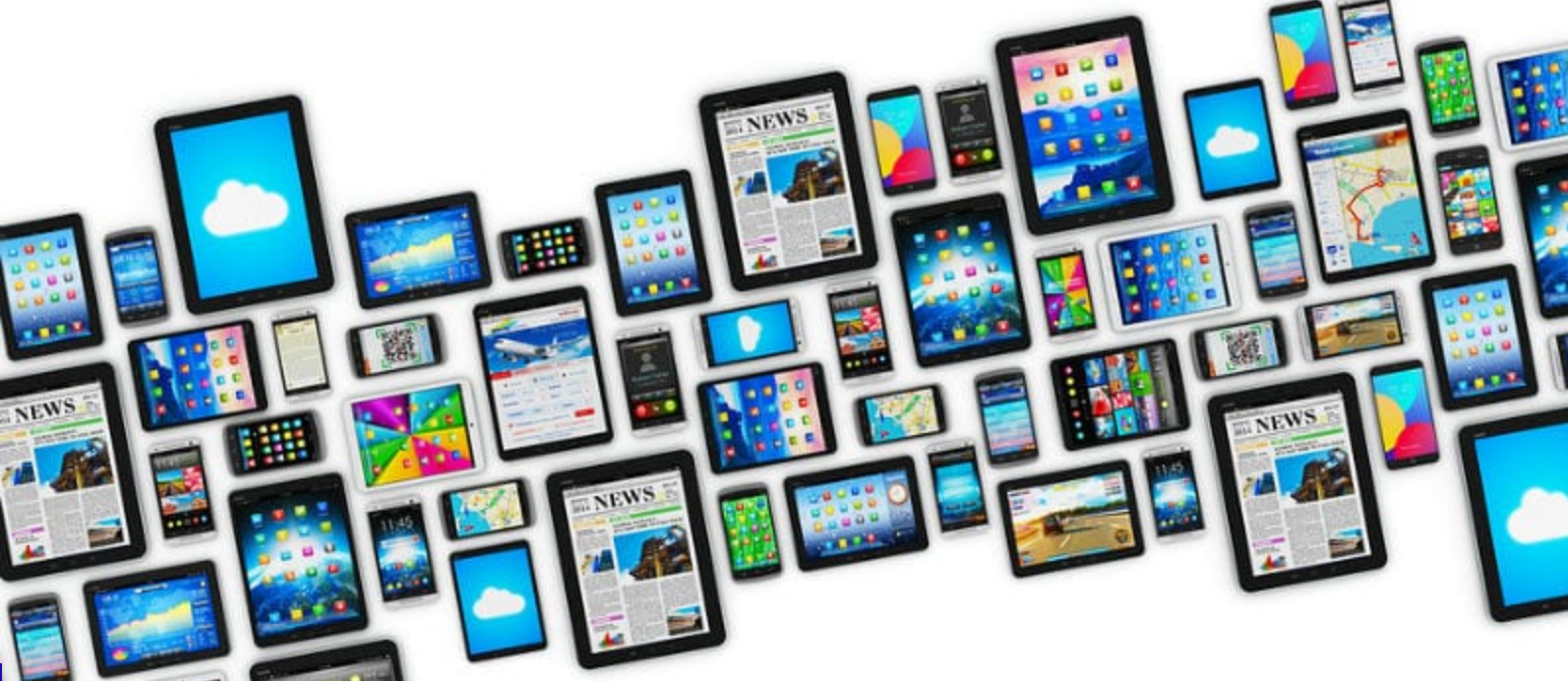
Me: It Depends! 🙂 It depends on what you are doing. Most of the data processing power needed is for creating the models. That is what most people talk about. Very few people talk about the deployment of machine learning. Deployment, as in, using the machine learning models in your applications.
You: But why mobile devices? That sounds a bit silly?
Me: It does a bit. But when you think about it, how much do you use your mobile phone and tablet? Where else have you seen mobile devices being used?
You: I use these all the time, to do nearly everything. Just like everyone else I know.
Me: Exactly! and where else have you seen mobile devices being used?
You: Everywhere! hotels, bars, shops, hospitals, everywhere!
Me: Exactly. And it kind of makes sense to have machine learning scoring done at the point of capture of the data and not some hours or days or weeks later in some data warehouse or something else.
You: But what about the processing power of these devices. They aren’t powerful enough to run the machine learning models? Or are they?
Me: What is a machine learning model? In a simple way it is a mathematical formula of the data that calculates a particular outcome. Something that is a bit more complicated than using a sum function. Could a mobile device do that easily?
You: Yes. That should be really easy and fast for mobile devices? But machine learning is complex. People keep telling me how complex it is and how difficult it is!
Me: True it can be, but for most problems it can be as simple as writing a few lines of code to create a model. 3-4 lines of code in some languages. But the applying of the the machine learning model can be a simple task (maybe 1 line of code), although some simple data formatting might be needed, but that is a simple task too.
You: So, how can a machine learning model be run on a mobile device?
Me: Programmers write code to run applications on mobile devices. This code can be extended to include the machine learning model. This can be used to score or label the data or do some other processing. A few lines of code. A good alternative is to create a web service to all the remove scoring of the data.
You: The programming languages used for mobile development are a bit different to most other applications. Surely those mobile device languages don’t support machine learning.
Me: You’d be surprised by what’s available.
You: OK, What languages can I try? Where can I get started?
Me: Check out Firebase ML Kit, Apple CoreML and TensorFlow Lite. Those should be more than enough for you to get started with. There are a few others. But start with those.
You. Brilliant, thank you Brendan. I’ll let you know how I get on with those.
Examples of Machine Learning with Facial Recognition
In a previous blog post I gave some examples of how facial images recognition and videos are being used in our daily lives. In this post I want to extend this with some additional examples. There are ethical issues around this and in some of these examples their usage has stopped. What is also interesting is the reaction on various social media channels about this. People don’t like it and and happen that some of these have stopped.
But how widespread is this technology? Based on these known examples, and this list is by no means anywhere near complete, but gives an indication of the degree of it’s deployment and how widespread it is.
Dubai is using facial recognition to measure customer satisfaction at four of the Roads and Transport Authority Customer Happiness Centers. They analyze the faces of their customers and rank their level of happiness. They can use this to generate alerts when the happiness levels falls below certain levels.

Various department stores are using facial recognition throughout the stores and at checkout. These are being used to delivery personalized adverts to users on either in-store screen or on personalized screens on the shopping trolley. And can be used to verify a person’s age if they are buying alcohol or other products. Tesco’s have previously used face-scanning cameras at tills in petrol stations to target advertisements at customers depending on their age and approximate age.
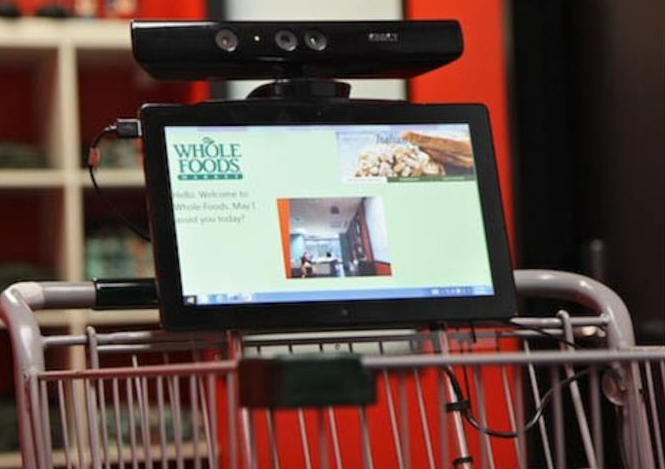
Some retail stores are using ML to monitor you, monitor what items you pick up and what you pay for at the checkout, identifying any differences and what steps to take next.
In a slight variation of facial recognition, some stores are using similar technology to monitor stock levels, monitor how people interact with different products (e.g pick up one product and then relate it with a similar product), and optimized location of products. Walmart has been a learner in the are of AI and Machine Learning in the retail section for some time now.
The New York Metropolitan Transport Authority has been using facial capture and recognition at several site across the city. Their proof of concept location was at the Robert F Kennedy Bridge. The company supplying the technology claimed 80% accuracy at predicting the person, through a widescreen while the car was traveling at low speed. These images can then be matched against government databases, such as driver license authorities, police databases and terrorist databases. The problem with this project was that it did not achieve one single positive match (within acceptable parameters) during the initial period of the project.
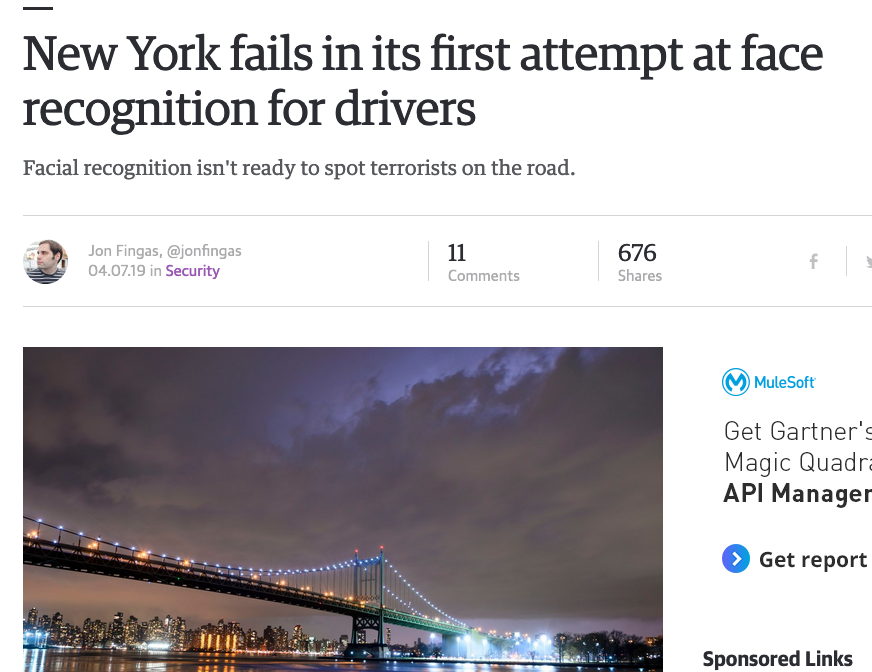
There are some reports that similar technology is being use on the New York Subway system in Time Square to help with identifying fare dodgers.
How about using facial recognition at boarding gates for your new flight instead of showing your passport or other official photo id. JetBlue and other airlines are now using this technology. Some airports have been using this for many many years.

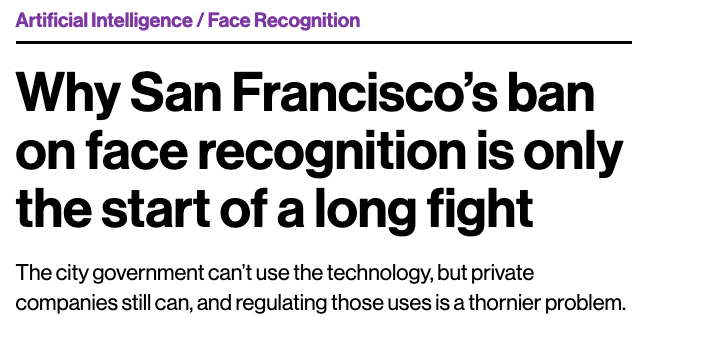
San Francisco City government took steps in May 2019 to ban the use of facial recognition across all city functions. Other cities like Oakland and Sommerville in Massachusetts have implemented similar bans with other cities likely to follow. But it doesn’t ban the use by private companies.
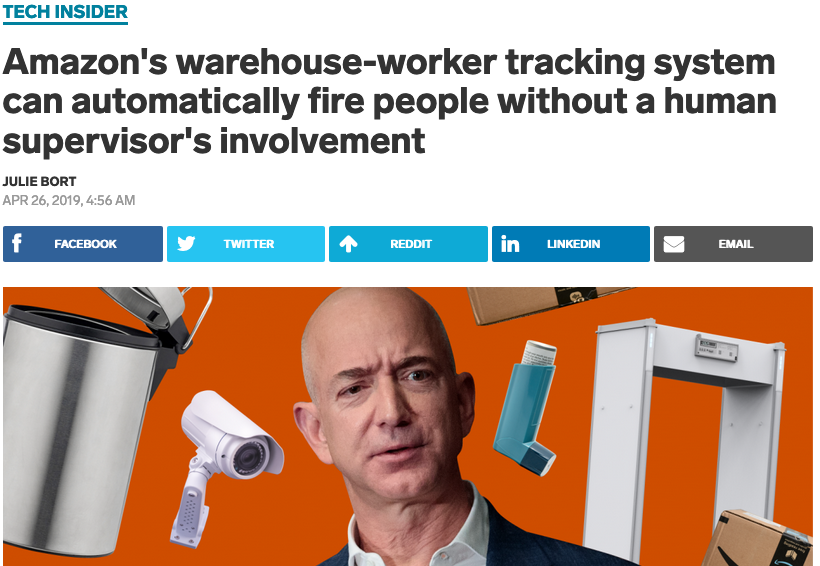
What about using this technology to automatically monitor and manage staff. Manage staff, as in to decide who should be fired and who should be reallocated elsewhere. It is reported that Amazon is using facial and other recognition systems to monitor staff productivity in their warehouses.
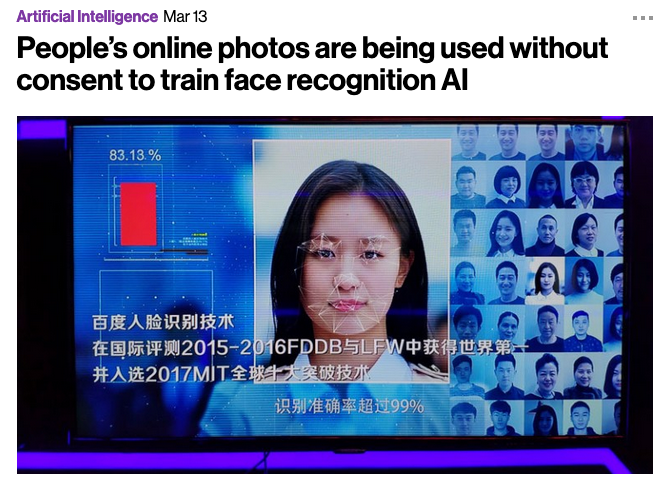
A point I highlighted in my previous post was how are these systems/applications able to get enough images as training samples for their models. This is considering that most of the able systems/applications say they don’t keep any of the images they capture.
How many of us take pictures and post them on Facebook, Instagram, Snapchat, Twitter, etc. By doing this, you are making those images available to these companies to training their machine learning model. To do this they scrap the images for these sites and then have to manually label them with descriptive information. It is a combination of the image and descriptive information that is used by the machine learning algorithms to learn and build a model that suits their needs. See the MIT Technology Review article for more details and example on this topic.
There are also reports of some mobile phone apps that turn on your mobile phone camera. The apps will detect if the phone is possibly mounted on the dashboard of a car, and then takes pictures of the inside of the car and also pictures of where you are driving. Similar reports exists about many apps and voice activated devices.
So be careful what you post on social media or anywhere else online, and be careful of what apps you have on your mobile phone!
There is a general backlash to the use of this technology, and with more people becoming aware of what is happening, we need to more aware of what when and where this technology is being used.
Examples of using Machine Learning on Video and Photo in Public
Over the past 18 months or so most of the examples of using machine learning have been on looking at images and identifying objects in them. There are the typical examples of examining pictures looking for a Cat or a Dog, or some famous person, etc. Most of these examples are very noddy, although they do illustrate important examples.
But what if this same technology was used to monitor people going about their daily lives. What if pictures and/or video was captured of you as you walked down the street or on your way to work or to a meeting. These pictures and videos are being taken of you without you knowing.
And this raises a wide range of Ethical concerns. There are the ethics of deploying such solutions in the public domain, but there are also ethical concerns for the data scientists, machine learner, and other people working on these projects. “Just because we can, doesn’t mean we should”. People need to decide, if they are working on one of these projects, if they should be working on it and if not what they can do.
Ethics are the principals of behavior based on ideas of right and wrong. Ethical principles often focus on ideas such as fairness, respect, responsibility, integrity, quality, transparency and trust. There is a lot in that statement on Ethics, but we all need to consider that is right and what is wrong. But instead of wrong, what is grey-ish, borderline scenarios.
Here are some examples that might fall into the grey-ish space between right and wrong. Why they might fall more towards the wrong is because most people are not aware their image is being captured and used, not just for a particular purpose at capture time, but longer term to allow for better machine learning models to be built.
Can you imagine walking down the street with a digital display in front of you. That display is monitoring you, and others, and then presents personalized adverts on the digital display aim specifically at you. A classify example of this is in the film Minority Report. This is no longer science fiction.
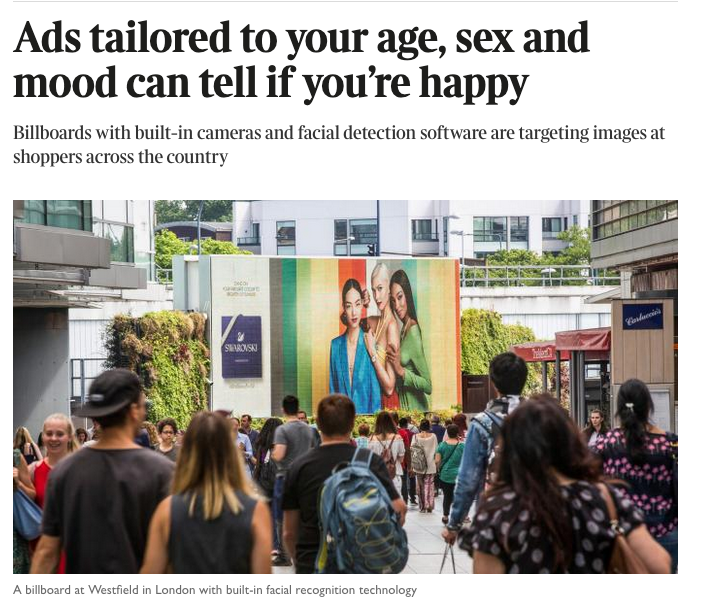
This is happening at the Westfield shopping center in London and in other cities across UK and Europe. These digital advertisement screens are monitoring people, identifying their personal characteristics and then customizing the adverts to match in with the profile of the people walking past. This solutions has been developed and rolled out by Ocean Out Door. They are using machine learning to profile the individual people based on gender, age, facial hair, eye wear, mood, engagement, attention time, group size, etc. They then use this information to:
- Optimisation – delivering the appropriate creative to the right audience at the right time.
- Visualise – Gaze recognition to trigger creative or an interactive experience
- AR Enabled – Using the HD cameras to create an augmented reality mirror or window effect, creating deep consumer engagement via the latest technology
- Analytics – Understanding your brand’s audience, post campaign analysis and creative testing
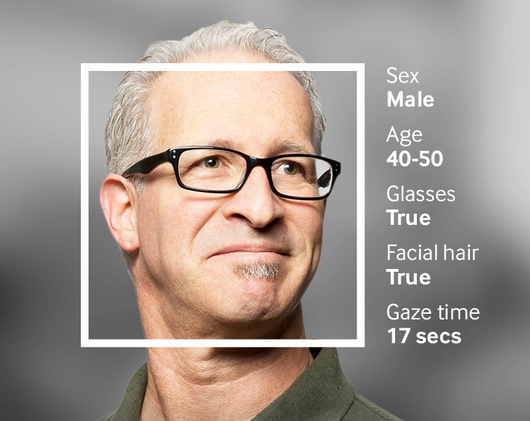
Face Plus Plus can monitor people walking down the street and do similar profiling, and can bring it to another level where by they can identify what clothing you are wearing and what the brand is. Image if you combine this with location based services. An example of this, imagine you are walking down the high street or a major retail district. People approach you trying to entice you into going into a particular store, and they offer certain discounts. But you are with a friend and the store is not interested in them.
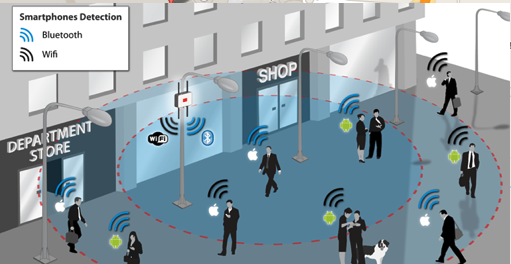
The store is using video monitoring, capturing details of every person walking down the street and are about to pass the store. The video is using machine/deep learning to analyze you profile and what brands you are wearing. The store as a team of people who are deployed to stop and engage with certain individuals, just because they make the brands or interests of the store and depending on what brands you are wearing can offer customized discounts and offers to you.
How comfortable would you be with this? How comfortable would you be about going shopping now?
For me, I would not like this at all, but I can understand why store and retail outlets are interested, as they are all working in a very competitive market trying to maximize every dollar or euro they can get.
Along side the ethical concerns, we also have some legal aspects to consider. Some of these are a bit in the grey-ish area, as some aspects of these kind of scenarios are slightly addresses by EU GDPR and the EU Artificial Intelligence guidelines. But what about other countries around the World. Then it comes to training and deploying these facial models, they are dependent on having a good training data set. This means they needs lots and lots of pictures of people and these pictures need to be labelled with descriptive information about the person. For these public deployments of facial recognition systems, then will need more and more training samples/pictures. This will allow the models to improve and evolve over time. But how will these applications get these new pictures? They claim they don’t keep any of the images of people. They only take the picture, use the model on it, and then perform some action. They claim they do not keep the images! But how can they improve and evolve their solution?
I’ll have another blog post giving more examples of how machine/deep learning, video and image captures are being used to monitor people going about their daily lives.
 Ora-lytics
You must be logged in to post a comment.